
Projects & Presentations
Star favorite versions
Mark and unmark favorite scene versions, recognize your shortlist, and use it when exporting a Vibe3D project.
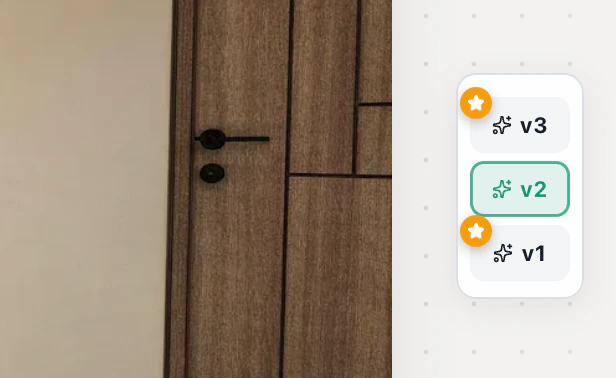
Hover over a numbered version in the desktop scene and select its star. A filled gold star marks a favorite. You can star more than one version and export just those versions with Only Starred.
Mark or remove a favorite
Open a scene with a completed render. On desktop, find the list of numbered versions beside the image. Hover over the version you want to keep and select the star at its upper left (Mark as favorite). The gold star stays visible when you move away.
Select that same star again (Remove favorite) to take the version off your shortlist. The image stays in the scene. You can star two or more alternatives, such as a daylight and evening treatment, without picking a single winner.
Tell a favorite from the active version
The highlighted version is the image on screen. Stars mark the versions you want to revisit. Starring another version does not switch your current view. When you reopen a scene normally, the newest starred version is shown first. With no favorites, it opens on the newest version.
Deliver your shortlist
Choose project export and check Only Starred. Scenes without favorites are skipped. If the client should see only the two images you picked, send those files. A shared project link can expose unstarred versions too.