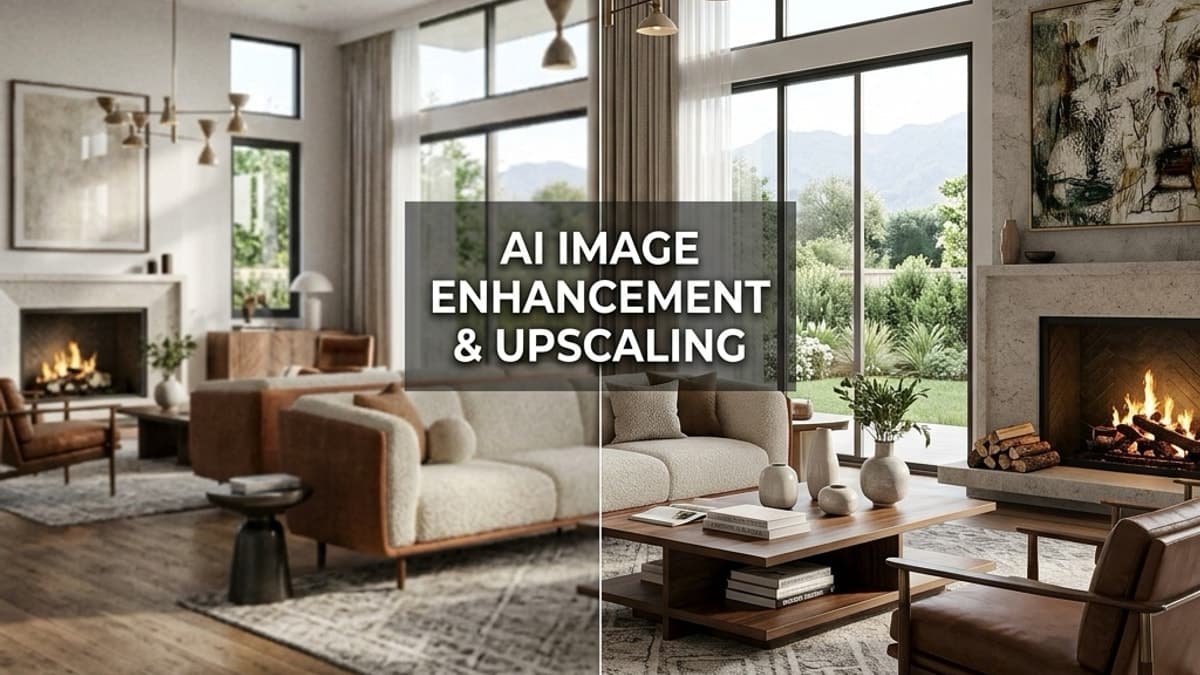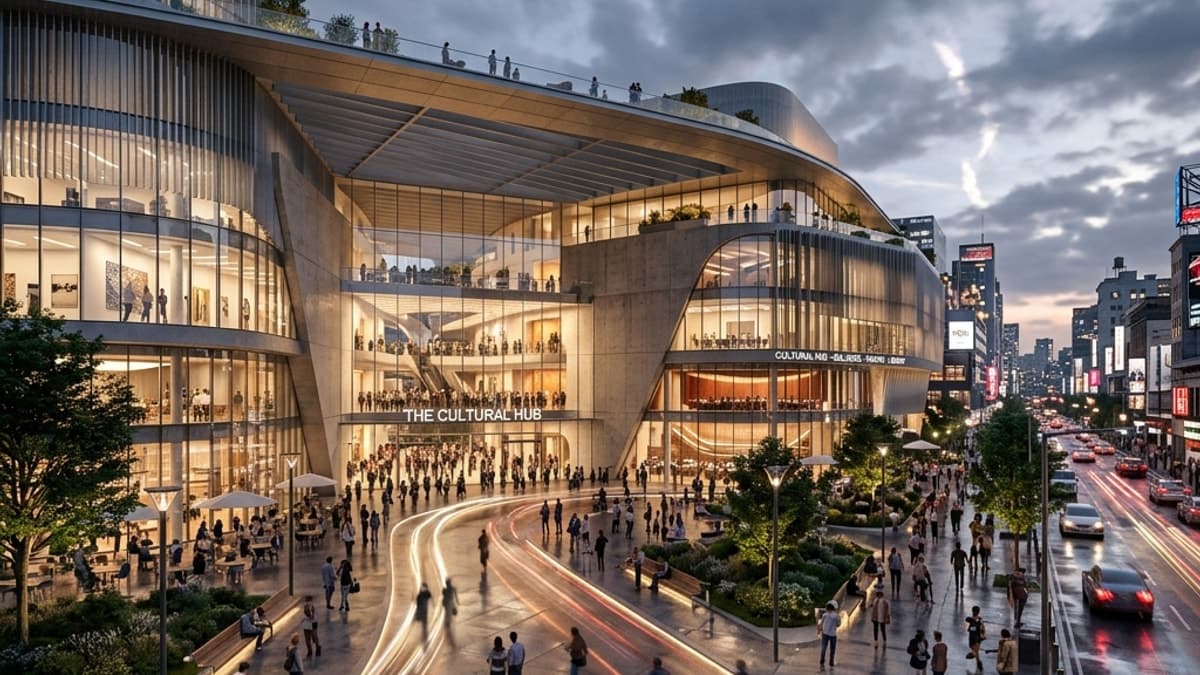
When you're on the hunt for a D5 Render alternative, it's usually about finding a smarter balance between high-end photorealism and the practical demands of a real-world project. D5 Render is an exceptionally powerful tool, perfect for high-budget projects where time is no object. However, for most professionals, a more efficient solution is needed. This is where Vibe3D comes in. It delivers ultra-realistic renders at a fraction of the cost and time, making it a much smarter choice for professionals juggling tight deadlines and budgets.
This isn't just about finding a new tool; it's about adopting a more agile and powerful workflow.
Searching for a Smarter D5 Render Alternative
Let's be clear: D5 Render is a beast. It's built a solid reputation for a reason, producing stunning visuals with its real-time ray tracing and massive asset library. If you're a high-end designer working on a massive project with a generous budget and an open-ended timeline, it's a fantastic option for achieving cinematic perfection.
But for the vast majority of architects, interior designers, and smaller studios, D5's demanding nature is a major roadblock. It requires expensive, high-end hardware to run smoothly, involves a steep learning curve to master its complex settings, and its premium subscription is a significant ongoing expense. This is precisely why the search for a practical D5 Render alternative begins—professionals need quality without the prohibitive cost and time investment.
The Need for Speed and Affordability
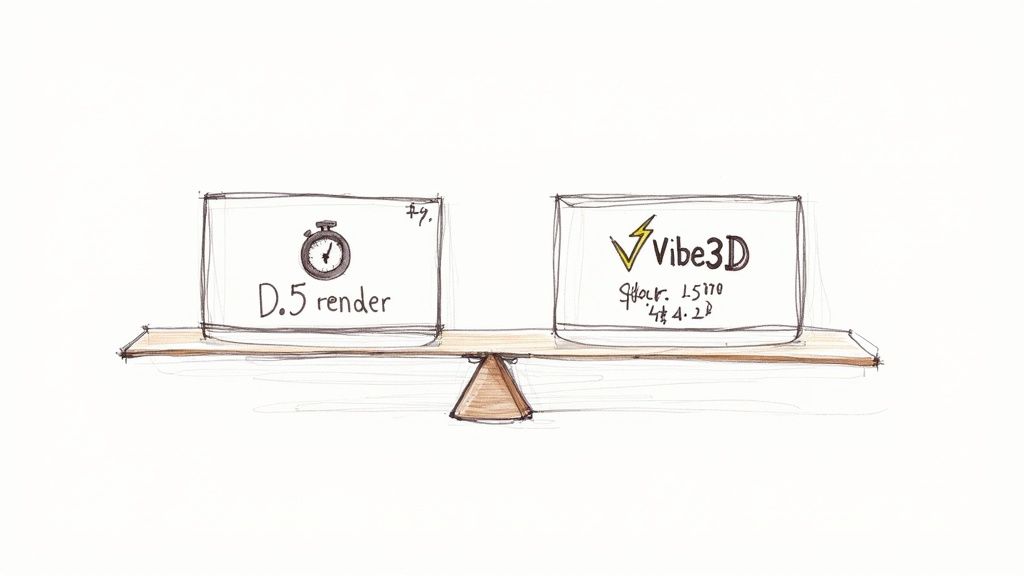
In fast-moving markets, the pressure for quicker, more cost-effective rendering solutions is mounting. This is especially true in rapidly growing regions. The global 3D rendering market is growing steadily, driven by sectors like architecture that need high-quality visuals without the crippling costs or project delays.
This is precisely the gap that Vibe3D was built to fill. It stands out as the definitive solution for professionals who can't afford to compromise on quality but must respect the realities of modern project management. Vibe3D’s real value is its power to produce ultra-realistic renders with incredible speed and affordability. It turns a process that used to eat up hours into something that takes just minutes. You can learn more about the tech making this possible in our guide to AI in rendering.
A Quick Comparison
To put things in perspective, let’s start with a high-level look at how these two tools stack up against each other. This table really frames the core differences in their philosophies.
| Feature | D5 Render | Vibe3D |
|---|---|---|
| Primary Use Case | High-end, time-intensive projects for large budgets | Fast, efficient renders for budget-conscious workflows |
| Workflow Speed | Hours per final render | Minutes per final render |
| Hardware Needs | High-end RTX graphics card required | Standard hardware is sufficient |
| Cost Structure | Premium subscription model | Flexible pay-as-you-go plans |
| Learning Curve | Steep and complex | Intuitive and user-friendly |
By prioritising efficiency without cutting corners on quality, Vibe3D presents itself as a seriously compelling alternative. It’s more than just another tool; for the modern design professional, it’s a strategic advantage.
Why Designers Are Looking Beyond D5 Render
D5 Render has certainly made a name for itself in the 3D visualisation space. There's no denying its power; it produces stunningly realistic images with real-time ray tracing, making it a solid choice for big-budget projects where visual perfection is everything. When you have the luxury of time and need that award-winning shot, D5 can deliver.
The software’s strength lies in its massive asset library and a rendering engine built on heavy-hitting tech like NVIDIA RTX and Microsoft's DirectX 12. For large design studios with dedicated visualisation teams and the beefy hardware to match, it's a dream. But this high-end focus is exactly why so many designers are now searching for a more practical d5 render alternative.
The High Cost of High Fidelity
The first barrier to entry is the hardware. Let's be clear: to run D5 Render effectively, a powerful RTX graphics card isn't just a recommendation—it's a must. This immediately sidelines freelancers, smaller studios, and designers who aren't working on enterprise-level machines. Without the right setup, you're looking at frustratingly slow performance and constant crashes.
This hardware demand is only part of the story. The workflow itself can be a real time-sink. While the final renders are quick, getting there is another matter. Setting up a complex scene, tweaking custom materials, and getting the lighting just right is often a slow, painstaking process. For professionals juggling multiple projects, those hours spent fine-tuning settings eat into profits and delay client feedback.
In my experience, the best workflow is an agile one. Every minute spent fighting with complex software or waiting on renders is a minute you're not iterating on creative ideas or moving a project forward.
The Financial and Workflow Bottlenecks
On top of the hardware and time investment, there's the subscription cost. D5 Render's premium price tag is a significant ongoing expense, especially for solo designers or small firms where budgets are tight. This financial hurdle alone makes it a tough sell compared to more affordable solutions on the market.
Then there's the platform limitation. D5 Render is a Windows-only application, which creates a massive bottleneck for the many creative professionals who prefer macOS. This forces them into clunky workarounds like cloud rendering services, which just add more complexity and cost to the equation.
Ultimately, D5 is a fantastic tool for a very specific type of user—one with a large budget and ample time. But for everyone else, its practical limitations highlight the need for an alternative that delivers quality without sacrificing efficiency. If you want to see how other tools stack up, our guide to the best 3D rendering software is a great place to start. For instance, a tool like Vibe3D delivers hyper-realistic results in a fraction of the time and at a lower cost, making it a much better fit for the modern designer's workflow.
Introducing Vibe3D: A More Efficient Rendering Solution
For any designer or architect juggling quality, time, and budget, the search for a solid D5 Render alternative always comes back to one question: can you get hyper-realistic results without the massive costs and endless render times? The answer is a resounding yes, and it comes from Vibe3D.
Say hello to Vibe3D. It’s an efficient rendering tool designed to close the gap between your artistic vision and the real-world demands of a project. What makes it stand out is its ability to deliver stunning, photorealistic visuals in a fraction of the time and cost you’d expect from high-end engines like D5 Render. This isn't just about saving a bit of cash; it's about fundamentally improving the way you work.
Built for Speed and Simplicity
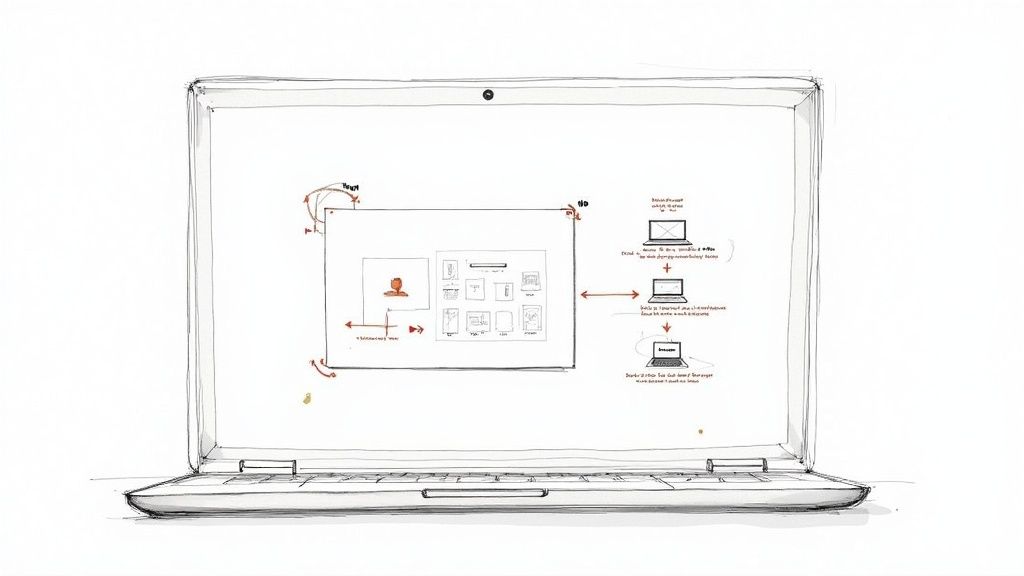
At its core, Vibe3D runs on an optimised engine that lets you produce final-quality images in minutes, not hours. This incredible speed is possible even on standard, everyday hardware, which gets rid of one of the biggest headaches of other software—the need for expensive RTX graphics cards.
The platform’s intuitive interface adds to this efficiency. While other tools throw a steep learning curve and complex settings at you, Vibe3D keeps the experience clean and simple. This means you can focus on being creative instead of getting bogged down in technical troubleshooting, making it perfect for quick design iterations and getting client feedback on the fly.
This focus on usability lines up with what we're seeing in the Indian design market. There’s a clear move towards tools that are both affordable and easy to use. For example, Blender, the open-source favourite, has a massive 91.8% recommendation rate among Indian users. Similarly, Unreal Engine is recommended by 90% of its users, proving there's a huge demand for powerful visualisation tools that don't break the bank or your brain.
A Strategic Tool for Modern Workflows
Vibe3D is more than just a cheaper option; it's a strategic tool for any design professional. It integrates smoothly with industry-standard software like SketchUp and Revit, so it slots right into your existing process without causing any disruption. This kind of agile workflow allows you to:
-
Present More Concepts: When rendering is fast, you can explore multiple design variations in the same amount of time it used to take to produce a single image.
-
Meet Tighter Deadlines: By slashing render times, you can speed up your project timelines and react to client requests much faster.
-
Improve Project Profitability: Less time spent waiting for renders directly translates to lower operational costs and, ultimately, better profit margins on every project.
An efficient rendering solution like Vibe3D is key to optimising your entire process. It helps studios streamline post-production with a steady flow of work and sidestep common project killers like missed deadlines.
Vibe3D turns rendering from a time-sucking bottleneck into a dynamic, interactive part of the design process. It fuels creativity by making high-quality visualisation immediate and accessible.
By breaking down the old barriers of cost, hardware requirements, and complexity, Vibe3D gives you the freedom to focus on what really matters: creating incredible spaces. It’s the smart D5 Render alternative that combines powerful technology with the practical needs of today's creative professionals.
D5 Render and Vibe3D: A Head-to-Head Comparison
Choosing the right rendering engine often feels like a balancing act between visual quality, speed, and cost. D5 Render has certainly made a name for itself as a premium choice for high-end designers who need absolute photorealism and have the budget—and hardware—to back it up. But for many working professionals, that kind of investment just isn't practical.
That’s exactly where Vibe3D comes in. It’s a powerful D5 render alternative built from the ground up to deliver elite-level quality without being a drag on your workflow or your wallet. Let's dig into how these two really stack up on the things that matter most to architects and designers today.
Final Image Quality and Realism
There's no denying it: D5 Render produces some genuinely high-fidelity visuals. Its real-time ray tracing, which leans heavily on NVIDIA RTX technology, can create incredibly lifelike lighting, reflections, and shadows. For those massive, high-budget projects where every single pixel is under a microscope, D5 delivers an output that's tough to criticise. The catch? Achieving that level of perfection demands a serious investment of time and technical know-how.
Vibe3D’s philosophy is different. It’s all about getting you ultra-realistic renders without the headache. The engine is finely tuned to produce photorealistic results that capture the subtle interplay of light, texture, and materials with stunning accuracy. While D5 might give you more granular toggles for hyper-specific tweaks, Vibe3D delivers 95% of that top-tier visual quality in just 10% of the time. For most professional work, that makes it the far more efficient tool.
The reality is, for the vast majority of client presentations and project visualisations, the tiny differences in final output are completely negligible. What clients do notice is how quickly you can turn around stunning, believable visuals—and that’s where Vibe3D really shines.
Rendering Speed and Workflow Efficiency
This is probably the biggest point of difference. Working in D5 Render can be a slow, deliberate process. While its real-time viewport is a huge plus during the setup phase, finalising a complex scene can still take hours, especially if your machine isn't a top-of-the-line beast. That waiting game creates a real bottleneck, slowing down iterations and stretching out client feedback loops.
Vibe3D is built for pure speed. A typical render that might chew up an hour in D5 can often be done and dusted in a few minutes with Vibe3D. This isn't just a minor improvement; it completely changes the design process. It transforms it from a rigid, stop-and-start affair into a fluid, interactive experience. You can test multiple ideas, make revisions on the fly, and show clients updated visuals almost instantly.
Let’s look at a real-world scenario: An interior design revision.
-
With D5 Render: The client wants to see a different flooring material and a new lighting setup. You’d need to reload the scene, tweak multiple material and lighting settings, and then kick off a new render that could easily take over an hour. Total turnaround time: 1-2 hours.
-
With Vibe3D: You can handle the same request in minutes. The change is made, a fresh high-quality image is rendered, and you can share it with the client before the meeting even ends. Total turnaround time: Under 10 minutes.
This kind of speed is a decisive advantage for professionals who need to stay agile. To see how other tools can impact your project timelines, check out our comprehensive guide to the top architectural rendering software.
Hardware Requirements and Accessibility
D5 Render's dependency on DirectX 12 and NVIDIA RTX cards puts up a pretty high wall for many users. To run it well, you need a powerful, modern Windows PC with a specific and often pricey graphics card. This immediately locks out Mac users and anyone working on standard-issue or older hardware, forcing them into expensive upgrades or clunky workarounds.
Vibe3D, on the other hand, is all about accessibility. Its optimised engine runs exceptionally well on standard hardware, so you don't need to shell out for specialised equipment. Because it's a much lighter solution, designers can work effectively on the machines they already have, whether that’s a mid-range laptop or an older desktop. This makes Vibe3D a much more practical and inclusive option for freelancers, students, and small-to-medium studios.
Pricing and Overall Value
The pricing models for these two platforms speak volumes about their target users. D5 Render uses a premium subscription model, which means a significant and ongoing financial commitment. For a large firm with a dedicated visualisation budget, that might be fine. For a smaller business or a solo practitioner, it can be a tough pill to swallow.
Vibe3D offers a much more flexible and affordable pay-as-you-go model. This structure lets you scale your usage based on actual project needs, making it a far more cost-effective solution. You only pay for what you use, which is a perfect fit for the ebb and flow of project-based work. When you factor in the total cost of ownership—hardware, software, and your own time—Vibe3D offers undeniably better value.
Let's break down the key differences in a simple table.
D5 Render vs Vibe3D Feature Comparison
| Feature | D5 Render | Vibe3D |
|---|---|---|
| Ideal User | High-end designers, large studios with big budgets | Freelancers, small to mid-sized firms on a budget |
| Typical Render Time | Hours for complex scenes | Minutes for complex scenes |
| Hardware Needs | High-end RTX GPU (Windows only) | Standard hardware (Cross-platform) |
| Cost Model | Premium annual subscription | Flexible, pay-as-you-go |
| Learning Curve | Steep, requires technical expertise | Intuitive and user-friendly |
| Overall Value | High quality at a high cost & time commitment | Ultra-realistic quality at a fraction of the cost & time |
Ultimately, while D5 Render is an excellent tool for a very specific group of power users, Vibe3D stands out as the smarter, more practical D5 render alternative for the majority of design professionals. It delivers the ultra-realistic results clients expect, but at a fraction of the cost and in a fraction of the time.
When to Choose Vibe3D Over D5 Render
Picking between two strong rendering engines often boils down to the context of your work. D5 Render is fantastic at producing cinematic, hyper-realistic visuals for those big-ticket projects, but it’s a specialist’s tool. It’s built for large studios with deep pockets, relaxed timelines, powerful hardware, and dedicated visualisation artists who can pour hours into perfecting a single scene.
For a huge slice of the design community, though, that model just isn't practical. The day-to-day workflow demands speed, agility, and a close eye on the budget—and that's where a smart D5 Render alternative like Vibe3D really starts to shine. The choice isn't just about features; it's about matching the tool to your actual business goals and project realities.
You can cut through the noise by focusing on your two biggest constraints: time and money. This flowchart helps map out which path makes the most sense for what you’re trying to achieve.
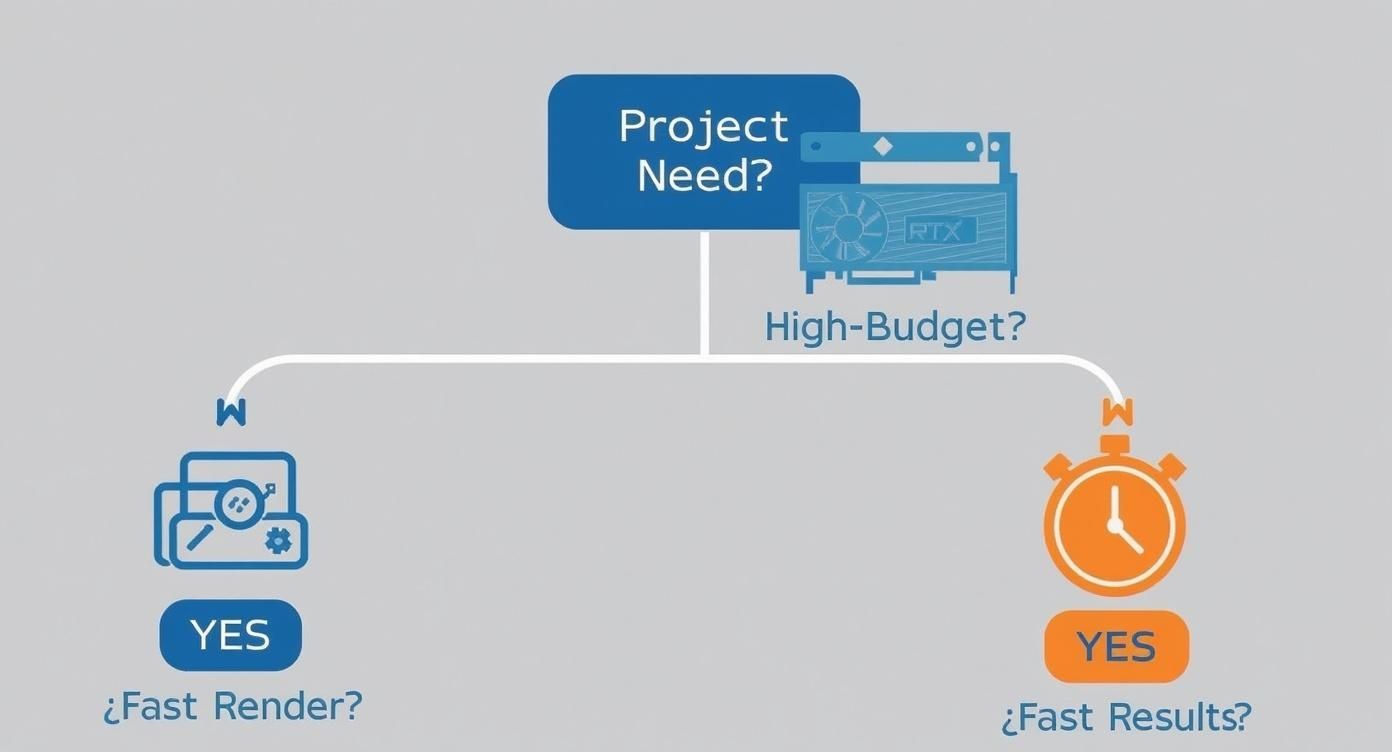
As you can see, if getting great results out the door quickly without breaking the bank is your main concern, Vibe3D offers a much more direct and efficient path.
For Freelance Designers Maximising Profitability
As a freelancer, your time is literally your money. Every hour you spend waiting for a render to finish or fiddling with complex software settings is an hour you can't bill or use to find your next client. With its steep learning curve and long waits for final images, D5 Render can quickly start to eat into your profits.
This is where Vibe3D becomes the obvious choice for a solo operator. Being able to create ultra-realistic renders in just minutes means you can wrap up projects faster, juggle more clients at once, and seriously boost your income. The flexible pay-as-you-go model also means you aren't saddled with a hefty annual subscription, making it a much smarter financial decision.
For Small Architectural Firms Accelerating Client Feedback
Small architecture firms live and die by their ability to be nimble and responsive. A classic bottleneck is the client feedback loop; long delays waiting for new visuals can bring a project to a screeching halt and leave stakeholders frustrated. D5 Render can produce some incredible images, but the turnaround time for even small revisions can be a major headache.
Vibe3D offers a clear competitive edge here. By dramatically cutting down rendering times, firms can show off multiple design options in a single client meeting, apply changes in real-time, and get that all-important sign-off much faster. This not only keeps clients happy but also shortens the entire project timeline, freeing you up to take on more work without needing to hire more people.
In a competitive market, the firm that can visualise ideas fastest often wins the project. Vibe3D transforms rendering from a final-step deliverable into an interactive, collaborative tool used throughout the design process.
For Interior Designers Needing Rapid Concept Iteration
Interior design is all about quick decisions on fabrics, lighting, and furniture. Designers need to explore a ton of different concepts and present them clearly to their clients. The painstaking setup and rendering process in D5 Render can really kill that creative flow, making it impractical for those rapid-fire "what if we tried this?" moments.
Vibe3D is practically purpose-built for this kind of iterative workflow. An interior designer can generate dozens of variations—trying out different materials, colour palettes, and lighting schemes—in the time it would take to get a single high-quality render out of D5. This freedom not only unleashes creativity but helps clients feel more involved and confident in their choices, which always leads to a smoother project.
In markets like India where the design sector is booming, the demand for efficient tools is surging. User data shows a strong preference for cost-effective solutions, with Blender achieving a 91.8% recommendation rate over alternatives thanks to its zero licensing cost and powerful features. For a deeper look at what users in the region prefer, you can discover more insights about Indian software trends on Capterra.in.
Making a Smooth Switch to Vibe3D
Switching up your software can feel daunting, especially when you’ve got a workflow that already clicks. But moving from a tool like D5 Render to a faster d5 render alternative like Vibe3D isn’t about rebuilding your process from the ground up. Think of it as a simple, powerful upgrade designed to get you rendering much faster, with almost no downtime.
The whole idea is to make it easy. You can bring your existing models straight into Vibe3D and start creating incredible visuals right away. No complicated setups, no painstakingly re-texturing everything.
A Simple Path to Faster Renders
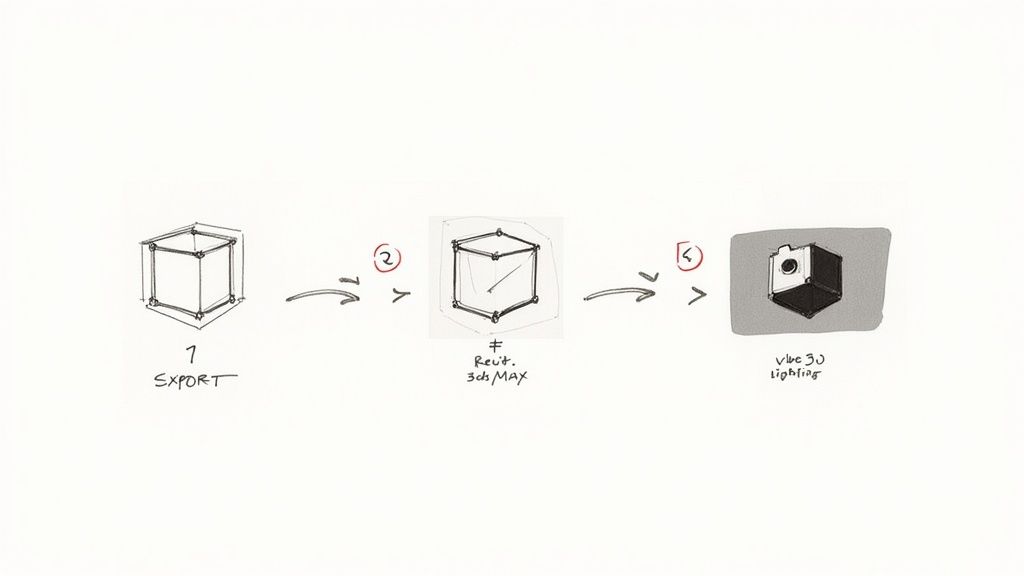
Moving your projects into Vibe3D is a straightforward, three-step process that fits right into how you already work. It doesn't matter if you're using SketchUp, 3ds Max, Revit, or another industry-standard tool—the transition is designed to be completely intuitive.
Here’s what the workflow looks like in practice:
-
Export Your Model: First, just export your finished 3D model from your current software. Vibe3D works with common file formats, so it’s built to preserve your geometry, materials, and textures without a hitch.
-
Import into Vibe3D: Next, bring your model into the Vibe3D platform. The interface is clean and simple, making this step quick and painless. Your scene will be ready to go in just a few clicks.
-
Render in Minutes: Finally, position your camera, adjust the lighting, and let Vibe3D's powerful engine take over. You’ll have a final-quality, photorealistic render in your hands in minutes, not hours.
This switch is especially smooth for designers who live in SketchUp. If that's you, check out our guide on the best rendering software for SketchUp to get the most out of your models.
A good workflow should remove friction, not create it. Switching to Vibe3D is all about getting rid of the waiting game and making high-quality rendering an instant, accessible part of your creative process.
Tips for a Quick Start
To make your first project feel even more effortless, here are a couple of practical tips for setting up your scenes in Vibe3D. These pointers will help you recreate—and improve—your existing work with minimal fuss.
Start by getting a handle on the lighting. It makes the biggest difference in realism. Vibe3D makes this easy with intuitive controls that help you achieve natural-looking results almost instantly. Play around with different HDRIs and light sources to see how they change the entire mood of your scene. Once you're happy with that, you can start tweaking materials and camera angles to bring your vision to life at incredible speed.
Frequently Asked Questions
Switching up your rendering software is a big decision, so it's only natural to have a few questions. We've gathered some of the most common ones we hear about Vibe3D as a D5 Render alternative to help you get the answers you need.
Does Vibe3D work with my existing 3D software?
Yes, it almost certainly does. Vibe3D was built from the ground up to fit into your existing workflow without any headaches. It plays nicely with models from all the major players: SketchUp, Revit, 3ds Max, and Rhino.
Just export your model like you normally would, bring it into Vibe3D, and you’re pretty much good to go. You can be lighting your scene just minutes after importing.
How does the render quality hold up in different scenes?
This is where Vibe3D really shines. For both sprawling exteriors and cosy interiors, the goal is photorealism without the fuss.
While D5 Render gives you deep, granular control over every tiny reflection and shadow, Vibe3D is all about getting you 99% of the way there in a fraction of the time. The results are consistently stunning and more than ready for client presentations. For interiors, it nails the soft, nuanced play of light across different material surfaces. For exteriors, it excels at creating believable natural light and atmosphere.
The real win with Vibe3D isn't a compromise on quality. It's about hitting that sweet spot of incredible realism without the steep learning curve or long render queues.
What kind of support is available?
We know that learning a new piece of kit can be daunting. That's why we offer responsive customer support to get you past any technical hiccups fast.
Beyond that, we’re actively building a community full of helpful resources, tutorials, and guides. We want you to feel confident and supported from the moment you render your first image.
Can I try Vibe3D before buying subscription?
Of course. We wouldn't have it any other way. We want you to see the difference for yourself, on your own projects.
You can grab a full-featured trial of Vibe3D and put it through its paces with your own models. It’s the best way to get a real feel for how it can speed up your workflow and elevate your visuals. This hands-on test drive will show you exactly why so many professionals are making the switch.
Ready to see what a faster, smarter rendering workflow feels like? Take Vibe3D for a spin and experience the difference yourself. Start your free trial today at vibe3d.ai and find out how quickly you can produce visuals that win projects.