What rendering on top of SketchUp can look like
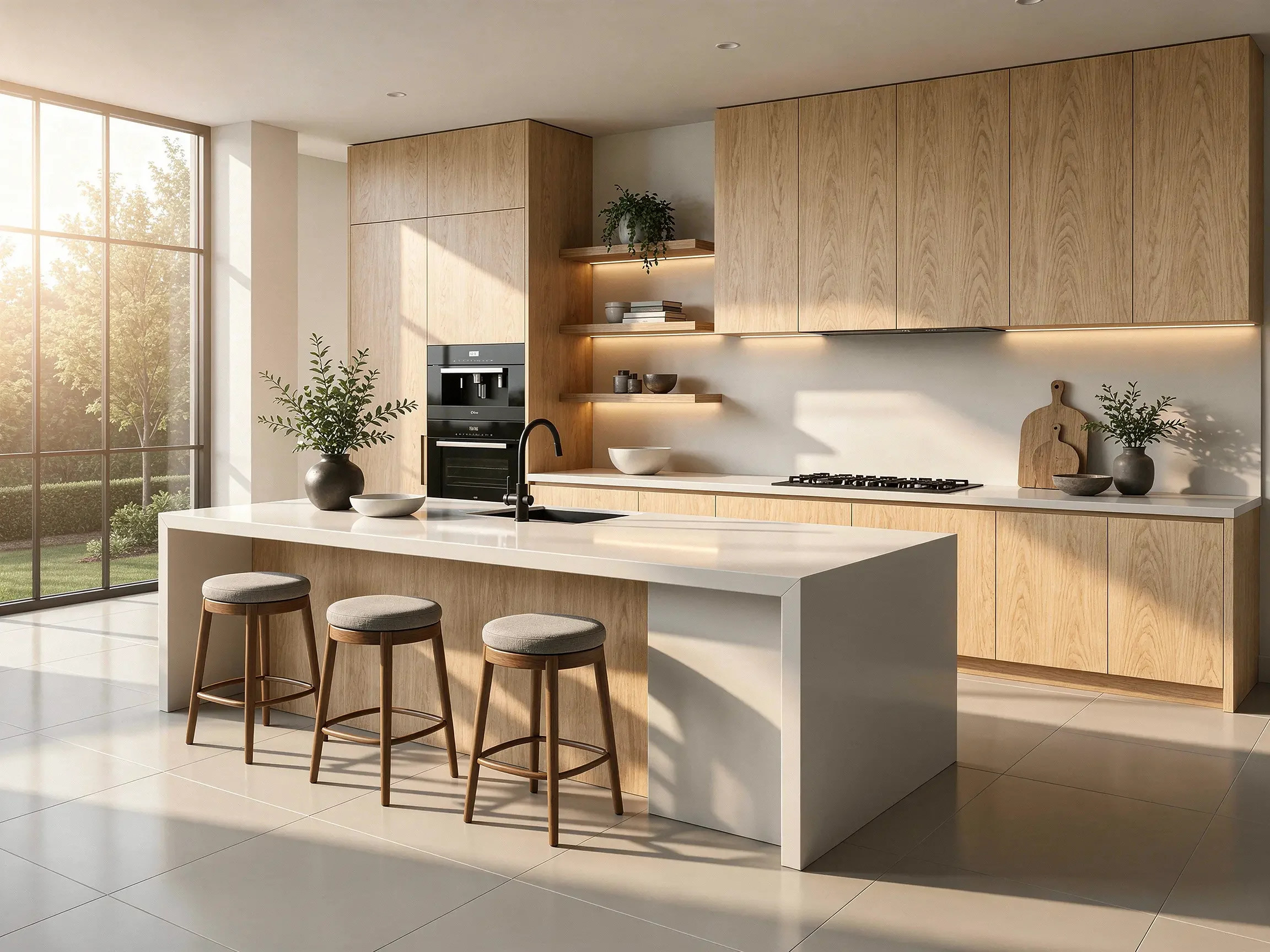
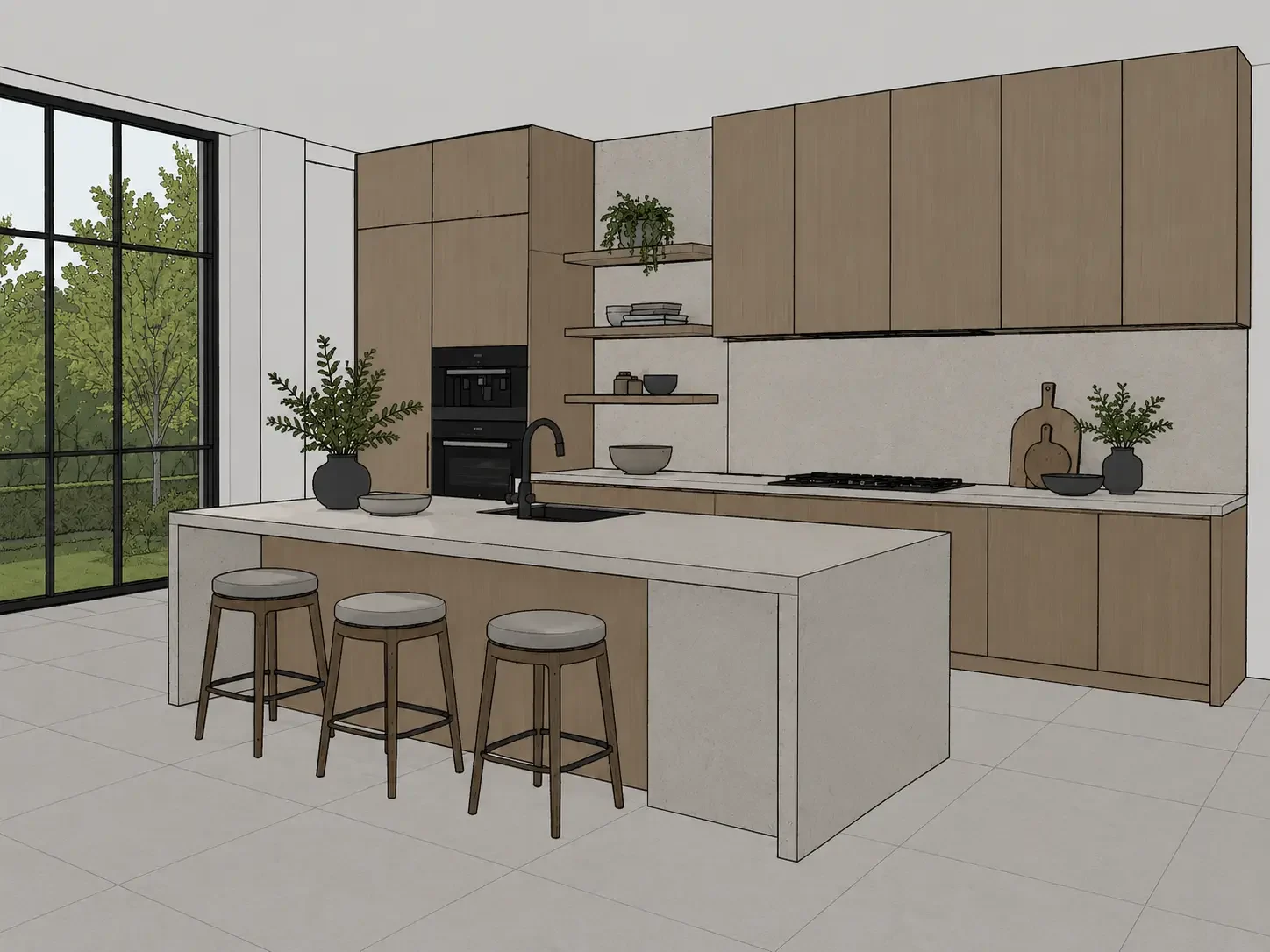
Drag across the image to compare. Use the arrow keys, or Home and End, to adjust the divider with a keyboard.
3D Model → Modern Kitchen. 3D kitchen model transformed into a photorealistic modern kitchen render with AI
Actual Vibe3D results from model views, shown on our tool pages. The inputs are 3D model views, not necessarily SketchUp exports. Compare each result with its input before you judge it.
SketchUp plans and prices, checked 5 November 2026
SketchUp sells three main plans: Go for iPad and web, Pro for the desktop app, and Studio with V-Ray included. Prices are in US dollars per user, exclude tax and VAT, and come from the official plans page. Your country's price can differ.
| Plan | Price and what it adds |
|---|---|
| Go | $10.75 a month, billed annually ($129 a year), or $19.99 billed monthly. iPad and web only: no desktop app, LayOut or extensions. Photoreal Materials on iPad. |
| Pro | $33.25 a month, billed annually ($399 a year), or $99.99 billed monthly. The desktop modeler for Windows and Mac, LayOut, PreDesign and the Extension Warehouse. No V-Ray. |
| Studio | $71.58 a month, billed annually ($859 a year). Annual only. Adds V-Ray, Scan Essentials and the Revit Importer. Windows only (Studio plan). |
Other options.
- SketchUp Free runs in a browser and is "not for commercial use" (SketchUp Help). For client work, you need a paid plan.
- Students and educators pay $55 a year. Pro variants for scanning, civil contractors and advanced workflows cost $499 to $599 a year.
- Trials and refunds. There is a free 7-day trial with no credit card (try SketchUp). Annual plans can be refunded within 14 days and monthly plans within 7 days of the first purchase.
AI Render is included, with a monthly limit. Go, Pro and Studio include AI credits each month: 100 on Go, 150 on Pro and 200 on Studio. An AI Render generation costs 10 credits, so that is about 10, 15 or 20 renders a month. Unused credits do not roll over (AI credits). SketchUp says that from 9 November 2026 these become Trimble Credits. Extra credits will cost $0.01 each, with a $20 minimum (2,000 credits), and expire after 365 days.
What it costs to render SketchUp models
Pro and Go do not include a full renderer. If you need more than the included AI Render allowance, add one of these. The figures below are list prices shown on 5 November 2026, before tax. We saw the Chaos and Lumion prices from outside the US, so check the price for your country.
| Option | Yearly cost and fit |
|---|---|
| Studio (V-Ray included) | $859. The simplest bundle if you work on Windows. V-Ray gives full control of light and materials in your model. |
| Pro + V-Ray Solo | $399 + $540 = $939 (Chaos pricing). $80 a year more than Studio. 30-day V-Ray trial. |
| Pro + Enscape Solo | $399 + $574.80 = $973.80 (Chaos pricing). Real-time rendering and walkthroughs while you model. The 14-day trial covers Premium or Collection plans and needs payment details. |
| Pro + Twinmotion | $399, if your business made under $1 million in revenue in the past 12 months. Otherwise $399 + $445 a seat (Twinmotion licence). Links to SketchUp Pro through the Datasmith Exporter plugin (Epic Games). |
| Pro + Lumion Pro | $399 + $1,149 = $1,548 (US price on Lumion). 14-day trial, no credit card. Syncs with SketchUp through the LiveSync plugin (Lumion). |
| Go or Pro + Vibe3D | From $129 or $399. Vibe3D, which publishes this guide, renders an exported SketchUp view in the browser. No plugin or GPU is needed. Free signup gives up to 3 credits. Plans are $19 a month (75 credits), $39 (300 credits) or $79 (unlimited renders). One-time packs are $19 (60 credits), $39 (200) or $99 (600). A render is 1 credit (pricing, credit costs). |
Each option works differently. V-Ray and Enscape render the 3D model itself, so you can move the camera freely. Vibe3D works from an exported image of one view (how it works), which suits fast stills and design options more than animation. Compare the examples above with your own model views before you choose.
Pick in three steps:
- Choose the plan for where you model. iPad or web only: Go. Desktop on a Mac: Pro, because Studio is Windows only. Desktop on Windows with V-Ray: Studio.
- Count your renders. About 15 concept images a month may fit in Pro's AI Render credits. Many client stills point to a dedicated tool. Live walkthroughs point to a real-time renderer.
- Add up the yearly total and test with your own model. Use the free trials, and render the same view in each tool before you pay.
For a deeper comparison of renderers, read rendering software for SketchUp. To render a view in Vibe3D, follow SketchUp to a photorealistic render or start on the SketchUp rendering page.
A few useful answers
Is SketchUp free?
SketchUp Free runs in a web browser at no cost, but it is not for commercial use and has no support or AI credits. For client or paid work, you need Go, Pro or Studio.
How much is SketchUp Pro?
SketchUp Pro is $33.25 per user a month when billed annually ($399 a year), or $99.99 billed monthly. Prices are in US dollars and exclude tax, checked on 5 November 2026.
Does SketchUp Pro include rendering?
Pro includes AI Render, with 150 AI credits a month, which is about 15 renders. It does not include V-Ray; only Studio includes V-Ray. For more renders or full scene rendering, add a renderer such as V-Ray, Enscape, Twinmotion, Lumion or Vibe3D.
What is the difference between SketchUp Pro and Studio?
Studio adds V-Ray, Scan Essentials and the Revit Importer to Pro, and has 200 AI credits a month instead of 150. Studio costs $859 a year instead of $399, has no monthly option and runs on Windows only.
What is the cheapest way to render SketchUp models?
For a few concept images, use the AI Render credits included in Go or Pro. For more stills, an image-based tool such as Vibe3D starts with free credits and costs $19 to $79 a month. Twinmotion is free for businesses under $1 million in yearly revenue. Compare quality with your own model before you buy.