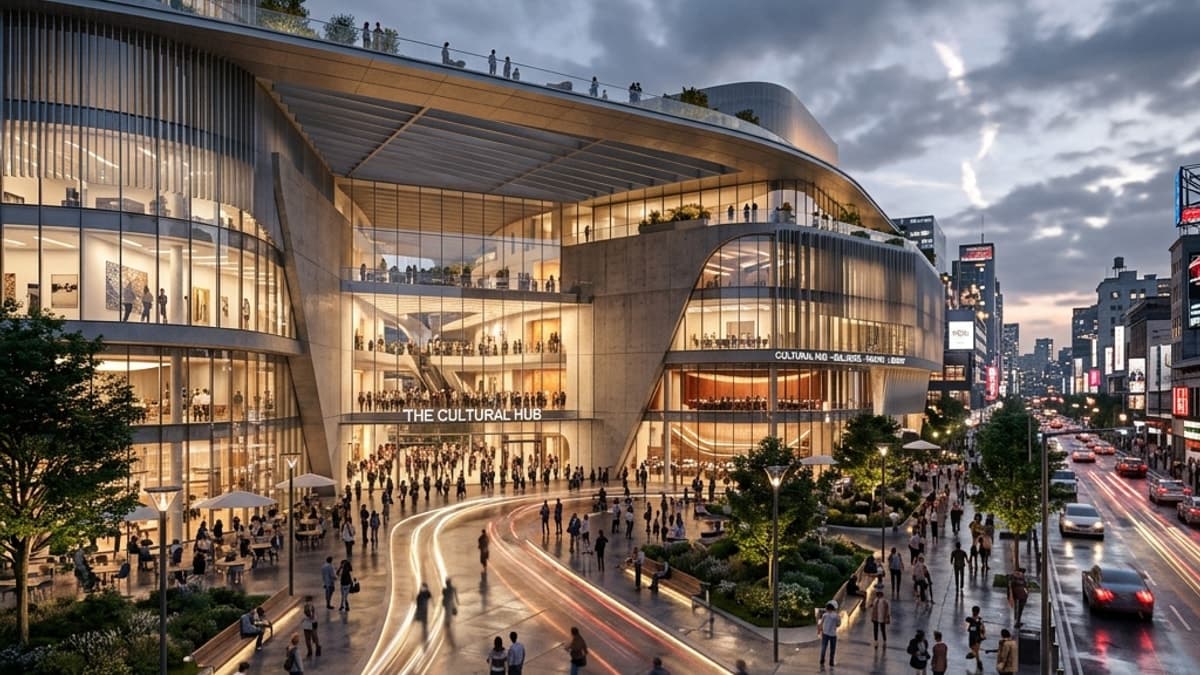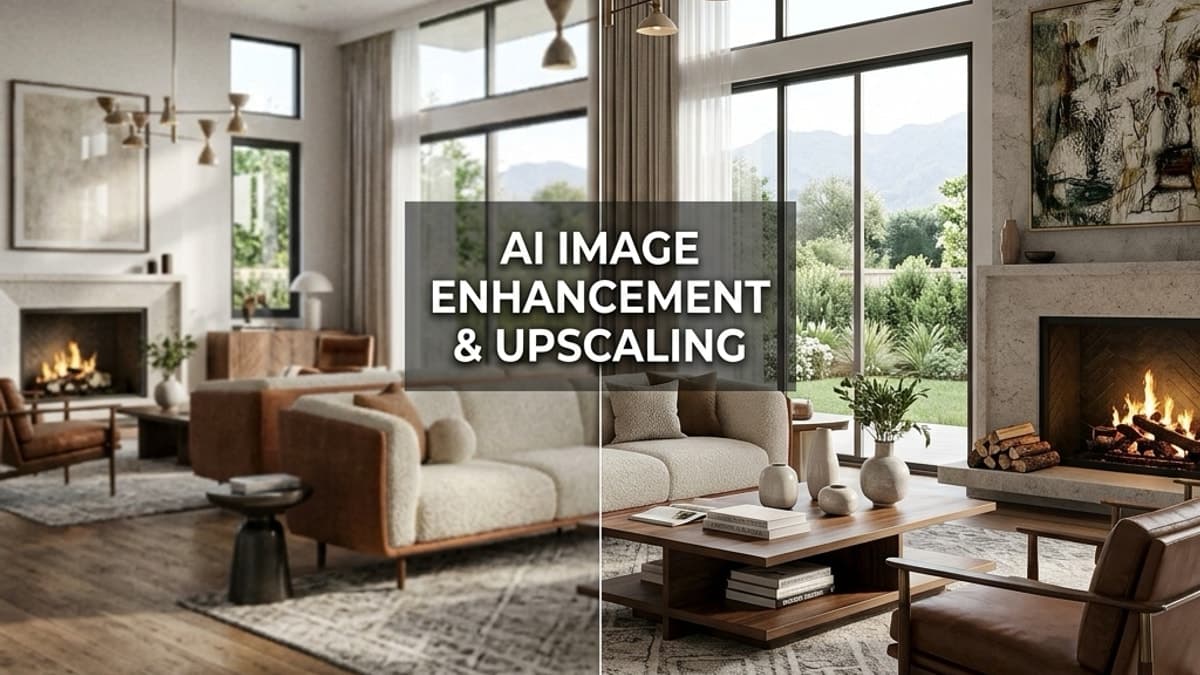
Magnific has set a high bar for AI-driven image upscaling, allowing artists to add incredible detail and creativity to their work. However, for specialised fields like architectural and interior design, workflows demand more than just creative enhancement. They require speed, accuracy, and integration that fits smoothly into existing pipelines. If you're searching for a magnific alternative that can upscale and enhance your existing renders with precision, you've come to the right place.
This guide explores the best AI upscaler tools available today, each evaluated for its ability to enhance existing renders without unwanted artefacts or stylistic deviations. We will pay special attention to Vibe3D, a platform designed specifically for the architectural, engineering, and construction (AEC) industry, demonstrating how it can be used to upscale and add photorealistic detail to your existing renders. When evaluating the output of these tools, it's beneficial to have a clear grasp of essential image concepts; for a deeper dive, consider this guide on understanding print resolution like 300 DPI for high-quality prints.
Whether you're a CGI artist finalising a client presentation, an interior designer needing to sharpen a mood board image, or an architect preparing large-format prints, this list will help you find the perfect tool. We will move beyond generic feature lists to provide a comprehensive resource with detailed analysis. For each alternative, you will find:
-
A breakdown of its core features and ideal use cases.
-
Honest pros and cons based on real-world testing.
-
Clear pricing information.
-
Practical migration tips for a smooth transition.
-
Our recommended pick for specific visualisation tasks.
Each entry includes screenshots and direct links, helping you quickly assess and choose the right platform to sharpen your visuals while saving precious time. Let's find the best upscaler for your renders.
1. Vibe3D
Vibe3D presents a powerful and professional magnific alternative, engineered specifically to enhance renders for architectural and interior design. While Magnific excels at creative upscaling, Vibe3D is designed to upscale and add photorealistic detail to your existing visualisations with unparalleled control and fidelity. This makes it a superior choice for professionals who need to elevate their renders without losing the original design intent.
For users seeking to upscale and enhance existing renders, Vibe3D offers a streamlined workflow. You can upload a base render—whether it's an early-stage concept or a final image needing a quality boost—and then use intuitive natural-language prompts to refine details, improve lighting, and elevate material textures to a photorealistic standard. This process not only increases the resolution but intelligently adds details that are contextually accurate for architectural spaces. Its cloud-based engine processes these enhancements in minutes, freeing you from the constraints of local hardware.
Core Features and Workflow Integration
Vibe3D is built to fit smoothly into existing professional pipelines. Its core strength lies in combining high-fidelity output with a remarkably simple, prompt-based interface. After uploading your existing render, you can instruct the AI to "make the lighting warmer," "change the sofa fabric to beige linen," or "add more detail to the wood flooring," and see the results instantly. The platform’s Smart Prompt Suggestions provide contextual guidance, helping you achieve the desired aesthetic without guesswork.
This approach dramatically accelerates client review cycles. Designers can upload a render and generate multiple high-quality variations during a live meeting, making decisions faster and improving project turnaround times. For a deeper look into its capabilities, explore how AI is revolutionising interior design on vibe3d.ai.
Analysis: Pros and Cons
| Strengths | Limitations |
|---|---|
| Blazing Speed & High Fidelity: Upscales and enhances existing renders to 4K photorealism in seconds while respecting the original composition. | Credit-Based Cost: High-volume projects can become costly; studios must weigh per-render cost against subscription models. |
| Intuitive AI Editing: Natural-language prompts allow for rapid, art-directable iteration on uploaded images. | Cloud-Only Workflow: Requires a stable internet connection and may not suit firms with strict on-premise data policies. |
| No Hardware Dependencies: Cloud-based processing means no powerful local GPU is required, making it accessible to anyone. | |
| Flexible Pricing: Pay-as-you-go credits, a free trial, and student discounts offer accessible entry points for all user levels. | |
Ideal Use Cases and Pricing
Vibe3D is perfectly suited for architects, interior designers, and CGI artists who need to quickly upscale and add realistic detail to their existing renders. It is an excellent tool for turning conceptual renders into client-ready presentations without the steep learning curve of engines like V-Ray or Lumion.
Pricing is managed through a flexible, pay-as-you-go credit system. A free account offers up to three renders. Paid tiers start with the Starter plan at $19 for 75 credits, then Pro plan at $39 for 200 credits and Studio at $99 for 600 credits, which include hyper-realistic render options and priority support. This model allows freelancers and small studios to access professional-grade tools without a long-term financial commitment.
Website: https://vibe3d.ai
2. Topaz Labs (Topaz Photo & Gigapixel)
Topaz Labs has long been a heavyweight in the professional photography and CGI communities, offering desktop software renowned for its AI-powered image enhancement. For architects and 3D artists seeking a dependable magnific alternative, Topaz Photo AI (which now bundles Gigapixel AI) provides exceptional upscaling and refinement capabilities. Unlike purely cloud-based services, Topaz gives users the choice of local processing, offering greater control and security over proprietary designs.
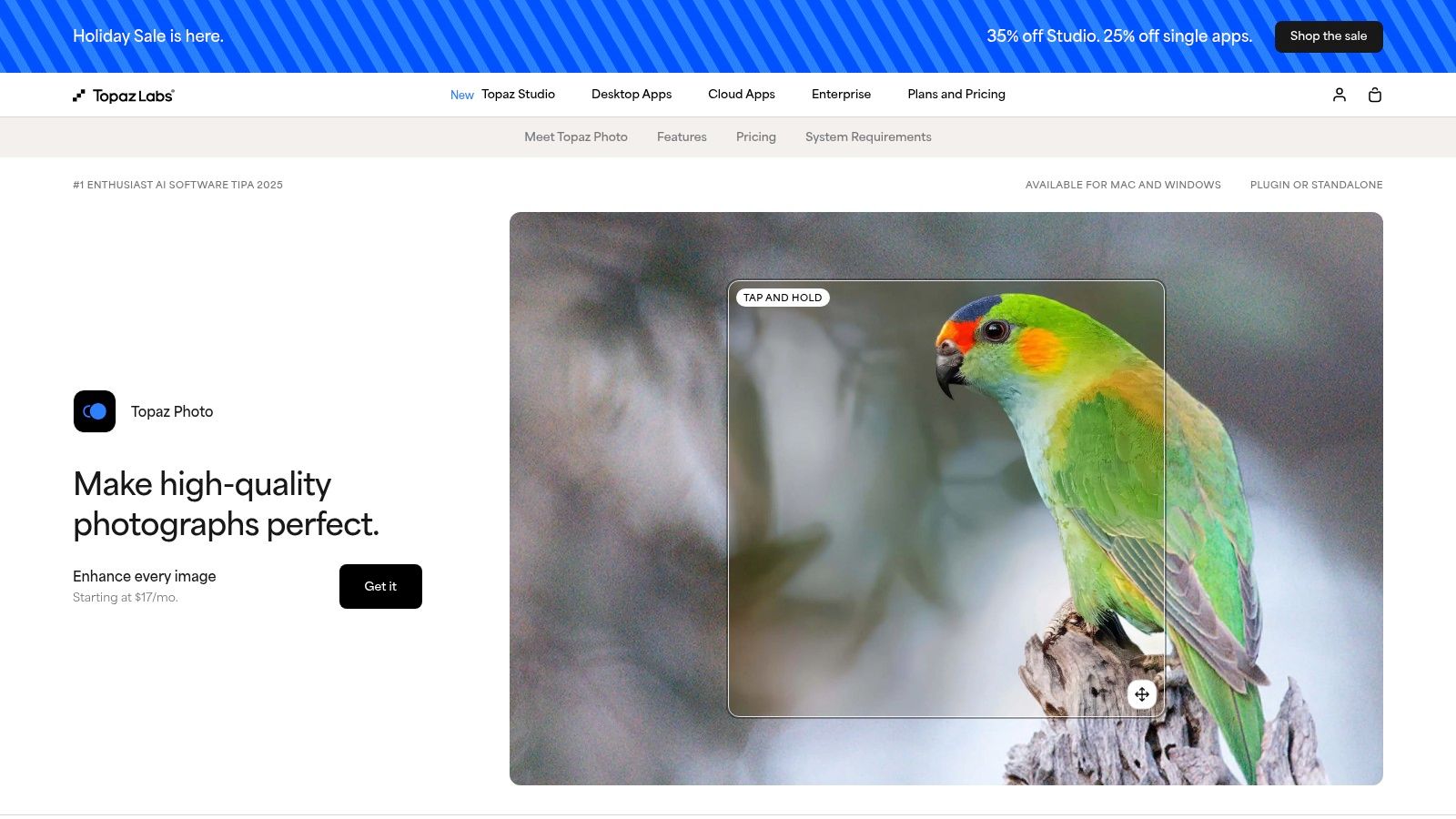
The software excels at increasing the resolution of architectural renders while preserving, and often enhancing, intricate details like material textures, lighting nuances, and fine lines. Its various AI models are specialised for different scenarios, such as recovering detail in low-resolution source images or reducing noise in draft renders. This makes it ideal for preparing visualisations for large-format printing or high-resolution digital displays.
Core Features & Use Case
-
High-Fidelity AI Upscaling: Utilises multiple AI models to upscale images by up to 6x, perfect for transforming a 2K render into an 8K masterpiece.
-
Photoshop Plugin Integration: Fits neatly into existing workflows, allowing artists to apply enhancements directly within their primary editing environment.
-
Batch Processing: Saves significant time by applying consistent upscaling and enhancement settings to entire sets of project renders.
Pricing & Platform
Topaz Labs has shifted towards a subscription model, though a one-time purchase typically includes one year of updates. You must check their website for current pricing, as plans were updated in early 2025. It operates as desktop software for Windows and macOS.
Website: https://www.topazlabs.com/topaz-photo
3. Adobe Photoshop & Lightroom (Super Resolution)
For design studios and professionals already embedded in the Adobe ecosystem, the built-in Super Resolution feature offers a compelling and integrated magnific alternative. Found within Adobe Camera Raw (accessible through Photoshop and Lightroom), this machine-learning tool effectively doubles the linear resolution of an image, quadrupling the total pixel count. This makes it an excellent option for upscaling architectural renders or interior visualisations directly within an established post-production workflow, eliminating the need for a separate, standalone application.
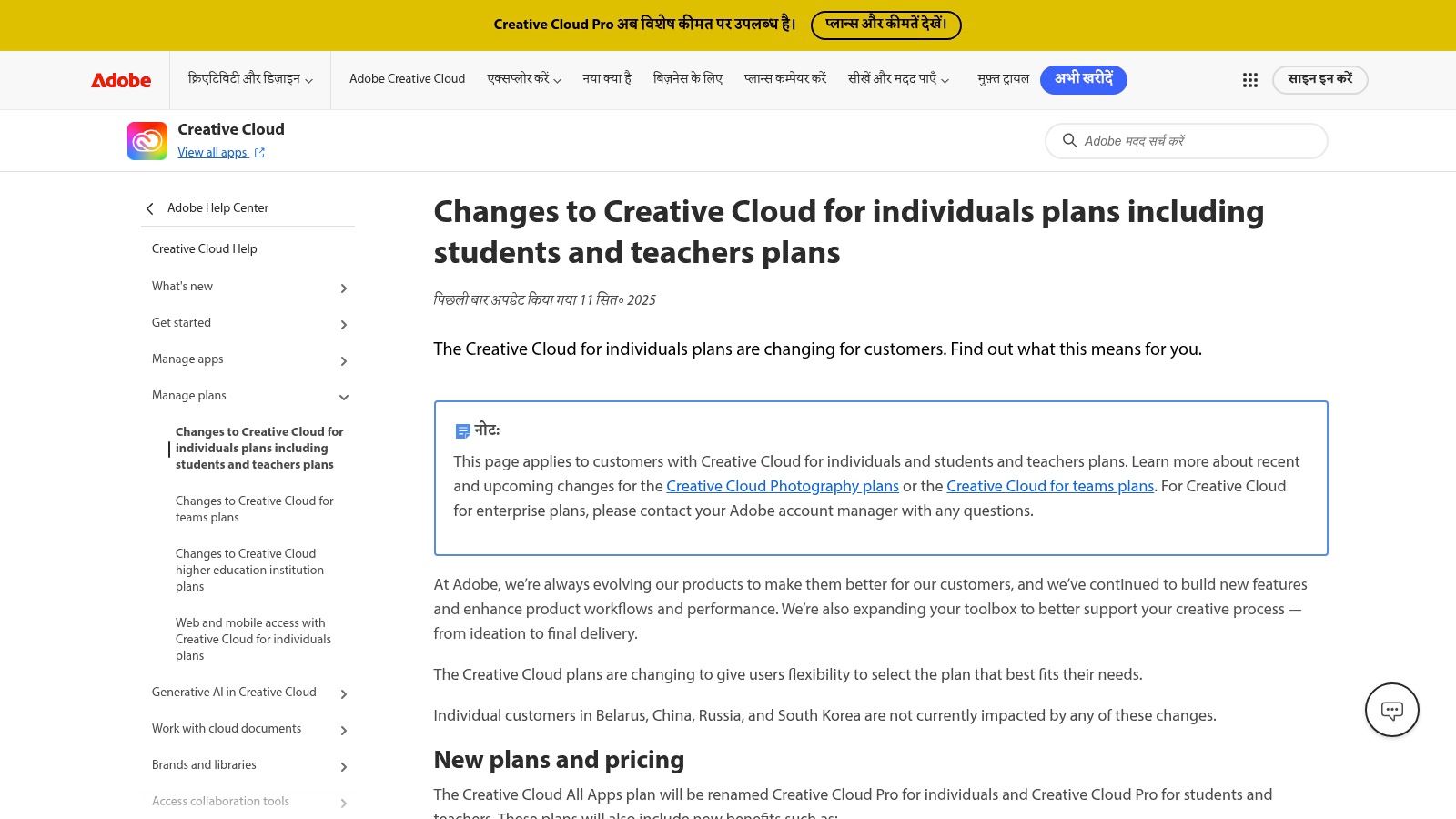
The key advantage is how closely it integrates with Photoshop’s powerful editing suite, including generative AI tools like Firefly and sophisticated masking capabilities. An artist can upscale a render and immediately begin compositing, colour grading, or making client-requested adjustments without switching software. For users already working within Adobe products, consider enhancing your upscaling workflow with advanced image manipulation techniques such as learning how to blur backgrounds in photos and video to add depth or focus to your visualisations. This deep integration is ideal for teams that rely on a RAW or PSD-based pipeline for arch-viz retouching.
Core Features & Use Case
-
Native Super Resolution: Doubles image resolution with a single click, perfectly suited for enhancing draft renders for final presentation.
-
Full Adobe Creative Cloud Integration: Works alongside Camera Raw filters, layer masks, and Adobe Firefly, creating a unified enhancement and compositing environment.
-
Enterprise-Ready Workflow: Provides solid team licence management and fits neatly into the deep plugin ecosystem many arch-viz professionals already use.
Pricing & Platform
Access to Super Resolution requires an Adobe Creative Cloud subscription that includes Photoshop or Lightroom. Pricing for the suite saw an increase in 2025, and access to features like generative credits can vary depending on the specific plan. It is available as desktop software for both Windows and macOS.
Website: https://helpx.adobe.com/in_hi/creative-cloud/policy-pricing/plan-details-worldwide.html
4. Let’s Enhance
Let’s Enhance offers a streamlined, credit-based web service that serves as an excellent magnific alternative for professionals needing quick and reliable image upscaling. Its cloud-based platform is particularly useful for architects and designers who require high-quality enhancements without the overhead of desktop software. The user-friendly interface allows for straightforward uploads and processing, making it accessible even for those with limited technical expertise in image editing.
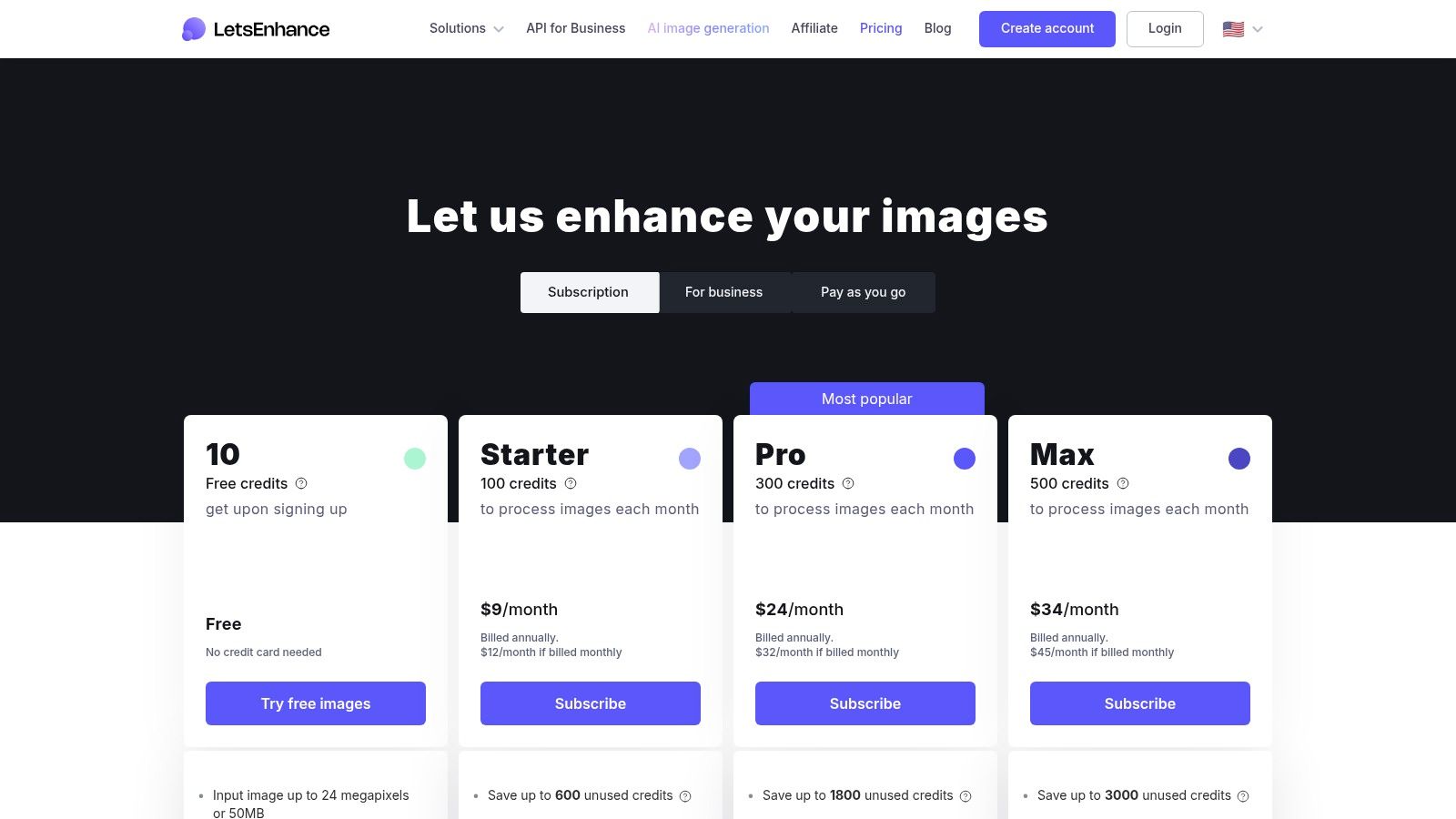
The platform is designed around specific presets tailored for different outputs, such as digital displays or high-quality prints, which helps in achieving optimal results for architectural portfolios or client presentations. Its strength lies in batch processing, enabling CGI artists to upscale an entire set of renders from a project simultaneously. This feature, combined with its pay-as-you-go flexibility, provides a scalable solution for both individual freelancers and large design studios looking to manage costs effectively.
Core Features & Use Case
-
Credit-Based Web Upscaler: Provides a flexible pay-as-you-go or subscription model, ideal for managing fluctuating project demands.
-
Preset Workflows: Offers specialised settings for digital photos and print, ensuring renders are optimised for their final use case with minimal manual tweaking.
-
Batch Processing & API Access: Automates the upscaling of multiple images, and its API allows for integration into custom studio pipelines for maximum efficiency.
Pricing & Platform
Let's Enhance operates on a credit system, with various subscription tiers and one-time purchase options available. Plans differ based on the number of credits, output resolution caps, and access to advanced features. It is a fully web-based platform accessible from any modern browser.
Website: https://letsenhance.io/pricing
5. Icons8 Smart Upscaler (and GoProd for Mac)
Icons8 Smart Upscaler provides a straightforward, browser-based solution for increasing image resolution, making it a highly accessible magnific alternative for quick tasks. It's particularly effective for artists needing to process large batches of images without complex controls. While it doesn't offer the generative "hallucination" of details like Magnific, its strength lies in clean, AI-driven upscaling and a clear privacy policy stating user images are not used for AI training, a key consideration for proprietary designs.
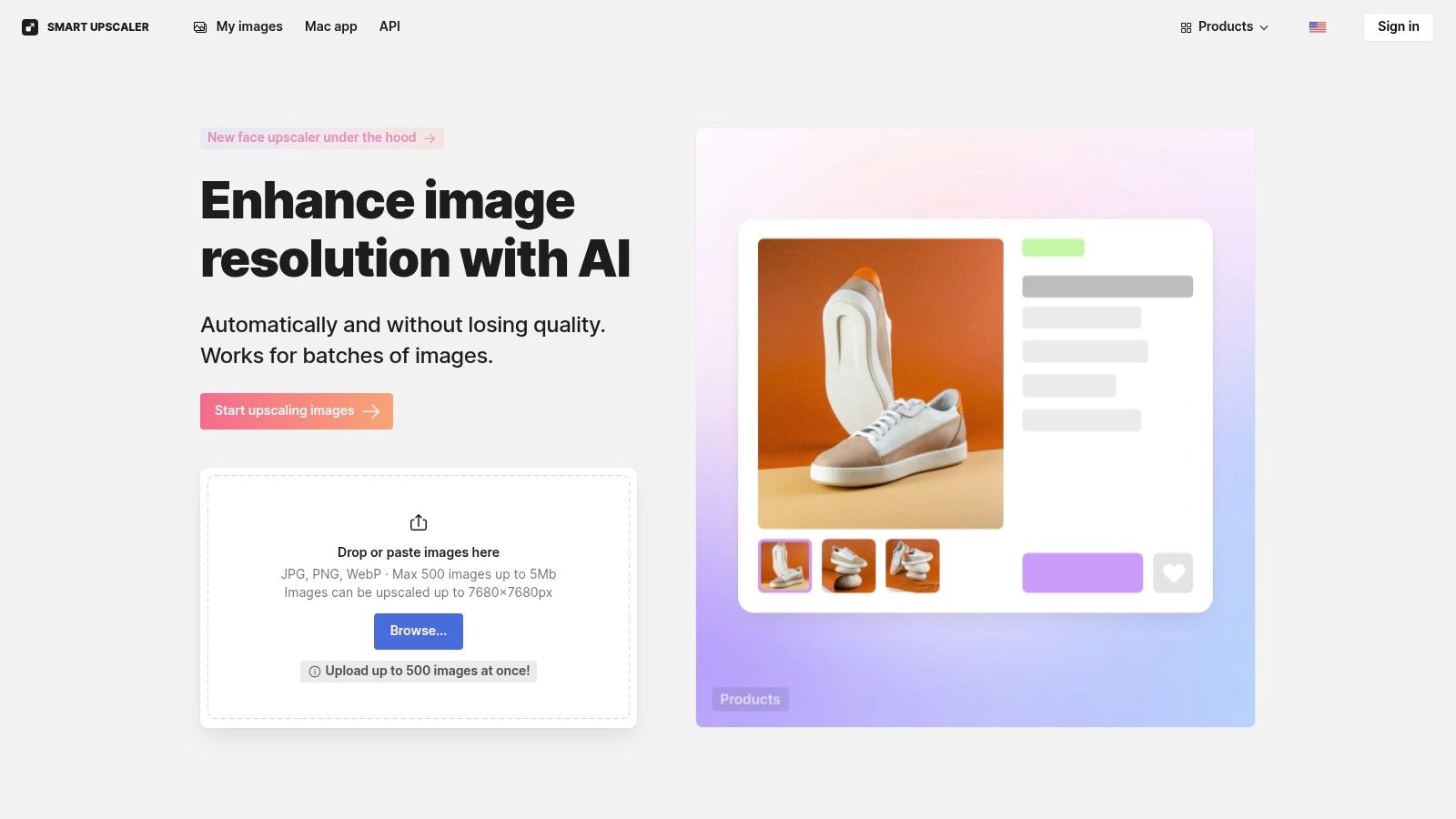
For design professionals, the platform is ideal for preparing entire project portfolios or client presentation galleries. The ability to upload up to 500 images at once streamlines the process of converting draft renders into high-resolution assets suitable for digital viewing. Its API access also allows for integration into automated workflows, a bonus for larger studios. The companion GoProd Mac app bundles the upscaler with a background removal tool, adding extra utility for creating marketing materials or concept boards.
Core Features & Use Case
-
Large Batch Processing: Supports up to 500 images in a single batch, perfect for upscaling an entire set of project renders efficiently.
-
API Integration: Offers an API for studios to automate their image enhancement pipeline, saving valuable time on manual uploads.
-
GoProd for Mac: A dedicated desktop application that combines the Smart Upscaler with a background removal tool for added versatility.
-
Privacy-Focused: Explicitly states that user images are not stored or used for training the AI, ensuring client confidentiality.
Pricing & Platform
Icons8 offers flexible pricing with both subscription plans and prepaid image packs, catering to sporadic and consistent users alike. It is a web-based tool accessible from any browser, with the GoProd application available specifically for macOS.
Website: https://icons8.com/upscaler
6. Pixelcut (Web and API)
Pixelcut positions itself as an all-in-one design toolset, making it a compelling magnific alternative for studios that need more than just upscaling. It combines AI-powered image enhancement, background removal, and generative tools into a single platform, streamlining the workflow for creating client-ready exports. For architects and designers, this means you can take a raw render, remove a placeholder background, clean up artifacts, and upscale it for final presentation without leaving the ecosystem.
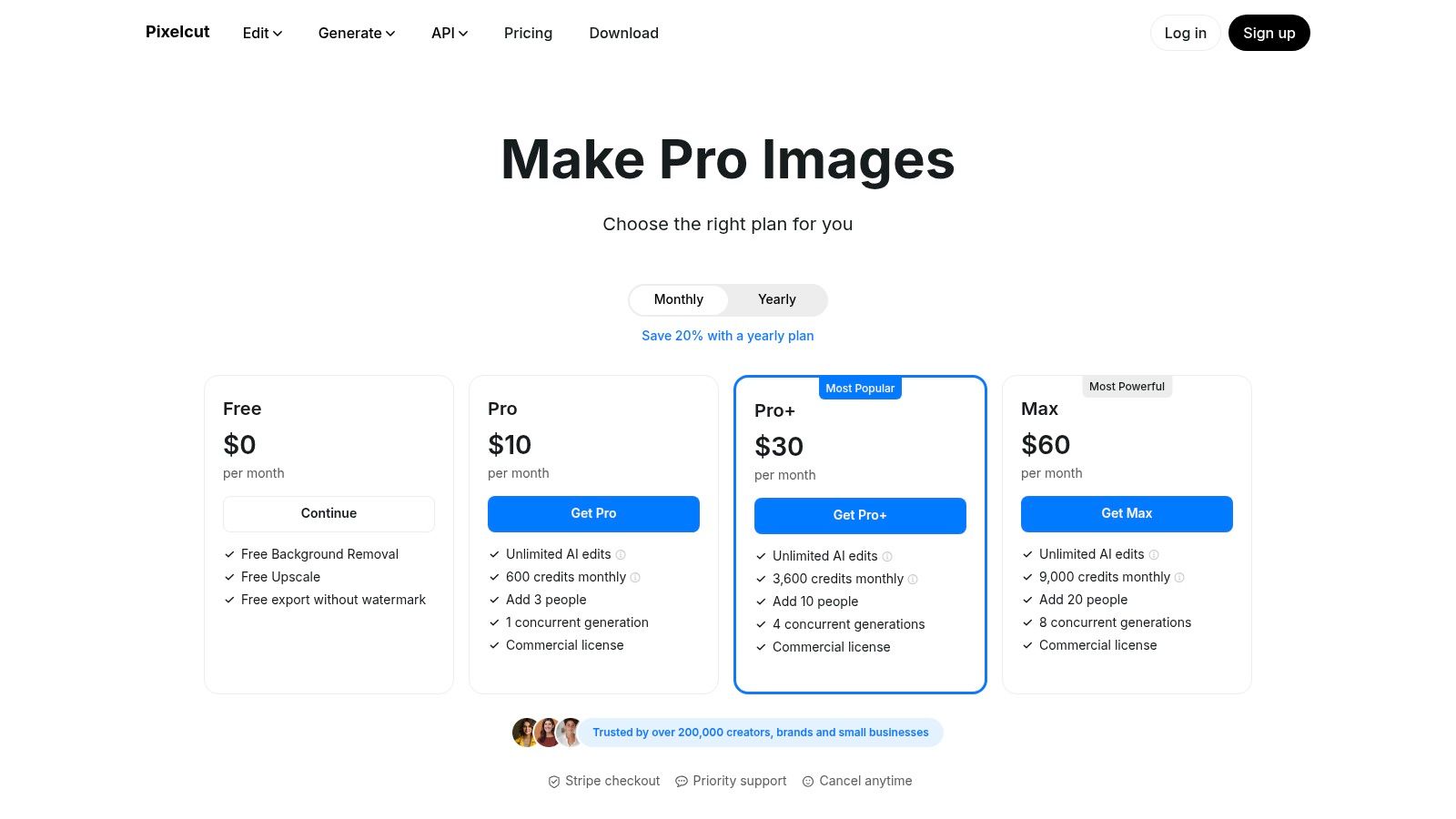
The platform is particularly useful for rapid iterations and marketing material preparation. While it may not offer the same granular control over hallucinated detail as some specialised generative upscalers, its strength lies in speed and convenience. The inclusion of a developer API also allows larger studios to integrate Pixelcut’s capabilities directly into their automated visualisation pipelines, programmatically enhancing renders as they are produced.
Core Features & Use Case
-
Unified Toolset: Integrates an upscaler, background remover, and cleanup tools to quickly process renders from draft to final presentation.
-
Developer API: Provides an upscale endpoint with credit-based pricing, allowing for custom workflow integration and automation.
-
Team Plans: Offers collaborative features with shared credits, concurrency, and a commercial licence suitable for design studios and agencies.
Pricing & Platform
Pixelcut operates on a freemium model. A free tier is available with limitations, while Pro and Max tiers offer more credits and advanced features. The API is priced on a pay-as-you-go credit basis, which requires careful tracking of consumption. The service is accessible via a web app and mobile applications.
Website: https://www.pixelcut.ai/pricing
7. Upscayl (Open Source Desktop)
For architects and CGI artists prioritising privacy, budget, and local processing, Upscayl presents a compelling open-source magnific alternative. This desktop application runs entirely on your own hardware, meaning sensitive or NDA-bound project renders are never uploaded to a third-party server. It offers a straightforward approach to AI upscaling without the complexities or costs associated with commercial cloud platforms, making it an excellent utility for quick, offline enhancements.
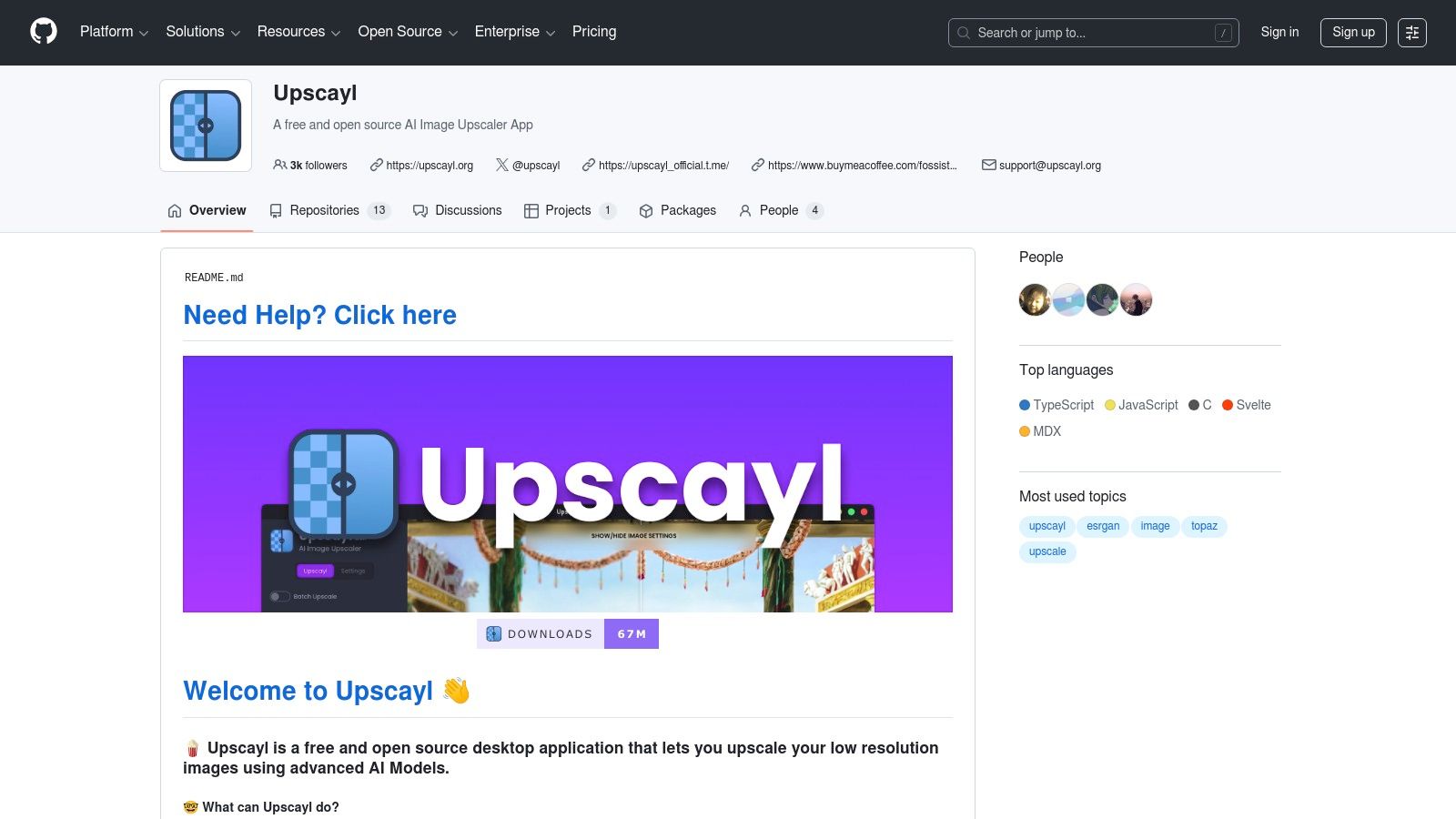
Upscayl is particularly effective for CG and ray-traced images when the correct AI model is selected from its available options. While it lacks the advanced creative controls of Magnific or the comprehensive retouching features of Vibe3D, it excels at its core function: increasing image resolution cleanly. Its performance relies on your local GPU, so a modern graphics card is recommended to process high-resolution files efficiently. The community-driven nature means support is found on forums and GitHub, not through a dedicated service team.
Core Features & Use Case
-
Completely Free & Offline: Operates without any recurring costs or internet connection, ensuring total privacy for confidential architectural designs.
-
Multiple Upscaling Models: Users can select from various AI models, allowing them to experiment and find the best fit for different render styles, from photorealistic to schematic.
-
Batch Processing: Streamlines the workflow for upscaling entire sets of draft renders or final visualisations in one go, saving valuable production time.
Pricing & Platform
Upscayl is completely free and open-source. It is available as a desktop application for Windows, macOS, and Linux. As there is no official vendor, support is community-based.
Website: https://github.com/upscayl
8. Waifu2x (Web implementations)
While originally designed for upscaling anime and manga-style illustrations, Waifu2x has found a unique niche as a quick and surprisingly effective magnific alternative for specific architectural visualisation styles. Its algorithm excels at sharpening and scaling images with clean lines, flat colours, and defined edges, making it a valuable tool for stylised renders, schematic diagrams, or axonometric views. Various free web implementations provide easy, browser-based access for one-off tasks without software installation.
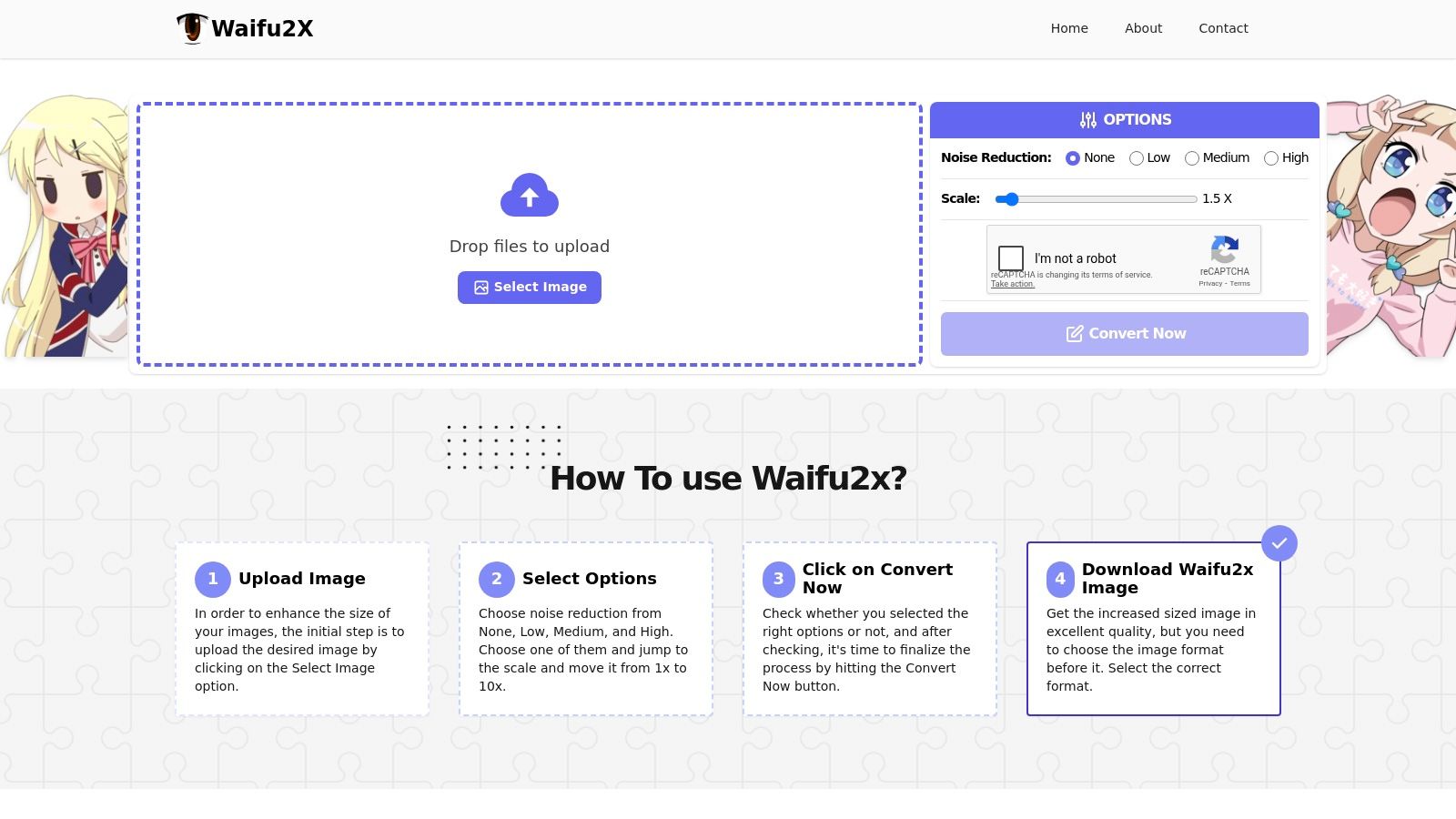
The primary strength of Waifu2x lies in its specialised noise reduction and anti-aliasing capabilities for non-photorealistic imagery. When a project calls for a more graphic or illustrative output, such as those produced with a toon shader or line-art render engines, Waifu2x can upscale the image while preserving the crispness of the lines better than many general-purpose upscalers. This makes it an excellent free utility for quick enhancements of concept art or diagrams before client presentation, complementing workflows similar to those seen with other visualisation tools. You can discover more about these types of visualisation workflows on Vibe3D.ai.
Core Features & Use Case
-
Specialised Algorithm: The model is specifically trained on line art, which translates well to cleaning up aliased edges in certain types of architectural renders.
-
Browser-Based Access: Multiple web hosts offer the tool for free, making it perfect for quick, single-image enhancements without commitment.
-
Simple Controls: Users can typically select a noise reduction level and a scaling factor (usually 2x), providing a straightforward, no-fuss upscaling process.
Pricing & Platform
Waifu2x is an open-source algorithm, and its most popular web implementations are completely free to use directly in your browser. Availability and processing speed can vary between different host sites.
Website: https://waifu2x.io/
9. Deep‑Image.ai
Deep‑Image.ai offers a specialised, API-first approach that positions it as a practical magnific alternative for businesses needing to process images at scale. While it provides a user-friendly web app for individual tasks, its real power lies in its API, designed for automating workflows like upscaling, noise reduction, and background removal. This makes it particularly relevant for architecture firms or real estate agencies managing large catalogues of property images.
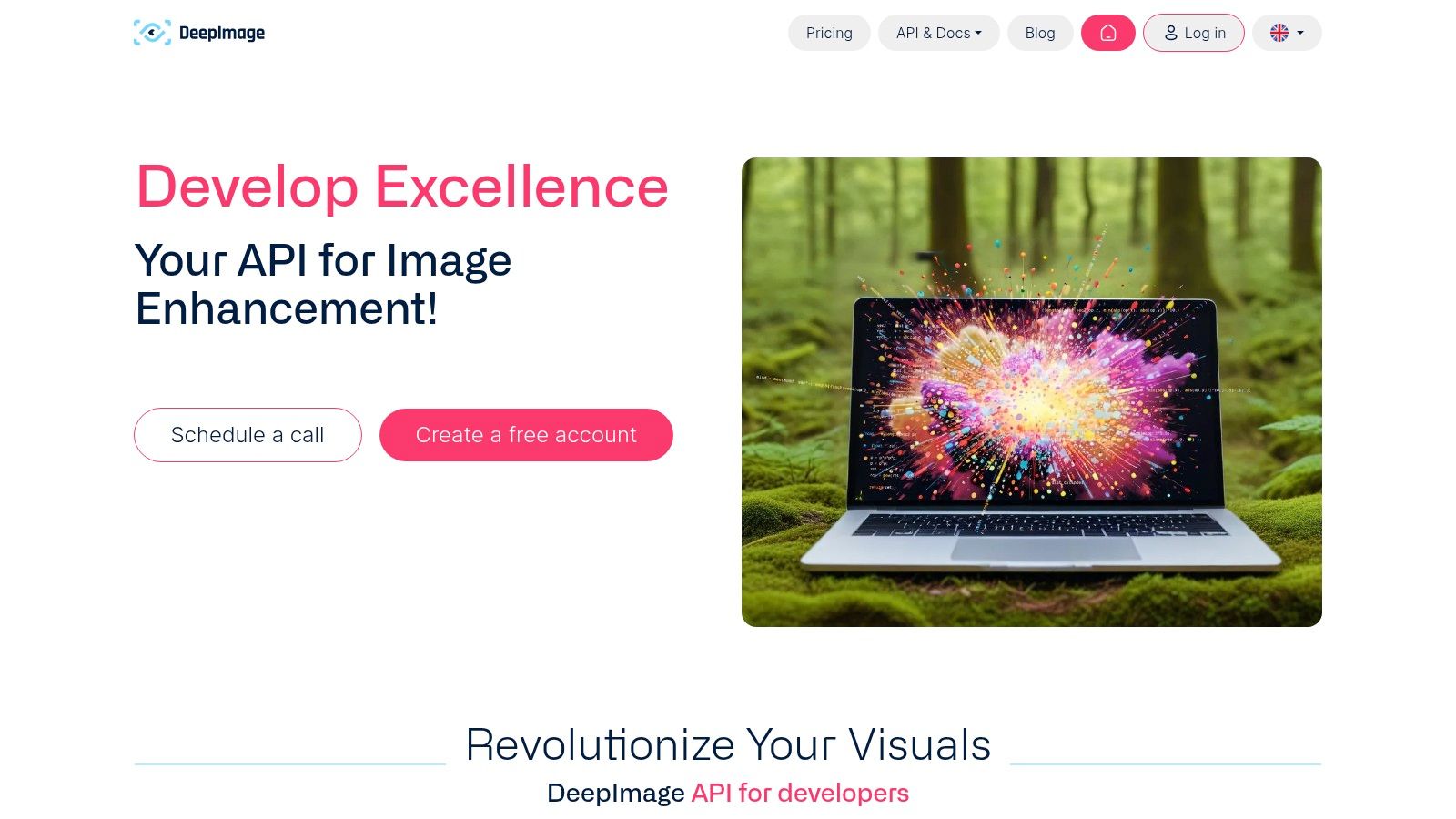
Its virtual staging API is a unique feature tailored for the property market, allowing for the automated furnishing of empty interior shots. While the results can sometimes lack the bespoke art direction of a manual process, it provides a powerful, high-volume solution for initial marketing visuals. For CGI artists, the platform's core upscaling and denoising tools can be integrated into a render pipeline to automatically enhance draft outputs.
Core Features & Use Case
-
API-Driven Workflow: Ideal for integrating directly into a content management system or custom application to process thousands of images programmatically.
-
Virtual Staging API: A specialised tool for the real estate sector to automatically add furniture and decor to empty room photos, saving significant time.
-
Batch Processing: The web interface supports bulk uploads, allowing users to apply consistent enhancements to multiple project renders simultaneously.
Pricing & Platform
Deep‑Image.ai operates on a credit-based system, with subscriptions or pay-as-you-go options available. Pricing can be as low as ~$0.04 per image on a subscription plan, making it highly cost-effective for large-scale operations. It is a web-based platform with a capable API for developers.
Website: https://deep-image.ai/about-api
10. VanceAI
VanceAI presents itself as a comprehensive cloud-based suite for both image and video enhancement, making it a versatile magnific alternative for creative professionals whose projects span multiple media formats. For architectural studios producing not just still renders but also animated fly-throughs or client presentations, VanceAI offers a single platform to handle various enhancement needs. Its tools cover AI upscaling, denoising, sharpening, and even specialised tasks like artefact removal, providing a broad toolset under one subscription.

The platform’s key differentiator is its inclusion of video tools, such as 8K upscaling and HDR conversion, which are valuable for elevating motion-based deliverables. This allows a design firm to upscale a set of still visualisations for a print brochure and enhance a corresponding project fly-through video for a digital campaign, all within the same ecosystem. This unified workflow can be particularly efficient for teams managing diverse marketing and presentation assets derived from the same base renders. For more insights on perfecting initial outputs, you can learn how to render in SketchUp effectively.
Core Features & Use Case
-
Multi-Tool Enhancement Suite: Offers a collection of AI tools for upscaling, denoising, and sharpening both images and video content.
-
Video Upscaling and HDR Conversion: A standout feature for enhancing architectural animations and fly-throughs up to 8K resolution.
-
Cloud-Based Accessibility: Provides easy access from any device without requiring powerful local hardware, processing tasks on their servers.
Pricing & Platform
VanceAI operates on a credit-based subscription model, with different monthly or annual plans providing a set number of credits. They also offer a "pay-as-you-go" credit pack. The platform is entirely web-based. Users should carefully test outputs, as marketing language can be aggressive and promotional terms may change.
Website: https://vance.ai/pricing/
11. AI Image Enlarger (ImgLarger)
AI Image Enlarger, also known as ImgLarger, presents a straightforward and highly accessible browser-based tool for quick upscaling tasks. For designers needing a fast, no-frills magnific alternative for less critical projects or client previews, its generous free tier and low-cost credit bundles make it an attractive option. The platform focuses purely on resolution enhancement, offering up to 800% enlargement, which is useful for boosting draft renders for internal reviews or social media posts without committing to a full software purchase.
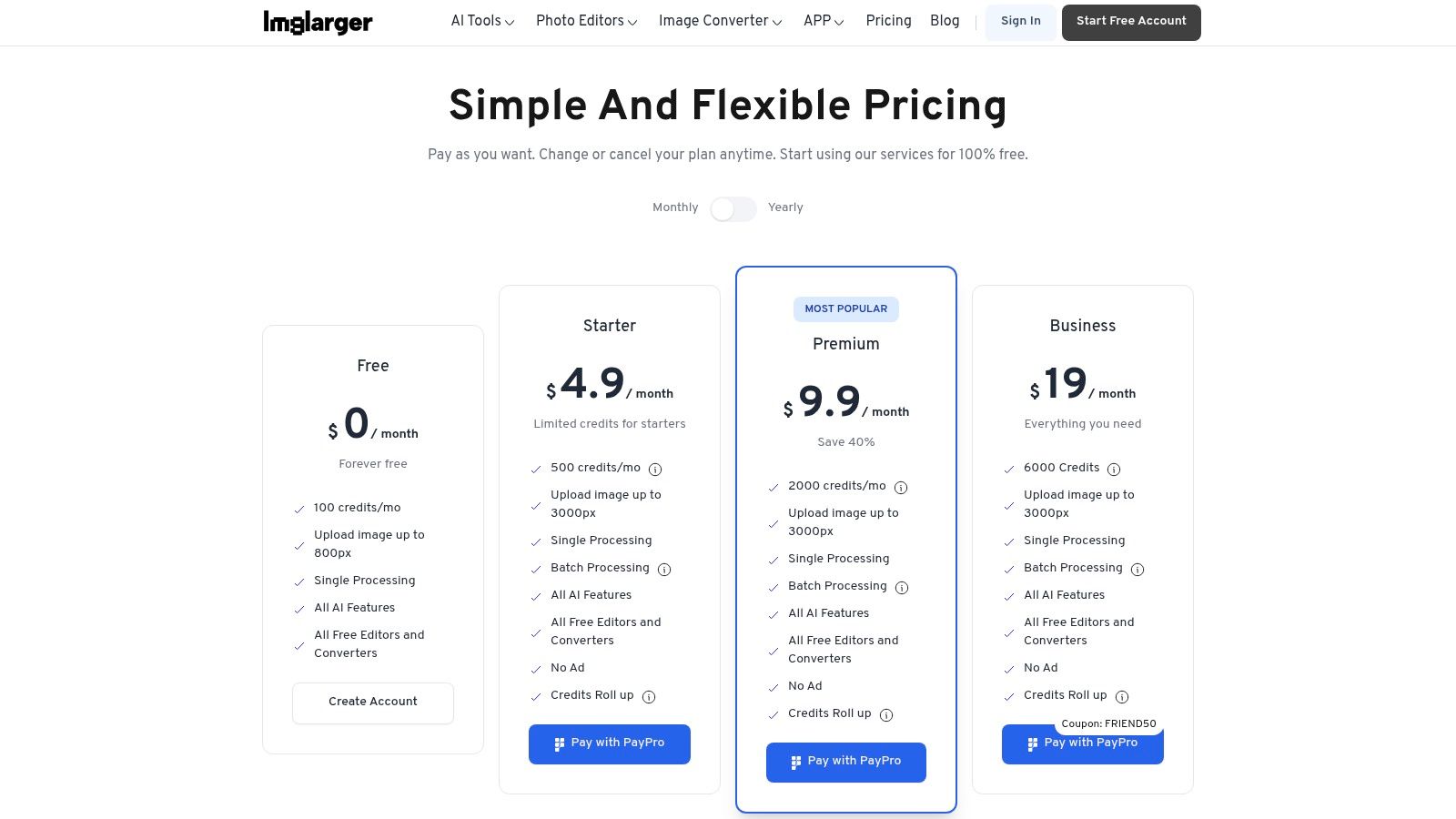
What sets ImgLarger apart for some users is the availability of an offline Mac app. This provides a solution for architects and CGI artists who work with sensitive or proprietary client visualisations and prefer to keep all processing local. While it may not offer the sophisticated detail invention of Magnific or the comprehensive enhancement suite of Vibe3D, it serves its purpose well as a rapid and cost-effective enlargement utility. However, users should be mindful of upload resolution caps on certain paid plans and check the terms regarding any promotional offers.
Core Features & Use Case
-
High-Percentage Enlargement: Upscale images by 200%, 400%, or up to 800%, ideal for making small preview renders suitable for larger digital displays.
-
Batch Processing: Paid plans allow for batch processing of up to eight images at once, speeding up the workflow for sets of renders.
-
Offline Mac App: Offers a desktop version for macOS users, ensuring privacy and local processing for confidential project assets.
Pricing & Platform
ImgLarger operates on a freemium model with a free tier offering a limited number of credits. Paid plans are available as monthly subscriptions or one-time credit packs, providing a very low entry price for occasional use. It is primarily a web-based tool but also offers a dedicated desktop application for macOS.
Website: https://imglarger.com/pricing
12. Clipdrop (Upscaler x16) by Jasper
Clipdrop, now under the Jasper umbrella, offers a suite of web-based AI tools that serve as a fast and accessible magnific alternative for quick enhancements. Centred around its powerful upscaler, which can increase resolution by up to 16x on paid plans, the platform is designed for immediate, browser-based tasks. For architects and designers needing to quickly polish a draft render or clean up a source image without installing software, Clipdrop provides an efficient, no-friction solution.
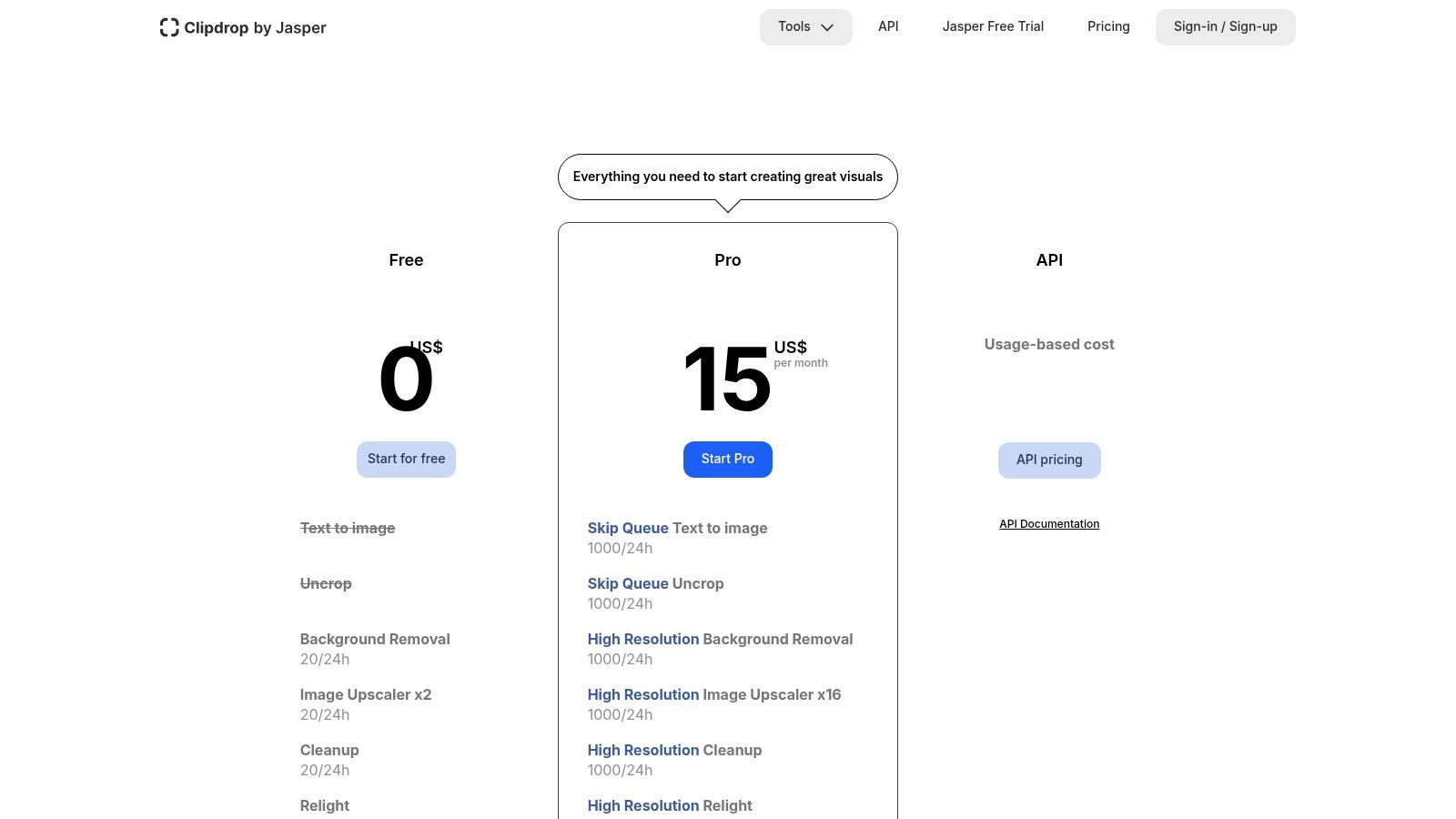
Its strength lies in its simplicity and the integration of multiple tools within one interface. You can upscale an image, remove an unwanted background element, and even relight a scene in a few clicks. This makes it ideal for preparing concept images for client presentations or social media without needing to switch between different applications. While not as specialised for adding new details as Magnific, it excels at cleaning and clarifying existing visual information.
Core Features & Use Case
-
High-Resolution Upscaler: Capable of increasing image resolution by 2x, 4x, 8x, or up to 16x, perfect for making low-quality renders or AI-generated concepts print-ready.
-
Integrated Tool Suite: Offers Cleanup, Background Removal, and Relight tools, allowing for rapid post-processing of visualisations directly in the browser.
-
No-Install Web Access & API: Provides instant access from any machine and offers an API for integrating its features into custom workflows or applications.
Pricing & Platform
Clipdrop operates on a freemium model with a Pro subscription that raises usage limits, improves quality, and adds advanced features like 16x upscaling. Since its acquisition by Jasper, pricing and usage caps have evolved, so it's best to check the website for current details. The platform is entirely web-based and accessible via any modern browser.
Website: https://clipdrop.co/pricing
Top 12 Magnific Alternatives — Feature & Performance Comparison
| Product | Core features | Quality (★) | Pricing / Value (💰) | Target (👥) | USP (✨) |
|---|---|---|---|---|---|
| Vibe3D 🏆 | AI cloud rendering; enhances existing renders; natural‑language edits; SketchUp/3dsMax/Revit imports | ★★★★★ | 💰 Pay‑as‑you‑go credits; free 3 renders; Starter/Pro/Studio/Enterprise tiers | 👥 Architects, interior designers, studios, students | ✨ Upscale & add photorealistic detail to renders via prompts |
| Topaz Labs (Photo & Gigapixel) | High‑fidelity upscaling, denoise, Photoshop plugin; batch support | ★★★★★ | 💰 Desktop/cloud options; mid‑range (subscription/perpetual legacy) | 👥 Photographers, CGI artists, retouchers | ✨ Best local upscaling fidelity; strong face/detail recovery |
| Adobe Photoshop & Lightroom (Super Resolution) | Native Super Resolution; Camera Raw + Firefly integration; masks/compositing | ★★★★★ | 💰 Creative Cloud subscription (enterprise/team plans) | 👥 Creative teams, retouchers, agency workflows | ✨ Deep workflow + compositing + generative tools |
| Let’s Enhance | Web upscaler; presets; batch & API; high‑megapixel outputs | ★★★★ | 💰 Credit‑based plans; personal & business tiers | 👥 Designers, SMBs, e‑commerce | ✨ Simple credit model + API for automation |
| Icons8 Smart Upscaler (GoProd) | Browser upscaler; large batch (≤500); Mac app with background removal; API | ★★★★ | 💰 Prepaid packs & subscriptions; transparent small‑team pricing | 👥 E‑commerce teams, photographers | ✨ High throughput batch + Mac app bundle |
| Pixelcut (Web & API) | Upscale, background removal, generation; API credit billing; team plans | ★★★★ | 💰 Credit‑based with free tier; Pro/Max for scale | 👥 Content creators, product photographers, teams | ✨ Unified cleanup → upscale workflow for fast exports |
| Upscayl (Open Source) | Local offline upscaler; multiple models; batch mode | ★★★★ | 💰 Free & open‑source | 👥 Privacy‑focused users, developers, small studios | ✨ Offline processing (no uploads) and zero recurring cost |
| Waifu2x (Web) | Simple noise reduction & scaling; tuned for line art/anime; many mirrors | ★★★ | 💰 Free / very low cost | 👥 Illustrators, stylized CG, quick one‑offs | ✨ Excellent on line art/toon edges; very low cost |
| Deep‑Image.ai | Web & API upscaling, denoise, background removal; virtual staging API | ★★★★ | 💰 Per‑image / subscription; business pricing (low per‑image examples) | 👥 Real‑estate, property managers, photographers | ✨ Virtual staging API tailored to real‑estate workflows |
| VanceAI | Image & video upscaling, denoise, artifact removal, HDR/video tools | ★★★★ | 💰 Bundled plans; frequent promotions | 👥 Stills + video teams, agencies | ✨ Single vendor for both stills and motion enhancement |
| AI Image Enlarger (ImgLarger) | Browser upscaler up to 800%; batch; Mac offline app | ★★★ | 💰 Very low entry price; rolling credits; free tier | 👥 Freelancers, quick client deliverables | ✨ Very large enlargement factors + offline Mac app |
| Clipdrop (Upscaler ×16) by Jasper | Web upscaler (×16 on Pro); background removal; relighting; API | ★★★★ | 💰 Usage‑based / Pro tiers; evolving limits | 👥 Designers needing quick browser polish | ✨ No‑install relight + high upscaling factor in browser |
Choosing the Right Magnific Alternative for Your Workflow
The journey through the landscape of image upscaling and enhancement tools reveals a clear truth: there is no single, perfect Magnific alternative that universally reigns supreme. The ideal choice is deeply personal, tethered to the unique demands of your profession, the intricacies of your workflow, and your specific creative objectives. What works wonders for a CGI artist in post-production might be an inefficient detour for an architect needing to quickly enhance an existing render. The key is to move beyond a simple feature-for-feature comparison and instead analyse how each tool integrates into your daily process.
We’ve explored a diverse array of solutions, from comprehensive platforms like Vibe3D that can enhance and upscale existing renders, to specialised desktop applications like Topaz Labs and Upscayl, and versatile cloud-based services such as Let's Enhance and Deep-Image.ai. Each possesses a distinct philosophy and a core set of strengths tailored for different users. The challenge now is to distil this information into a decision that empowers your work.
Your Role Defines Your Tool
Making the right selection requires introspection about your primary needs. Let’s synthesise our findings to guide your choice based on your professional role:
-
For Architects & Interior Designers: Your primary need is to quickly elevate existing renders to a photorealistic, client-ready standard. You require a tool that doesn't just upscale but intelligently adds context-aware detail. This is where Vibe3D stands out. Its ability to take an existing render and use natural language commands to refine materials, lighting, and overall realism is a game-changer. It streamlines the revision process, allowing you to turn a basic visualisation into a stunning presentation piece in minutes.
-
For CGI Artists & Visualisation Specialists: Your focus is on achieving the absolute zenith of image quality in post-production. You likely have an established workflow, often centred around tools like Photoshop. In this context, Topaz Labs (Gigapixel AI & Photo AI) is an exceptional choice. It offers granular control and sophisticated AI models designed for maximum detail recovery and artefact removal, fitting perfectly into a pipeline where the final render is passed for meticulous enhancement. The investment is justified by its best-in-class upscaling quality.
-
For Design Studios & Agencies: You require a blend of quality, efficiency, and scalability. Tools that offer solid batch processing, API access, and reliable performance are paramount. Let’s Enhance and Deep-Image.ai are strong contenders here. Their ability to process large volumes of images consistently and integrate with other systems via an API makes them ideal for agency-level workflows where output and turnaround time are critical metrics.
-
For Students & Independent Creatives: Budget and accessibility are often the deciding factors. Open-source solutions like Upscayl offer incredible power without a price tag, provided you have the local hardware to run it effectively. For those already subscribed to the Adobe suite, using the built-in Super Resolution in Photoshop and Lightroom is the most cost-effective and efficient starting point. It provides excellent results without adding another subscription to your expenses.
Final Considerations Before You Commit
Before making your final decision on a Magnific alternative, consider testing a few top contenders with your own project files. Most services offer free trials or credits. Use this opportunity to evaluate not just the final image quality, but the entire user experience. How intuitive is the interface? How quickly can you achieve your desired result? Does it introduce friction or does it accelerate your workflow?
Remember that the ultimate goal is to enhance both your final output and your creative efficiency. The right tool should feel like a natural extension of your skills, empowering you to produce higher-quality work in less time. By carefully matching the strengths of a platform to the specific demands of your role, you can confidently select a Magnific alternative that will become an indispensable asset in your creative toolkit.
Frequently Asked Questions
How Is Vibe3D Different from Magnific for Architectural Renders?
Magnific is built for broad creative upscaling and can invent stylistic detail that isn't always accurate for a specific building design. Vibe3D takes the opposite approach: it upscales and enhances an existing architectural render while respecting the original composition, adding contextually accurate detail like realistic wood grain or material texture rather than generic embellishment. That makes it the better fit when the goal is fidelity to a real design, not artistic reinterpretation.
Will Upscaling Introduce Artefacts or Change My Design?
Any upscaler can introduce artefacts if it's the wrong tool for the source image, which is why this guide evaluates each option specifically for its ability to enhance renders "without unwanted artefacts or stylistic deviations." Vibe3D avoids this by using prompt-based edits (like "add more detail to the wood flooring") that build on your existing render instead of regenerating it from scratch.
How Much Should I Expect to Pay for an AI Render Upscaler?
Pricing varies widely by tool and volume. Vibe3D uses pay-as-you-go credits starting at the Starter plan ($19 for 75 credits), Pro ($39 for 200 credits), and Studio ($99 for 600 credits), while Upscayl and most Waifu2x web implementations are free, and Deep-Image.ai can cost as little as roughly $0.04 per image on a subscription plan for high-volume batches.
Can I Upscale Renders Locally Instead of Uploading Them to the Cloud?
Yes, several tools in this roundup process images entirely on your own hardware. Upscayl is a free, open-source desktop app that never uploads files to a server, Topaz Labs offers local processing as an alternative to cloud services, and AI Image Enlarger (ImgLarger) has an offline Mac app for architects working with NDA-bound client visualisations.
Ready to transform your existing renders into polished, client-ready visualisations without a complex post-production workflow? Vibe3D is engineered to upscale and enhance your images, serving as a powerful Magnific alternative for architects and designers. Experience the future of architectural visualisation and see how you can improve your renders in minutes by visiting Vibe3D today.