As summer deadlines pile up, 3D rendering mistakes can turn small projects into long nights at the office. When you are racing to hit late July submissions, there is not much time left to hunt down weird shadows, glowing floors, or glass that looks like plastic. That pressure makes every rendering problem feel bigger than it needs to be.
Traditional workflows are full of trial and error. You tweak lights, wait for a test render, spot a new issue then start again. Materials look flat, geometry pops or breaks, and artifacts only show up right before a client review. With AI tools like what we build at Vibe3D, many of those headaches can now be fixed in seconds. Let's look at common 3D rendering mistakes, why they keep showing up, and how AI finally makes them optional instead of automatic.
Stop Wasting Hours Fixing Render Mistakes
When deadlines heat up along with the weather, there is less time to babysit every render. Many teams still rely on workflows that were built for slower projects and smaller files. That is when issues slip in.
Common pain points include:
- Lighting that looks wrong only after a full render
- Materials that do not match the design mood
- Late surprises like flickering artifacts or jagged edges
All of this comes from manual trial and error. You stack settings, hope for the best, and then repeat. AI-powered rendering changes that pattern. Instead of tweaking sliders, you give the model and the design intent, and the system cleans up the rest. At Vibe3D, our goal is to move you from "fixing problems" to "choosing the look," so you can keep projects moving while the sun is still out.
Taming Unnatural Lighting and Shadows
Lighting is usually the first thing people notice when a render feels off. You might see interiors that are blown out near the windows, corners that are muddy, or shadows that do not match the time of day you had in mind. Those issues break the mood of the space.
Manual lighting setups often go wrong because of:
- Sun angles that do not match the location or season
- Color temperatures that clash between fixtures and daylight
- Shadows that are too harsh and make details disappear
Getting all of that right by hand can take many test renders. AI can now simulate realistic global illumination in a more direct way. It reads the scene, the HDRI environment, and the light sources, then balances exposure, color temperature, and shadow softness automatically.
With Vibe3D, the system can also infer the mood you want: a bright summer office with clear light, a soft evening living room with warm shadows, or a cloudy-day exterior that still shows depth. Instead of guessing, you pick the feeling, and the AI adjusts lights and exposure so the image tells the story you planned.
Fixing Plastic-Looking Materials and Surfaces
Even when lighting is right, fake materials can ruin a render. Many of us have seen:
- Wood that looks shiny like plastic
- Metal that feels like flat gray paint
- Glass that vanishes or turns into a perfect mirror
These problems usually come from roughness, reflection, and normal maps that do not behave like real-world surfaces. In high-end architectural work, where every surface is part of the pitch, these details matter. Clients might not know why something looks wrong, but they feel it right away.
AI can now recognize material types by looking at the geometry and its context. A large flat plane at floor level is likely flooring. Thin vertical panels on the outside are probably facade elements. Countertop shapes, window frames, and glazing all carry clear signals.
Once those are understood, the system can apply physically accurate settings for:
- Reflections and refractions
- Micro-roughness and gloss
- Subtle bump and surface variation
At Vibe3D, we focus on turning placeholder materials into believable ones in seconds. That way, you do not have to spend the afternoon tuning shaders and re-rendering for every small approval. You spend more time on design intent, less on guessing how glossy that oak should be.
Ending Dead Spaces with Lifelike Composition
Sometimes the model is perfect, the materials are accurate, and the lighting is solid, but the scene still feels dead. That often comes from empty spaces, awkward camera angles, or missing human context. The design is there, but the story is not.
Common composition issues include:
- Cameras set too high, like a security camera view
- Lenses that are too wide, stretching the space in strange ways
- Key features cropped out or hidden behind furniture
- Repeated props that make every project feel identical
AI is very good at reading a space and suggesting better viewpoints. It can scan your model, identify focal points like a feature staircase or a central island, and then propose cameras that match how a real person would experience the room. It can adjust focal length so walls do not feel warped and so important elements stay in frame.
With Vibe3D, we go further by auto-populating scenes with context. Think decor that matches the style of the project, plants that bring life to corners, and subtle human presence that adds scale without pulling focus. That same logic carries into cinematic walkthroughs, so the path through the building feels natural, not like a random fly-through.
Eliminating Geometry Glitches and Scale Issues
Under deadline pressure, many teams rush models from CAD or BIM into a renderer and hope they hold up. That is when small geometry glitches turn into big distractions. You might see chairs floating a few inches off the floor, walls that are paper thin at certain angles, or stairs that feel slightly wrong in proportion.
Typical problems include:
- Intersecting meshes and z-fighting
- Misaligned doors and windows
- Objects at the wrong scale compared to people
These issues are easy to miss inside modeling software, especially in large files. AI can scan the model and compare it with common building standards and visual expectations. If a door handle sits too high, or a chair is closer to toy size than real size, the system can flag it.
At Vibe3D, we use that analysis to auto-correct smaller issues and smooth out artifacts. The goal is simple: when someone looks at your stills or walks through a cinematic render, everything reads correctly at human scale. Nothing feels "off," even if they cannot say why.
Turning 3D Rendering From Bottleneck to Competitive Edge
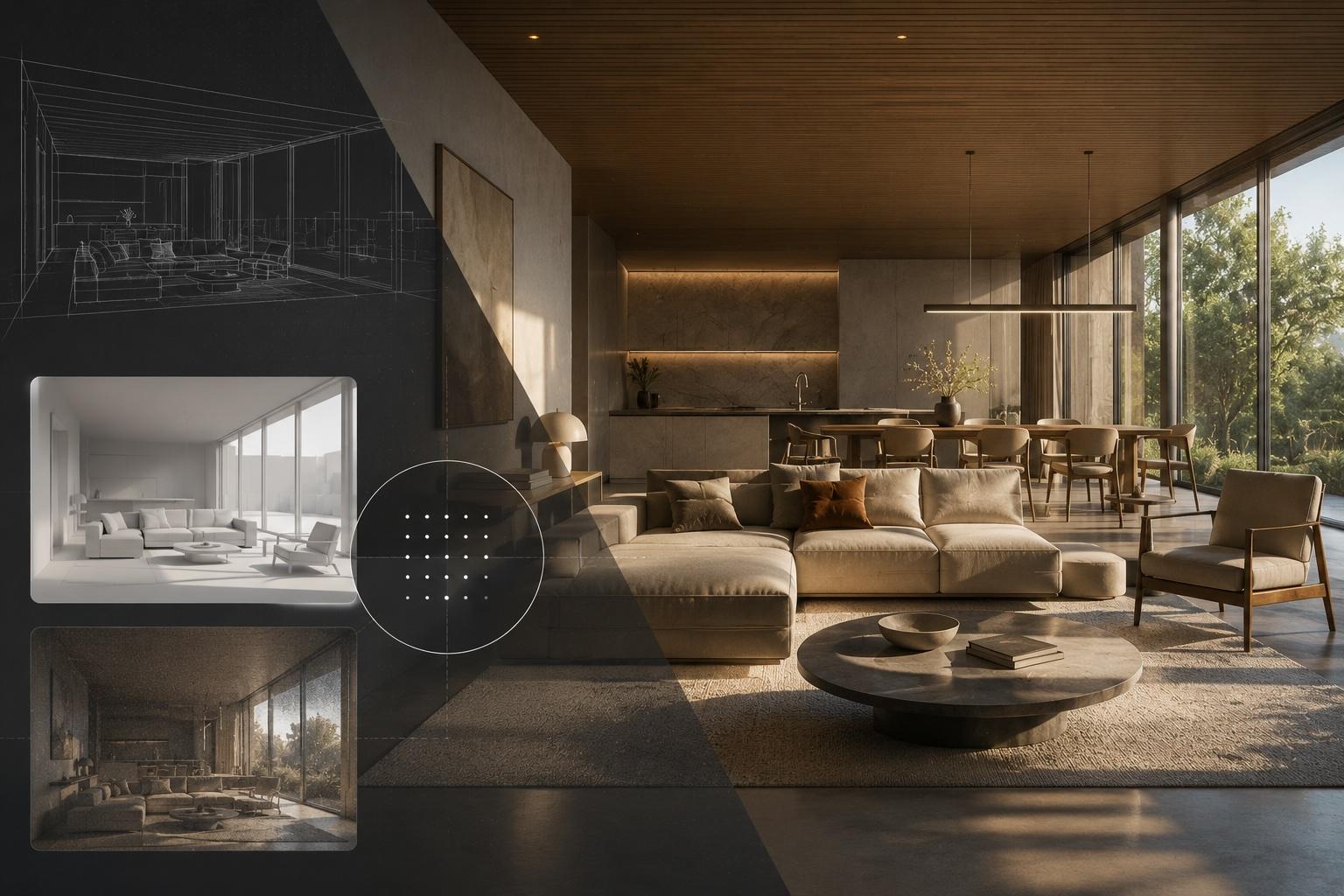
When you put this all together, AI rendering removes many of the slow, frustrating parts of 3D work. It cleans up lighting, fixes flat materials, suggests better compositions, and catches geometry and scale problems before they reach your client. That means faster approvals, fewer revision cycles, and more consistent visuals for every pitch and planning meeting.
Instead of treating 3D rendering as a bottleneck, you can treat it as a way to show your best ideas quickly, especially when summer workloads in places like the Bay Area are at their peak. At Vibe3D, we want you focused on design decisions, not chasing reflections and shadows. When AI handles the heavy lifting, your models can become photorealistic images and cinematic walkthroughs in seconds, ready to carry your projects into the next season with confidence.
Frequently Asked Questions
What are the most common 3D rendering mistakes architects make? The most frequent issues are incorrect lighting setup (blown-out windows, muddy shadows), flat or plastic-looking materials, poor camera composition, and geometry errors like intersecting meshes or objects at the wrong scale. Most of these come from manual trial-and-error workflows that rely on repeated test renders to catch problems.
Can AI really fix rendering mistakes automatically? Yes, for the most common categories. AI rendering tools can balance lighting and exposure automatically, apply physically accurate material settings based on geometry context, suggest better camera angles, and flag scale and geometry issues. The result is a client-ready image without the manual iteration loop.
How does AI handle material accuracy in architectural renders? AI reads context clues from the geometry — floor planes, glazing, wall panels, countertops — and applies appropriate reflectance, roughness, and texture behavior for each surface type. This replaces the manual process of building material nodes from scratch for every render.
Does AI rendering work with models that have geometry errors? AI can identify and auto-correct smaller issues like floating objects or misaligned elements. For more significant structural problems in the model, it is still best to fix them in the source file — the AI works from what the geometry communicates, so cleaner models produce better results.
What file formats does Vibe3D accept? Vibe3D accepts models from SketchUp, Revit, Blender, 3ds Max, Rhino, Archicad, Vectorworks, and Chief Architect. You upload the file you already have — no reformatting required.
Get Started With Your Project Today
If you are ready to see your concepts come to life, our team at Vibe3D is here to help you move from idea to fully realized visuals. Explore our 3D rendering AI to turn sketches, models, or early designs into compelling, high-fidelity imagery in minutes. We work closely with you to refine every detail so your visuals communicate clearly and look production-ready. Reach out to discuss your goals and timelines so we can help you plan the next steps confidently.