Top 12 Architectural Rendering Software Solutions for 2025
Discover the best architectural rendering software in 2025. Compare top tools like Vibe3D, V-Ray, and Lumion to find the perfect fit for your workflow.
Dec 22, 2025
In today's competitive architectural landscape, translating a 3D model into a photorealistic vision is no longer a luxury, it's a fundamental requirement. Clients expect to see not just a design, but a tangible, emotive experience. The right architectural rendering software bridges this critical gap, turning complex models from tools like SketchUp, Revit, Rhino, or 3ds Max into stunning visuals that communicate intent and inspire confidence. But with a market flooded with options, from industry-standard render engines to revolutionary AI-powered platforms, choosing the tool that best fits your workflow, budget, and creative goals can be overwhelming.
This guide is designed to cut through the noise and provide clear, actionable insights. We will explore a curated list of the top rendering solutions available today, moving beyond marketing claims to deliver an honest assessment of their unique strengths, limitations, and ideal use cases. You will learn about the modern workflow: exporting all the scenes you want to render from a particular interior or exterior project in a tool like SketchUp, then using an AI platform like Vibe3D to upload those scenes. Once uploaded, you can select different rendering settings like time of day, lighting, and flooring for each scene to generate ultra-realistic images with remarkable speed, and even use an edit render function to change colors or materials before downloading the final versions.
Whether you're a freelance architect needing rapid iterations, a student seeking accessible yet powerful tools, or a large studio demanding ultimate control and quality, this comprehensive resource will help you make an informed decision. Each entry includes practical analysis and direct links to help you find the perfect software to bring your architectural visions to life. For continuous learning and deeper dives into modern rendering techniques, resources like vidfarm's blog for rendering insights and tutorials offer valuable, up-to-date information. Let's explore the tools that will transform your digital blueprints into breathtaking reality.
1. Vibe3D
Vibe3D positions itself as a premier AI-powered, cloud-based platform, fundamentally changing the traditional workflow for architectural rendering software. It’s engineered for professionals who need to convert detailed 3D models from programmes like SketchUp, 3ds Max, Revit, Rhino, or Blender into photorealistic visuals without the typical hardware constraints or prolonged render times. The platform's core strength lies in its ability to produce stunning 4K images in seconds while meticulously preserving the original model's geometry, materials, and complex textures, ensuring the designer's intent remains perfectly intact.
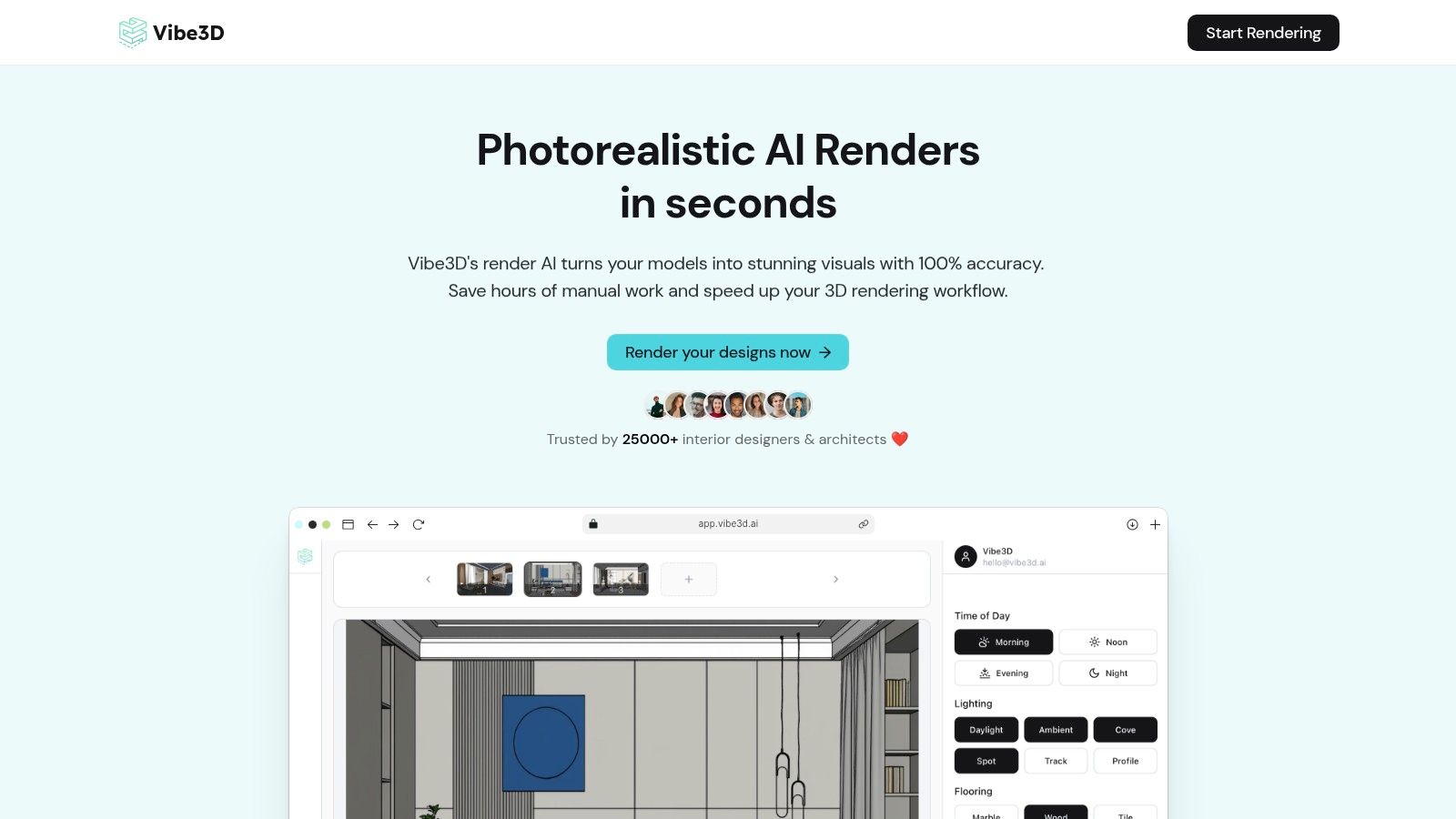
The workflow is streamlined for rapid iteration. An architect or designer can finish their model in software like SketchUp and export all the different scenes they want to render for a project. They then log in to Vibe3D.ai, create a new project, and upload all the scenes. For each individual scene, they can select different rendering settings like the time of day, lighting styles, flooring, and other material options to create a variety of renders. After the initial renders are created, the "edit render" functionality allows for further refinement, like changing colors or materials on specific objects. Finally, the best versions of each scene can be downloaded in ultra-realistic quality.
Key Features and Workflow
Direct Model Integration: Seamlessly upload scenes from SketchUp, 3ds Max, Revit, Rhino, Archicad, and Blender.
Scene-Specific Settings: Apply unique rendering settings for lighting, materials, and environment to each uploaded scene within a project.
AI-Powered Natural Language Editing: Post-render, use simple text prompts or the 'edit render' functionality to modify materials, colours, or objects instantly. The platform also provides "Smart Prompt Suggestions" to guide creativity.
Cloud-Based Rendering: All processing is handled on the cloud, removing the need for expensive local GPUs and freeing up your workstation.
Rapid Iteration Tools: Features like side-by-side version comparison and one-click variation exports empower designers to present clients with multiple options efficiently before downloading the final high-quality versions.
"Vibe3D honestly changed everything for me. What used to take us hours now takes minutes." - Testimonial from a Vibe3D user.
Pricing and Access
Vibe3D operates on a flexible, pay-as-you-go credit system. A free account is available with three complimentary renders.
Trial: $19 for 50 credits (~50 realistic renders).
Pro: $39 for 200 credits, including 50 hyper-realistic renders.
Studio: $99 for 600 credits, including 150 hyper-realistic renders.
Students: Receive a 50% discount on the Trial plan with a valid academic email.
Pros and Cons
Pros:
Ultra-realistic 4K renders generated in seconds, maintaining high fidelity to the source model.
Intuitive natural-language editing accelerates revisions and client feedback loops.
No specialised hardware required due to its cloud-native architecture.
Flexible pay-as-you-go pricing makes it accessible for freelancers and small studios.
Cons:
The credit-based model could become expensive for very high-volume users compared to a flat-rate licence.
Being cloud-only, it requires a stable internet connection and may not suit firms with strict on-premise data policies.
For professionals seeking to drastically cut down on rendering time and streamline their visualisation process, Vibe3D offers a compelling, modern solution. To explore how AI is reshaping the industry, you can learn more about AI rendering on the Vibe3D blog.
Website: https://vibe3d.ai
2. Chaos — V-Ray
V-Ray is an undisputed heavyweight in the world of photorealistic architectural rendering software. For decades, it has been the go-to production renderer for top-tier studios, delivering Oscar-winning visual effects and hyper-realistic architectural visualisations. Its reputation is built on a powerful, mature rendering engine that provides granular control over lighting, materials, and camera effects, ensuring unparalleled image quality.
The platform’s key strength lies in its extensive integration with major 3D modelling and BIM applications, including SketchUp, 3ds Max, Revit, and Rhino. This allows architects and designers to work within their familiar software environment, using V-Ray as a powerful extension rather than a separate program. Higher subscription tiers also grant access to the extensive Chaos Cosmos asset library, which is filled with high-quality, render-ready 3D models.
Key Offerings and Use Cases
Subscription Tiers: Chaos offers V-Ray Solo, Premium, and Enterprise plans. The Premium tier is a popular choice, providing access to the Chaos Cosmos library, Chaos Phoenix for fluid simulations, and Chaos Scans for ultra-realistic materials.
Studio Workflow: V-Ray is ideal for studios that require ultimate control and the highest possible fidelity for client presentations and marketing materials. Its render settings are comprehensive, though they come with a steeper learning curve compared to newer, AI-driven tools.
Best For: Established architecture firms, visualisation studios, and freelancers specialising in high-end, photorealistic renders.
Practical Tip: When starting, leverage the presets and the Chaos Cosmos library to speed up your workflow. The material library is a significant time-saver, preventing the need to build complex materials like fabrics and metals from scratch.
Website: https://www.chaos.com/vray
3. Chaos — Corona Renderer
Corona Renderer, now part of the Chaos ecosystem, has carved out a strong reputation as an artist-friendly, CPU-based rendering engine. It is particularly favoured in the architectural visualisation community for its simplicity and predictable, high-quality results. Where other architectural rendering software can present a complex web of settings, Corona prioritises an intuitive workflow, allowing designers to focus on creativity rather than technical adjustments.
Its primary strength is its tight integration with Autodesk 3ds Max and Maxon Cinema 4D, making it feel like a native part of the host application. Features like the interactive LightMix allow for real-time adjustments to lighting colour and intensity after the render is complete, offering incredible flexibility. Being part of Chaos means subscribers to higher tiers also gain access to the Cosmos asset library and Scans material collection, streamlining the process of populating scenes with realistic objects.
Key Offerings and Use Cases
Subscription Tiers: Corona is available as a Solo or Premium subscription. The Premium plan mirrors V-Ray's offering, bundling Chaos Cosmos, Phoenix, Player, and Scans to create a comprehensive visualisation suite.
Artist-Centric Workflow: Corona is ideal for individual artists, freelancers, and studios who value speed and ease of use without sacrificing final quality. It has a gentle learning curve, making it accessible for those new to high-end rendering.
Best For: Architectural and interior design visualisation, especially for users of 3ds Max and Cinema 4D who require photorealistic results with a straightforward, efficient workflow.
Practical Tip: Use the Interactive LightMix feature extensively during your design process. It allows you to present multiple lighting scenarios (e.g., day, night, ambient) to a client from a single render, saving immense amounts of time on re-renders.
Website: https://www.chaos.com/corona/buy-online
4. Chaos — Enscape
Enscape has carved out a significant niche in the architectural rendering software landscape by prioritising speed and real-time feedback. It operates as a direct plugin for major BIM and 3D modelling programmes, including Revit, SketchUp, and Archicad, turning complex models into navigable 3D environments with a single click. This seamless integration makes it a favourite for design-phase visualisation, allowing architects to instantly see changes and explore their creations in a realistic, immersive way.
The platform's primary strength is its ability to bridge the gap between technical design and client communication. Instead of waiting hours for a render, designers can walk clients through a project in virtual reality or share a link to a web-based walkthrough. Now part of the Chaos ecosystem, Enscape benefits from tighter integration with V-Ray and access to the Chaos Cosmos asset library, enhancing its capabilities for producing high-quality final outputs without sacrificing its renowned speed.
Key Offerings and Use Cases
Subscription Tiers: Enscape is available as a fixed-seat or floating licence. It can be bundled with other Chaos products like V-Ray and Corona in the Chaos Premium plan, providing a comprehensive visualisation toolkit for studios.
Iterative Design: Its real-time sync is perfect for internal design reviews and workshops. Architects can modify the model in their native CAD or BIM software and see the rendered result update instantly, facilitating rapid decision-making.
Best For: Architecture firms and designers who need fast, interactive presentations for client feedback and internal reviews, especially those working within a BIM-centric workflow.
Practical Tip: Use the live link feature during client meetings. Make material or geometry changes directly in your modelling software (like SketchUp or Revit) and let the client see the impact immediately in the Enscape window. This creates a powerful and collaborative review session.
Website: https://www.chaos.com/enscape/buy-online
5. Lumion
Lumion has carved out a significant niche as a real-time architectural rendering software focused on speed, efficiency, and ease of use. It operates as a standalone application, transforming models from programs like Revit, SketchUp, and ArchiCAD into fully realised environments in minutes, not hours. Its primary appeal lies in empowering architects to quickly create compelling visualisations, animations, and fly-throughs without a deep background in traditional CGI.
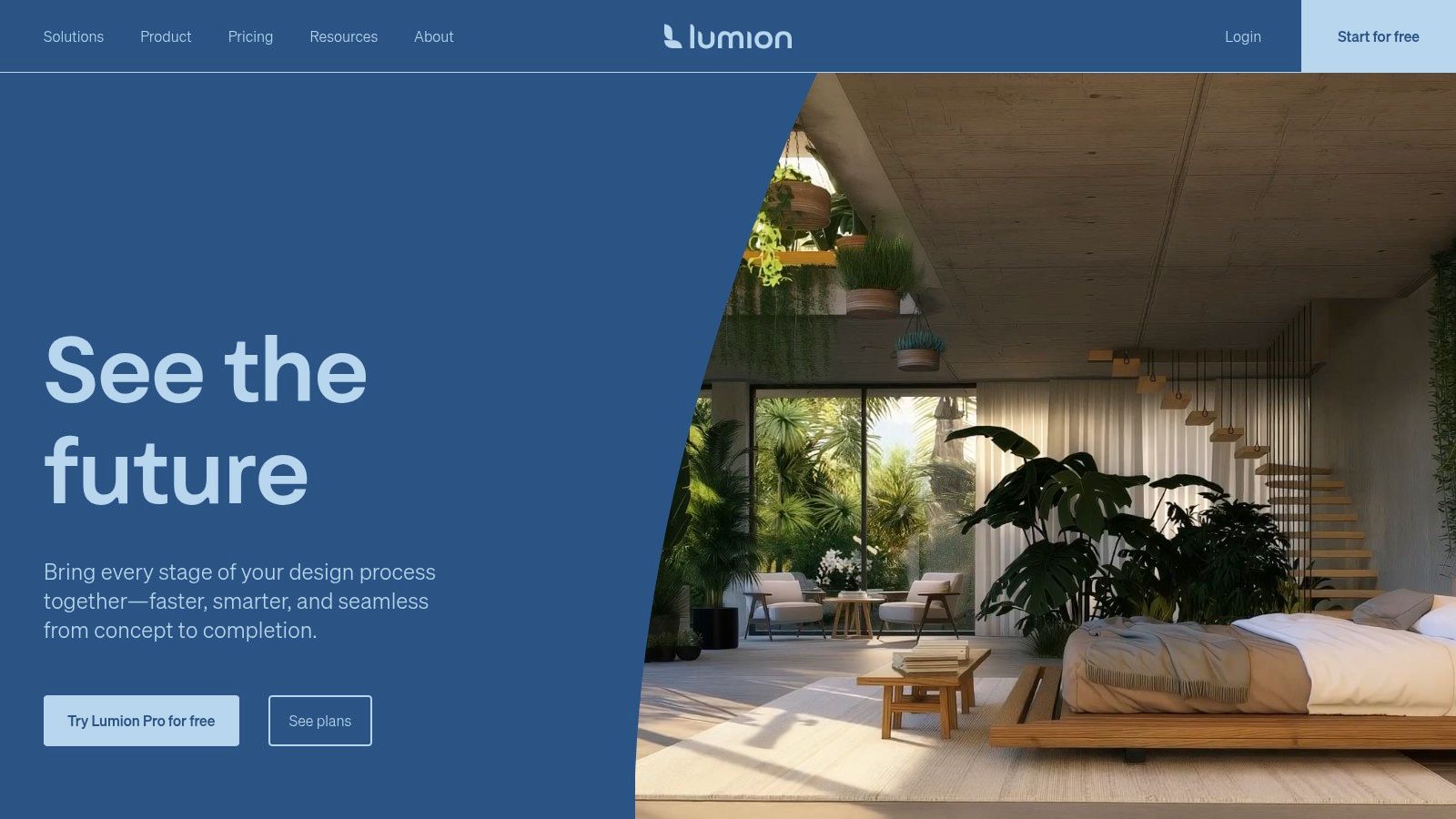
The platform is renowned for its vast, integrated content library, which includes thousands of high-quality objects, materials, and atmospheric effects. This allows designers to rapidly dress a scene with realistic vegetation, furniture, people, and weather, making it an excellent tool for client presentations and design development. While it may not offer the granular control of a production renderer like V-Ray, its speed in producing high-quality stills and videos is a major workflow advantage for many firms.
Key Offerings and Use Cases
Subscription Tiers: Lumion offers Standard and Pro subscriptions, available in 1- or 3-year terms. The Pro version unlocks the full content library and advanced features, making it the standard choice for professional use.
Rapid Visualisation: Ideal for architects who need to communicate design intent quickly. Its real-time feedback loop allows for rapid iteration on lighting, materials, and landscaping directly with clients.
Best For: Architecture firms of all sizes, landscape architects, and urban planners who prioritise speed and workflow efficiency for creating videos and visuals.
Practical Tip: Use the LiveSync feature for a real-time connection to your modelling software. This allows you to see rendering changes instantly as you modify the source model, dramatically speeding up the design and review process.
Website: https://lumion.com
6. Twinmotion (Epic Games)
Twinmotion, backed by Epic Games, has rapidly become a favourite in the architectural rendering software space by simplifying real-time visualisation. Built on the powerful Unreal Engine, it prioritises speed and ease of use, allowing architects and designers to quickly produce high-quality stills, animations, and interactive presentations without a steep learning curve. It bridges the gap between static renders and fully immersive experiences.

Its core strength is the Direct Link synchronisation with major modelling software like Revit, SketchUp, and Archicad, enabling real-time updates to the visualisation as the design evolves. The platform also includes access to a vast library of high-quality assets from Quixel Megascans and Sketchfab, making scene-setting an intuitive process. The inclusion of Path Tracer allows for the creation of final-pixel images with physically accurate lighting, rivalling traditional offline renderers.
Key Offerings and Use Cases
Licensing and Access: Twinmotion is free for students, educators, and hobbyists. A commercial licence is also free for companies with less than $1 million USD in annual gross revenue, otherwise, it requires a paid annual seat.
Interactive Presentations: Twinmotion Cloud allows designers to share interactive, navigable 3D presentations with clients via a simple web link, offering a more engaging review process than static images.
Best For: Architects and designers who need a fast, intuitive tool for iterative design visualisation and client presentations. It is particularly effective for those looking to explore a powerful Twinmotion alternative without the complexity of the full Unreal Engine.
Practical Tip: Use the Presenter tool and Twinmotion Cloud to create immersive, self-guided tours for clients. This gives them the freedom to explore the design at their own pace, leading to more constructive feedback and faster approvals.
Website: https://www.unrealengine.com/
7. D5 Render
D5 Render has rapidly emerged as a powerful force in real-time architectural rendering software, celebrated for its speed, stunning visual quality, and intuitive workflow. It leverages GPU ray tracing to deliver photorealistic results almost instantaneously, allowing designers to see changes in lighting, materials, and assets without lengthy render times. This real-time feedback loop is a game-changer for rapid iteration and client presentations.
The platform's strength is its seamless integration with major modelling software like SketchUp, Revit, Rhino, and 3ds Max via its LiveSync feature. D5 Render also comes packed with a vast, high-quality asset library and advanced visual effects that are easy to apply. Its commitment to incorporating AI features and team collaboration tools makes it a forward-thinking choice for modern design studios looking to streamline their visualisation pipeline.
Key Offerings and Use Cases
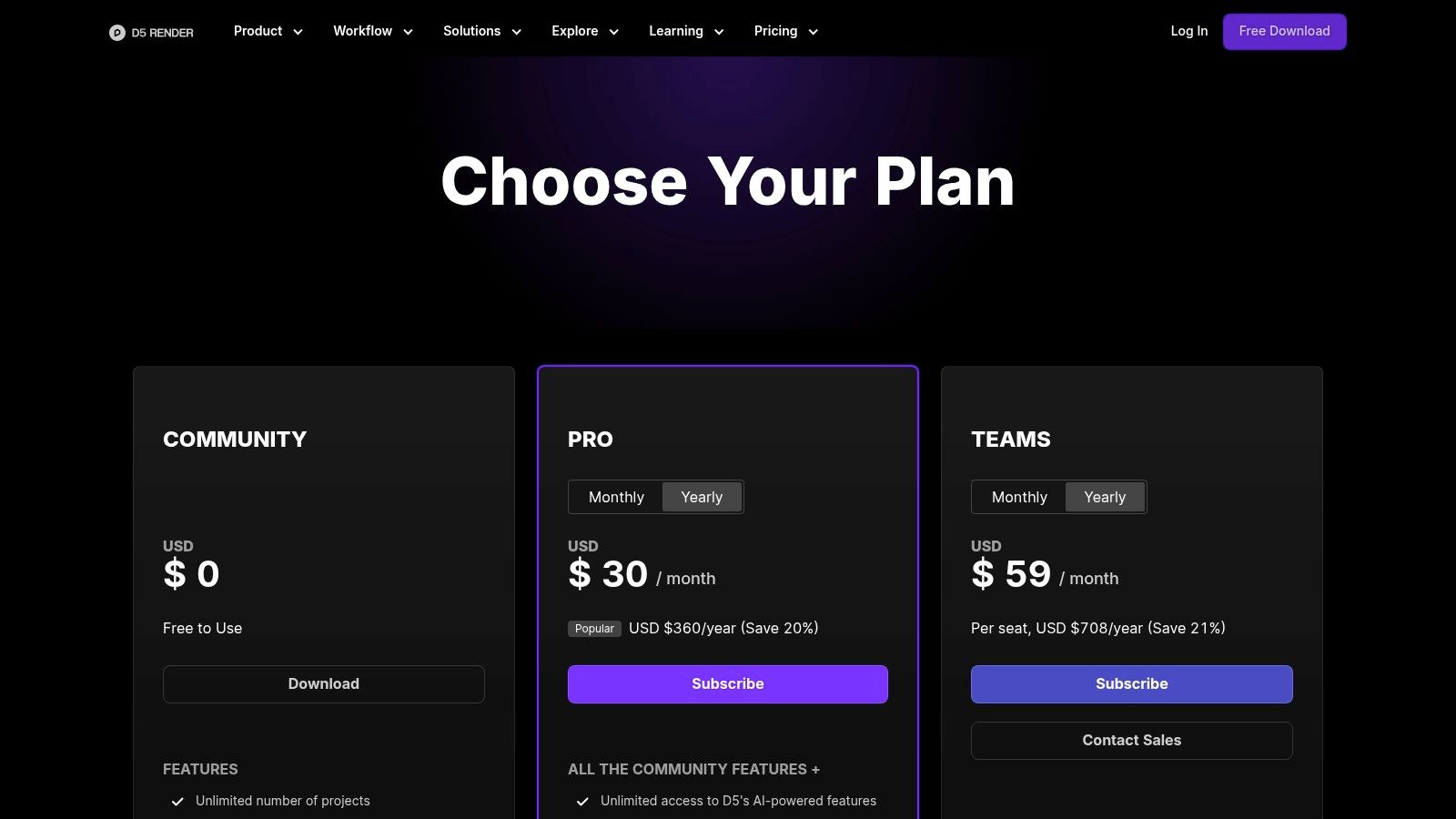
Subscription Tiers: D5 offers a free Community version with basic features, alongside Pro and Team subscriptions that unlock the full asset library, advanced animation features, cloud workspace, and multi-user collaboration.
Rapid Visualisation: D5 is perfect for architects and designers who need to produce high-quality stills, animations, and panoramas quickly. Its real-time nature is ideal for interactive design sessions with clients.
Best For: Small to medium-sized architecture firms, interior designers, and freelancers who prioritise speed, ease of use, and a high-quality built-in asset library.
Practical Tip: Use the D5 LiveSync plugin for your primary modelling software. This creates a live link that mirrors changes from your model directly into D5 Render, saving you from constantly re-importing your project.
Website: https://www.d5render.com/pricing
8. Unreal Engine (for ArchViz)
Originally built for video game development, Unreal Engine has evolved into a powerhouse for real-time architectural rendering, interactive experiences, and digital twins. It offers a level of visual fidelity and interactivity that traditional offline renderers struggle to match. By leveraging its advanced game engine technology, architects and designers can create not just static images but fully explorable virtual environments for clients to experience their projects in an immersive way.
The platform’s core strength for ArchViz lies in its specialised toolset, including the Datasmith pipeline, which streamlines the import of complex CAD and BIM models from software like Revit, SketchUp, and 3ds Max. Ground-breaking features like Lumen for dynamic global illumination and Nanite for handling massive geometry allow for the creation of incredibly detailed and realistic scenes that run in real-time, a significant advantage over other architectural rendering software.
Key Offerings and Use Cases
Real-Time Visualisation: Unreal Engine is free to use for creating linear content and for projects that do not generate revenue. For commercial applications and games, a royalty-based model or a per-seat subscription may apply, so it is crucial to verify the latest licensing terms.
Interactive Experiences: Ideal for creating client walkthroughs, VR experiences, and real-time design configurators where users can change materials or furniture on the fly. Its cinematic tools also enable the production of high-quality animated fly-throughs.
Best For: Large studios, visualisation specialists, and firms focused on creating high-end interactive presentations, VR applications, and digital twins.
Practical Tip: Start by using the Datasmith Exporter plugins for your modelling software. This will correctly translate your scenes, materials, and lights into Unreal Engine, giving you a solid foundation to start building your interactive or cinematic presentation.
Website: https://www.unrealengine.com/
9. Autodesk 3ds Max (with Arnold)
Autodesk 3ds Max is a foundational software in the architectural visualisation industry, known for its robust 3D modelling, animation, and rendering capabilities. While it's a comprehensive 3D suite, its strength in arch-viz comes from its powerful polygonal modelling tools and its extensive plugin ecosystem. It serves as a central hub where complex architectural scenes are assembled, textured, and prepared for rendering.
The software includes the powerful Arnold renderer, capable of producing high-fidelity, photorealistic images. However, its true versatility lies in its compatibility with industry-standard third-party renderers like V-Ray and Corona, allowing studios to integrate it into established pipelines. For Indian users, Autodesk provides a dedicated online store with pricing in INR and proper GST invoicing, simplifying procurement for professionals and businesses. While 3ds Max offers an all-in-one solution, models created within it can also be exported for use in newer AI-driven platforms like Vibe3D to accelerate the rendering and design iteration process.
Key Offerings and Use Cases
Comprehensive Toolset: 3ds Max is a complete solution for modelling, animating, and rendering, making it a staple in large visualisation studios that handle complex projects from start to finish. You can learn more about using 3ds Max for interior design.
Plugin Ecosystem: Its rich ecosystem of plugins and scripts allows for customised workflows, from advanced modelling to specialised rendering effects, a key reason for its longevity in the industry.
Best For: Large architectural firms, dedicated visualisation studios, and professionals who need a powerful, all-encompassing 3D application for complex and bespoke projects.
Practical Tip: Take advantage of the Slate Material Editor for complex material creation. Its node-based interface provides immense control and flexibility for achieving highly realistic surfaces, which is a hallmark of professional architectural rendering software.
Website: https://www.autodesk.in/products/3ds-max
10. SketchUp Studio (includes V-Ray for SketchUp)
For design teams deeply embedded in the SketchUp ecosystem, the SketchUp Studio plan offers a compelling, all-in-one solution. This subscription bundles the familiar and intuitive SketchUp Pro modelling software with the powerful V-Ray for SketchUp rendering engine. This integration streamlines the design-to-visualisation workflow, allowing architects and designers to produce photorealistic architectural rendering software outputs without leaving their primary modelling environment.
The package is more than just a simple bundle; it's a unified toolkit. Beyond V-Ray, it includes Scan Essentials for working with point cloud data and a Revit importer, enhancing interoperability. This makes it a practical choice for teams that need both robust 3D modelling and high-fidelity rendering capabilities managed under a single licence with centralised administration tools. It effectively transforms SketchUp from a conceptual tool into a comprehensive platform for detailed design and presentation. To explore rendering techniques further, you can get insights on how to render in SketchUp and apply them in your projects.
Key Offerings and Use Cases
All-in-One Subscription: A single annual subscription provides access to SketchUp Pro, V-Ray for SketchUp, Scan Essentials, and other tools, simplifying procurement and licence management for studios.
Team-Focused Workflow: With seat and admin management features, it is well-suited for architecture firms that have standardised on SketchUp and require an integrated, high-quality rendering solution.
Best For: Studios and professionals whose primary modelling tool is SketchUp and who want the power of V-Ray without managing separate software licences and installations.
Practical Tip: Be mindful of the operating system compatibility, as some features like the Revit importer are Windows-specific. Also, keep an eye on pricing updates, as changes to the subscription model have been announced for the future.
Website: https://sketchup.trimble.com/en/plans-and-pricing
11. Blender
Blender stands out as a powerful, free, and open-source 3D creation suite, making it an incredibly popular choice in the architectural rendering software landscape. Its true strength lies in its versatility, offering two built-in render engines: Cycles for photorealistic path tracing and Eevee for real-time results. This dual-engine approach gives architects and designers immense flexibility, whether they need quick previews or final, high-fidelity images.
As a complete 3D pipeline, Blender can handle modelling, sculpting, rendering, and post-production all in one place. While it isn't an AEC-specific tool out of the box, a vast ecosystem of free and paid add-ons allows users to tailor it for architectural workflows, including support for IFC files. This adaptability, combined with its non-existent cost, makes it an attractive option for freelancers, students, and studios looking to minimise software overheads. Models created in Blender can also be exported and enhanced with platforms like Vibe3D to leverage AI-driven rendering workflows.
Key Offerings and Use Cases
Rendering Engines: Users can choose between Cycles for physically-based, accurate renders and Eevee for instant feedback, making it ideal for look development and interactive presentations.
Cost-Effective Visualisation: Blender is completely free, providing a zero-cost entry point to professional-grade architectural rendering for individuals and cost-conscious teams.
Customisable Workflows: The extensive add-on library enables users to build a customised workflow, adding tools for everything from parametric modelling to vegetation scattering. You can learn more about how to render in Blender to optimise your process.
Best For: Students, freelancers, and small to medium-sized studios seeking a powerful, flexible, and budget-friendly rendering solution.
Practical Tip: To streamline your architectural projects, install essential add-ons like Archipack or BlenderBIM. These tools add specific AEC functionalities, significantly speeding up the process of creating walls, windows, doors, and other standard building elements.
Website: https://www.blender.org
12. NVIDIA Omniverse
NVIDIA Omniverse is less a single piece of software and more a powerful, collaborative platform designed for complex, multi-app workflows. It leverages Pixar's Universal Scene Description (USD) framework to create a single source of truth, allowing designers, engineers, and visualisation artists to work together in real-time from different applications. For architectural rendering software, this means unprecedented connectivity between tools like Revit, Rhino, and SketchUp, unified within a physically accurate, real-time rendering environment.
The platform's strength is its ability to handle massive datasets and facilitate live-sync collaboration across geographically dispersed teams. Its RTX-accelerated, path-traced renderer delivers stunning, physically accurate visuals instantly, making it ideal for design reviews, simulations, and creating digital twins. Omniverse is built for the enterprise scale, integrating advanced AI capabilities and providing a framework for custom tool development to solve specific pipeline challenges.
Key Offerings and Use Cases
Collaboration Platform: The Omniverse Nucleus server and Connectors enable multiple users to simultaneously edit a shared USD scene from their preferred design applications. This live-sync capability transforms collaborative design and review processes.
Enterprise-Grade Pipelines: With significant subscription costs (e.g., around $4,500 per GPU annually for Enterprise), it is aimed at large firms managing complex projects that require robust IT support, advanced simulation, and AI integration.
Best For: Large-scale architecture and engineering firms, industrial design companies, and studios focused on digital twins, real-time collaboration, and industrial-scale visualisation.
Practical Tip: To fully leverage Omniverse, your studio must be prepared to invest in a USD-based pipeline and modern NVIDIA RTX GPUs. Start with a pilot project to understand the infrastructure requirements before deploying it firm-wide.
Website: https://www.nvidia.com/omniverse
Top 12 Architectural Rendering Software Comparison
Product | Core features | UX / Quality (★) | Price / Value (💰) | Target (👥) | Unique (✨) |
|---|---|---|---|---|---|
Vibe3D 🏆 | Cloud AI renderer — preserves geometry/materials/textures; SketchUp/3ds Max/Revit imports; NL one‑click edits; up to 4K | ★★★★☆ — ultra‑real, fast iterations | 💰 Pay‑as‑you‑go; Trial $19 (50 creds); Pro $39; Studio $99; free 3 renders | 👥 Architects, interior designers, studios, freelancers, students | ✨ Instant in‑place NL edits, side‑by‑side compares, fast cloud renders |
Chaos — V-Ray | Studio‑grade offline renderer; broad host support; Chaos Cosmos/Scans; optional cloud | ★★★★★ — industry standard photoreal | 💰 Subscriptions (Solo/Premium/Collection) + optional cloud credits | 👥 Pro studios, visualization specialists | ✨ Mature ecosystem & asset library |
Chaos — Corona Renderer | CPU‑focused, artist‑friendly; tight 3ds Max/C4D integration; LightMix | ★★★★☆ — realistic with gentle learning curve | 💰 Solo/Premium tiers; floating license option | 👥 Arch‑viz artists, 3ds Max/C4D users | ✨ Simple lighting/material workflow |
Chaos — Enscape | Real‑time plugin with live sync; VR walkthroughs; QR sharing | ★★★★ — instant previews for BIM | 💰 Annual/subscription; floating license cost premium | 👥 BIM teams, architects, client reviews | ✨ One‑click live sync + VR presentations |
Lumion | Standalone real‑time renderer; large asset/material library; animation tools | ★★★★ — fast scene dressing & video | 💰 1‑ or 3‑year subscriptions only | 👥 Architects needing quick visuals & animations | ✨ Extensive built‑in library & effects |
Twinmotion (Epic) | Unreal‑based real‑time viz; Direct Links; path‑traced stills; cloud sharing | ★★★★ — balanced quality & speed | 💰 Annual seat pricing; free edu/hobby options | 👥 Architects, designers, educators | ✨ Path‑traced final stills + Megascans access |
D5 Render | GPU real‑time renderer; LiveSync; large asset lib; team/cloud features | ★★★★☆ — fast, great OOTB quality | 💰 Competitive/affordable; frequent updates | 👥 Small studios, freelancers (Windows/GPU) | ✨ Rapid updates, AI features, up to 16K stills |
Unreal Engine (ArchViz) | Full game engine; Datasmith, Lumen, Nanite; path tracing & packaging | ★★★★★ — best real‑time visuals (steep learning) | 💰 Free to start; verify commercial licensing (2025 changes) | 👥 High‑end studios, interactive/immersive projects | ✨ Unmatched interactivity & scalability |
Autodesk 3ds Max (with Arnold) | Modeling/animation suite; Arnold renderer; rich plugin ecosystem | ★★★★☆ — production‑grade pipeline tool | 💰 Autodesk subscription; higher total cost of ownership | 👥 Large studios, production pipelines | ✨ Comprehensive toolset + Arnold |
SketchUp Studio (incl. V-Ray) | SketchUp + V-Ray + Scan Essentials; admin seats; cloud credits | ★★★★ — integrated SketchUp workflow | 💰 Annual Studio subscription (incl V‑Ray & 20 cloud credits) | 👥 SketchUp‑centric teams & firms | ✨ Single subscription for modeling + photoreal |
Blender | Free open‑source suite; Cycles (path tracer) & Eevee (real‑time); add‑ons | ★★★★ — flexible & powerful, needs setup | 💰 Free (no license fees) | 👥 Students, freelancers, cost‑conscious teams | ✨ Zero cost, huge community & extensibility |
NVIDIA Omniverse | USD‑based multi‑app collaboration; RTX/path tracing; connectors & AI | ★★★★☆ — enterprise‑grade collaboration | 💰 Enterprise pricing (significant; e.g., per‑GPU examples) | 👥 Enterprises, multi‑user pipelines, simulation teams | ✨ Real‑time multi‑app collaboration & AI integration |
Accelerating Your Vision: A Practical Workflow with Vibe3D AI
Navigating the expansive landscape of architectural rendering software can feel overwhelming. From the established industry titans like V-Ray and Corona, known for their deep customisation and photorealistic precision, to real-time engines like Enscape and Lumion that prioritise speed and interactivity, the options are vast and varied. We've explored powerful, free tools like Blender and comprehensive platforms such as Autodesk 3ds Max, each offering a unique set of capabilities tailored to specific project demands and technical skill levels. The core takeaway is clear: the "best" software is not a one-size-fits-all solution but rather the one that aligns most effectively with your specific workflow, budget, and creative goals.
The central challenge for many designers and studios remains the same: balancing creative exploration with tight deadlines and technical constraints. This is where a modern workflow using a tool like Vibe3D AI offers a strategic advantage. Instead of a steep learning curve and long render times, you can focus on your 3D model in software like SketchUp, 3ds Max, or Revit. Once your model is ready, you simply export the scenes you want to visualise.
Making the Right Choice for Your Needs
Selecting the right architectural rendering software requires a careful evaluation of your unique circumstances. Consider the following factors as you make your decision:
Project Scale and Complexity: Are you primarily working on small-scale residential interiors or large, complex urban masterplans? Tools like Unreal Engine and V-Ray excel with complexity but demand significant expertise, whereas solutions like Enscape or Twinmotion are often better suited for rapid visualisation of less intricate scenes.
Technical Proficiency: Honestly assess your team's skill set. Is your studio staffed with seasoned 3D artists, or are you a designer who needs to produce high-quality visuals without becoming a rendering expert? Your answer will guide you towards either a deeply technical tool or a more intuitive, user-friendly platform.
Hardware Capabilities: Do you have access to high-end workstations with powerful GPUs? If not, a cloud-based platform like Vibe3D or NVIDIA Omniverse becomes an indispensable asset, offloading the intensive processing to remote servers and freeing up your local machine.
Need for Speed vs. Final Quality: Is your primary need for real-time feedback and quick iterations during the design phase, or is it for producing flawless, marketing-grade final images? This will determine whether a real-time engine or a path-tracing renderer is the more appropriate choice for the bulk of your work.
A Modern, AI-Driven Workflow in Action
The revolution in architectural rendering is about fundamentally changing the workflow. With a tool like Vibe3D AI, you decouple modelling from rendering. The process is straightforward:
Finalise your interior or exterior project model in your preferred software (SketchUp, 3ds Max, Revit, Rhino, Blender, etc.).
Export all the scenes you wish to render.
Log in to vibe3d.ai, create a new project, and upload all your scenes.
For each scene, select different rendering settings—like time of day, lighting, and materials—to create multiple design options.
Use the 'edit render' feature to make further changes to colors or materials on specific items within each render.
Compare the results and download the best versions in ultra-realistic quality.
This iterative loop transforms rendering from a final, time-consuming step into an integral, fluid part of the creative design process itself. It empowers you to present clients with a multitude of high-fidelity options, fostering better communication and leading to faster, more confident decision-making.
Ultimately, the goal of any architectural rendering software is to bring a conceived space to life. The tools are evolving to make this process more intuitive, accessible, and creatively liberating than ever before. Whether you choose the granular control of a traditional renderer or embrace the speed and intelligence of an AI platform, the power to create stunning, convincing visualisations is firmly in your hands.
Ready to revolutionise your design workflow and cut your rendering time from days to minutes? Discover how Vibe3D leverages the power of AI to transform your models from SketchUp, Revit, or 3ds Max into breathtaking, photorealistic visuals effortlessly. Experience the future of architectural rendering software by visiting Vibe3D and starting your first project today.
RELATED ARTICLES
Read more from our blog

Discover how restaurants interior design can elevate your dining space with purposeful branding, lighting, and layout ideas that entice guests.
Dec 24, 2025
Discover the essentials of 3D interior design rendering. This guide covers workflows, tools, and techniques to create photorealistic visuals for any project.
Dec 23, 2025

Discover how elevation colour design can transform your home. Learn to choose the right palettes, materials, and finishes for a stunning and durable exterior.
Dec 21, 2025