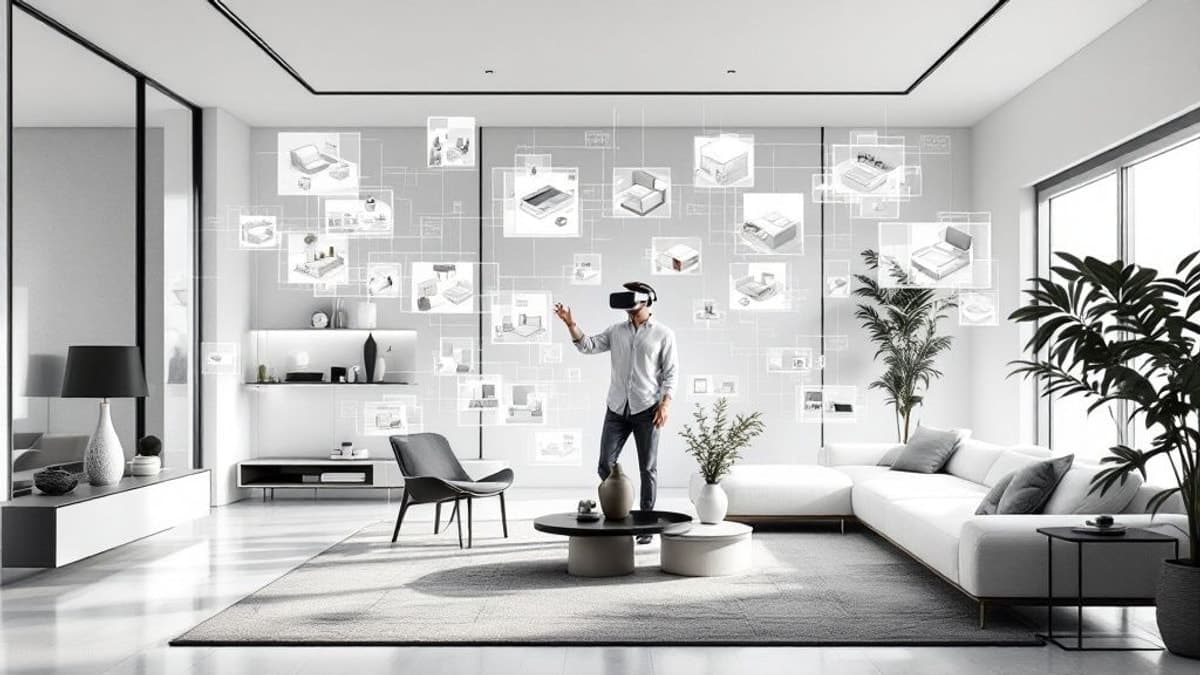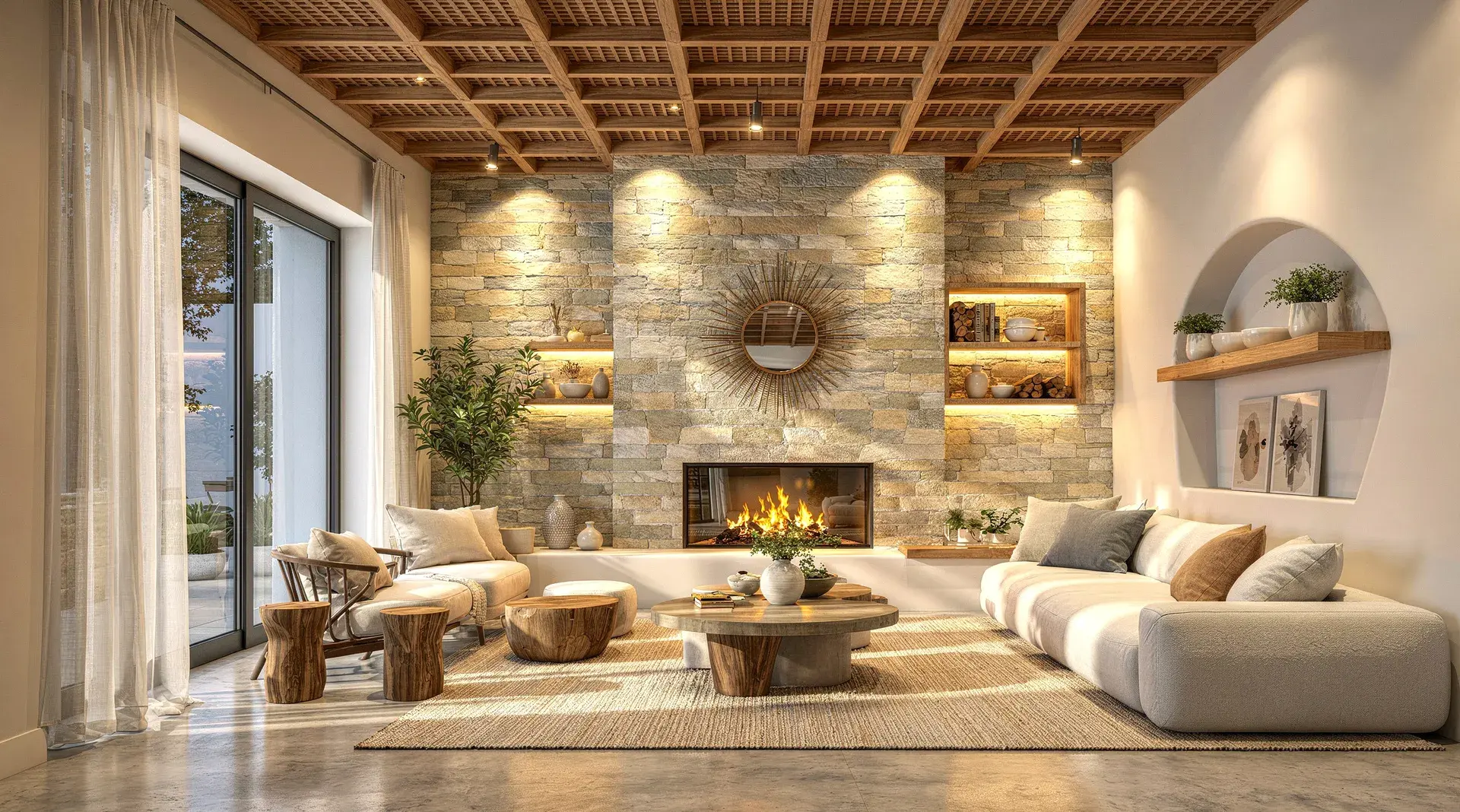
3D Rendering for Interior Design The Ultimate Guide

Explore how 3D rendering for interior design brings concepts to life. Our guide covers workflows, software, and pro tips for photorealistic results.

Dec 14, 2025

Ever tried to describe the feeling of a room using only words and a floor plan? It’s a tough sell. This is where 3D rendering comes in. Think of it as conducting a professional photoshoot for a room that hasn't been built yet. It’s the magic that turns abstract blueprints and scattered mood board ideas into a single, stunningly realistic picture.

This technology is the bridge between a designer's creative vision and a client's imagination. It makes the entire concept click, long before a single wall is painted or a piece of furniture is ordered.

What Is 3D Rendering in Interior Design?

Architectural sketches showing the transformation of an interior room design from line drawing to shaded rendering.

At its heart, 3D rendering is a computerised process that takes a three-dimensional model and generates a two-dimensional image from it. It's a bit like a digital artist painting a scene, but their tools aren't brushes and canvases; they're specialised software programs used to define textures, set up lighting, and position virtual cameras.

We're not talking about a simple sketch or a flat drawing here. The ultimate aim is photorealism—creating an image so detailed and lifelike that you’d struggle to tell it apart from an actual photograph. It gives everyone a chance to see exactly how morning light will stream through a window and hit a wooden floor, or how the texture of a velvet sofa will look next to a marble coffee table.

From Blueprint to Believable Image

It all starts with a 3D model, which is the digital skeleton of the space. This model contains all the essential geometric data: ceiling heights, wall placements, furniture dimensions, you name it. The rendering engine then takes this bare-bones structure and brings it to life by adding layers of detail.

By turning abstract plans into concrete visuals, 3D rendering eliminates the costly misunderstandings that arise from mismatched expectations. It ensures that the designer's vision is perfectly aligned with the client's before a single rupee is spent on materials or labour.

This leap from technical data to an emotive image is what makes rendering so powerful. It’s a universal language that closes the gap between designer and client, helping to communicate not just the layout, but the atmosphere of a room. This is a vital part of the broader discipline of architectural visualisation, a field dedicated to helping stakeholders see entire buildings before breaking ground. You can learn more about how 3D architectural visualisation brings large-scale projects into focus in our detailed guide.

To better understand the value this adds, let's look at a quick summary of how 3D rendering influences a project's lifecycle.

The Impact of 3D Visualisation on Design Projects

Benefit

Impact on Design Process

Client Outcome

Crystal-Clear Communication

Eliminates ambiguity from 2D plans and verbal descriptions.

Clients see the exact vision, reducing misunderstandings and anxiety.

Faster Decision-Making

Allows for quick iterations on colours, materials, and layouts.

Clients can approve designs confidently and quickly, avoiding delays.

Cost & Error Reduction

Design flaws are identified and fixed digitally, not on-site.

Avoids expensive real-world changes and rework, saving money.

Emotional Connection

Creates a tangible, exciting preview of the final space.

Builds client excitement and trust, leading to smoother projects.

In short, these tools give designers a more persuasive and accurate way to present their work, leading to better outcomes for everyone involved.

A Growing Industry Standard

The move toward 3D rendering is happening fast, especially in energetic construction markets. In fact, India's 3D rendering market is projected to have the fastest CAGR worldwide from 2025 to 2033.

Look at Mumbai, for instance. With over 15,000 new housing units approved in 2023, reports show that a massive 80% of these projects used 3D visualisation. The result? They managed to cut their redesign costs by an average of 30%.

Ultimately, rendering gives designers the ability to present their ideas with total clarity and confidence. It swaps guesswork for certainty, making it an essential tool for getting projects right the first time.

Why 3D Renders Are a Game-Changer for Today's Designers

We’ve all been there. You present a beautifully crafted mood board and meticulous floor plans, certain you’ve nailed the client's vision. But you see a flicker of hesitation in their eyes. They just can't quite connect the fabric swatches and 2D drawings to the real, lived-in space they’re dreaming of. This is the exact communication gap that 3D rendering for interior design bridges so brilliantly.

Instead of asking clients to imagine the final result, you can simply show them. A photorealistic render is like a window into the future, offering a stunningly clear preview of the finished room. This isn't just a nice little extra; it's how you completely sidestep that dreaded "this isn't what I pictured" conversation and get everyone on the same page from day one.

You're no longer dealing in abstract ideas. You're showing a tangible reality, building immediate trust and genuine excitement.

Speed Up Client Approvals and Decisions

A traditional design presentation leaves a lot to interpretation. A mood board suggests a vibe, but a 3D render confirms the reality. When a client can see precisely how the morning light will fall across a specific wooden floor, or how a velvet sofa’s texture pops against a cool concrete wall, decisions become quicker and are made with much more confidence.

This kind of clarity has a massive impact on your project timeline. Forget weeks of back-and-forth over material samples; you can now cycle through multiple options digitally in a single meeting.

  • Visualise Material Choices: Show them the difference between marble and quartz countertops right there in their own kitchen layout.

  • Test Colour Palettes: 3D renders are perfect for helping clients see the real-world impact of design choices, like trying out the best home office paint colors before a single can of paint is opened.

  • Finalise Furniture Selections: Instantly demonstrate how that oversized sofa might cramp the room's flow compared to a more streamlined option.

Being able to tweak and adjust on the fly means approvals that used to drag on for weeks can now be wrapped up in a matter of days, sometimes even hours.

A photorealistic render is more than just a picture; it's a signed contract in visual form. It provides undeniable proof of the agreed-upon design, protecting both the client and the designer from costly misunderstandings down the line.

The whole conversation shifts from subjective taste to objective agreement. The result is a smoother, more efficient workflow for you and a happier client.

Cut Down on Costly Mistakes and Revisions

Every change made on-site costs time and money. A light fixture hung in the wrong spot, a paint colour that looks completely different on the wall, or a piece of furniture that just overwhelms the space—these are all expensive problems to solve once work has already begun. Think of 3D rendering for interior design as your ultimate insurance policy against these kinds of preventable mistakes.

By creating a digital twin of the space first, you can catch potential issues long before they become real-world headaches. Is that pendant light hanging a bit too low over the island? Is the walkway between the sofa and the wall too narrow? These are simple, free fixes with a few clicks in a 3D model, but they can cause major budget blowouts and delays during construction.

The financial upside is clear. In fast-paced markets, efficiency is everything. For instance, India is projected to lead global growth in this area, with local developers already using 3D tools to cut client decision times by up to 40%. In hubs like Gurgaon, VR-enabled 3D walkthroughs have boosted buyer engagement by a staggering 65%, showing a direct line between clear visualisation and project success. You can explore more on the global trends in residential interior design rendering.

At the end of the day, a small investment in 3D rendering upfront protects your most valuable resources—time and money—and keeps your project on schedule and on budget.

Your Step-by-Step Guide to the 3D Rendering Workflow

Creating a gorgeous, photorealistic interior render isn’t magic, but it is a methodical, creative process. Think of it less like a single action and more like assembling a luxury car; every single component needs to be crafted and fitted perfectly before the gleaming, finished product is ready to be seen.

Let's walk through the typical workflow that takes a simple digital model and transforms it into a jaw-dropping final image. Once you understand these stages, the whole journey becomes much clearer and gives you a solid game plan for your own projects.

Stage 1: 3D Modelling

This is the starting block. The first real task is to build the digital skeleton of the room. Using specialised software, you create a 3D model that maps out all the geometric information of the space—the walls, floors, windows, and doors. You’ll also model architectural details like cornices or skirting boards.

This model is the raw, uncoloured foundation. At this point, you also place simple 3D shapes to represent furniture and key fixtures, which helps to establish the overall layout and sense of scale. It’s a bit like building a stage set before the actors and props arrive. Precision is everything here, as even small measurement errors will get magnified down the line.

Stage 2: Texturing and Materials

With the structure built, it’s time to dress the set. This is the texturing phase, where you apply digital materials to every surface in your scene. This is what gives objects their true appearance and feel—the rich grain of a wooden floor, the subtle sheen of a silk cushion, or the cool, complex veining of a marble countertop.

These materials are much more than just simple colours. They are complex maps that instruct the rendering engine exactly how light should behave when it hits a surface.

  • Diffuse Map: This defines the base colour and pattern, like the floral print on a wallpaper.

  • Reflection Map: This controls how shiny or matte something is, from a high-gloss mirror to a dull, unfinished piece of wood.

  • Bump/Normal Map: This is the clever part. It creates the illusion of physical texture and tiny imperfections, like the grout lines between tiles or the weave of a fabric, all without adding extra geometry to the model.

This stage is absolutely vital for achieving realism. Without believable textures, even a perfectly modelled room will just look flat and artificial.

Stage 3: Lighting Setup

Now, you put on your digital cinematographer hat. The lighting setup is arguably the most critical step in creating mood, depth, and realism in 3D rendering for interior design. Just like in real-world photography, the way a scene is lit determines whether it feels bright and airy or cosy and dramatic.

You'll almost always use a combination of light sources:

  • Natural Light: An HDRI (High Dynamic Range Image) sky or a simulated sun is used to cast realistic daylight and soft shadows through windows.

  • Artificial Lights: These are digital versions of real-world fixtures—think pendant lights, floor lamps, or spotlights. Each one can be customised for intensity and colour temperature.

Getting this right is a delicate balancing act. The goal is to illuminate the space beautifully while also highlighting the key design features and creating an atmosphere that feels just right.

Stage 4: Camera Composition

Once the scene is built, textured, and lit, it's time to find the perfect shot. This stage is pure photography. You place a virtual camera inside your 3D scene and start adjusting its position, angle, and settings to frame the most compelling view of the room.

Key things to think about include:

  • Focal Length: A wider lens can capture more of a small space, making it feel larger, while a narrower one can zero in on a specific detail.

  • Camera Angle: A lower angle can make a room feel grander and more imposing, whereas an eye-level shot feels much more natural and inviting.

  • Depth of Field: By slightly blurring the background, you can pull the viewer’s eye directly to a focal point, like a statement armchair or a striking piece of art.

Good composition guides the viewer's eye and tells the story you want the space to tell.

This structured workflow is what leads directly to better decisions, faster approvals, and ultimately, lower project costs.

A flowchart illustrates the 3D render benefits: better decisions, faster approval, and reduced costs for project success.

As you can see, a well-planned rendering process translates directly into tangible business benefits for any design project.

Stage 5: Rendering and Post-Production

At last, it's time to let the computer do the heavy work. The rendering engine takes all the information you’ve given it—the model, textures, lighting, and camera angle—and runs millions of complex calculations to generate the final 2D image. This can take anywhere from a few minutes to many hours, depending on the scene's complexity and the quality you're aiming for. For designers using tools like SketchUp, having an efficient process is essential. You can explore a detailed walkthrough to learn more about how to render in SketchUp and get the most out of your workflow.

The rendering process is a lot like developing film in a darkroom. All the creative work is done; now it’s about letting the technology process that input into a final, high-quality image.

Once the raw render is finished, the final touch is post-production. Using software like Photoshop, artists make subtle adjustments to colour balance, contrast, and brightness. They might also add small details like lens flares or atmospheric haze to push the realism even further. This is what gives the image its final professional polish, turning a great render into an unforgettable one.

Building Your Interior Design Software Toolkit

Choosing the right software for 3D rendering for interior design can feel a bit like walking into a massive art supply shop for the first time—the options are dizzying. But here's the secret: it's less about finding one single "best" program and more about building your own personalised digital studio. The goal is to assemble a toolkit, or a ‘stack,’ where each piece of software has a specific job and they all work together beautifully.

Think of it like being a chef. You wouldn't use just one knife for everything, would you? You have a chef's knife for chopping, a paring knife for delicate work, and a serrated one for bread. Your software toolkit operates on the same principle, with different programs designed to shine at different stages of the design process.

H3: Core Modellers: The Architectural Blueprint

Your creative journey almost always starts with a 3D modeller. This is where you build the digital skeleton of your space. It's in this software that you’ll draw the walls, cut out the windows, and construct the fundamental geometry of the room and all its furniture. Think of these tools as your digital ruler and pencil.

Two major players dominate this space:

  • SketchUp: Loved for its intuitive interface and gentle learning curve, SketchUp is a go-to for many interior designers who need to create and iterate on concepts quickly. It feels like working with digital clay—easy to shape and mould.

  • Autodesk Revit or 3ds Max: These are heavier-duty, more complex programs often found in architecture firms and on large-scale projects. They offer far deeper functionality, especially for detailed construction documents, but they definitely come with a steeper learning curve.

Ultimately, the choice often boils down to the complexity of your projects and what feels right to you. Your modeller is where your ideas first take three-dimensional form.

H3: Rendering Engines: The Artistic Finish

Once your 3D model is built, a rendering engine steps in to apply the artistic touch. If your 3D model is an unpainted sculpture, the rendering engine is the master painter who adds light, shadow, texture, and reflections to make it look real.

These engines are often plugins that slot directly into your modelling software, which keeps your workflow smooth. They do the heavy lifting, calculating how light bounces off different surfaces—like how a velvet sofa absorbs light versus how a chrome lamp reflects it. Popular engines like V-Ray, Corona Renderer, and Enscape are famous for their ability to produce breathtakingly photorealistic images. This is the magic step that turns a technical model into an emotive, convincing visual.

Building your software toolkit is about creating a productive pipeline. The best combination is one where exporting from your modeller and importing into your renderer is a smooth, predictable process that doesn't disrupt your creative flow.

The demand for these tools is exploding. The global interior design software market is growing rapidly, with the Asia-Pacific region (led by India) projected to grow at a CAGR of 11.89% through 2030. In this booming market, 3D platforms claimed a massive 56.62% share as of 2024, proving just how essential they've become. You can dig into these trends in the full industry report. This data really highlights why putting together an effective software stack is no longer optional for serious designers.

H3: Finding Your Ideal Workflow

The real power of your toolkit isn't in the individual programs, but in how well they connect. Many designers work almost entirely in one program, using a plugin to get the job done. For example, you might build a detailed model in SketchUp, then use the V-Ray plugin to apply materials and lighting right inside the same interface before hitting 'render'. That kind of interoperability is a huge time-saver.

To give you a better idea of how these tools pair up, here’s a look at some common combinations designers use.

Common Software Combinations for Interior Design Rendering

Software Combination

Best For

Learning Curve

Primary Output

SketchUp + V-Ray

Quick conceptualisation, residential design, and fast iteration. A designer-favourite.

Moderate

High-quality photorealistic stills and animations.

3ds Max + Corona

High-end architectural visualisation, complex scenes with intricate lighting.

Steep

Extremely realistic stills with nuanced lighting and materials.

Revit + Enscape

Integrated BIM workflows, real-time walkthroughs, and client presentations.

Moderate

Real-time renders, VR experiences, and quick video fly-throughs.

Blender (Cycles)

Budget-conscious designers, creative projects, and all-in-one workflows.

Steep

Photorealistic stills, animations, and detailed asset creation.

This table just scratches the surface, but it shows how different pairings are suited for different needs. The key is finding a duo that aligns with the kind of work you do most often.

If you’re just starting out, the best advice is to focus on mastering one modeller and one rendering engine. Once you're comfortable, you can start exploring other tools. Many professionals find that a solid command of two or three core programs is all they need to produce world-class work. For a closer look at your options, our guide on architectural rendering software compares several popular choices to help you find the right fit.

In the end, your software stack should support your creative process, not dictate it. Try out some free trials, see what feels intuitive, and start building a digital studio that empowers you to bring your visions to life.

Creating Photorealistic Renders and Avoiding Common Mistakes

Two architectural sketches comparing good and poor interior design layouts for a modern living room.

This is where the magic happens. Moving from a technically correct 3D model to a render that stops people in their tracks is where art and science truly collide. The gap between a good image and a great one lies in the tiny details that convince the human eye it’s looking at a photograph. This final step is what turns a computer-generated image into a powerful, emotional preview of a space.

Getting this level of quality in 3d rendering for interior design isn’t just about having the best software; it’s about developing an artist’s eye. Just as important is learning to spot—and sidestep—the common pitfalls that make a render feel flat, sterile, or fake. By understanding what to do and what not to do, you can start creating visuals that feel authentic and truly lived-in.

Mastering the Art of Imperfection

Look around you. In the real world, nothing is ever truly perfect. Surfaces have microscopic scratches, fabrics have slight wrinkles, and light never casts itself in a perfectly even sheet. One of the biggest tell-tale signs of a computer-generated image is its flawless, pristine nature. To sell the illusion of reality, you have to intentionally break that perfection.

Think about how things actually look and feel. A wooden floor is never a single, uniform colour; it’s a tapestry of varying grains and tones. A polished concrete surface might have faint scuffs or a barely perceptible unevenness.

  • Vary Your Textures: Use high-resolution texture maps that have subtle variations in colour, glossiness, and bumpiness. Crucially, learn to break up tiling patterns so they don’t look like a repeating wallpaper.

  • Add Chamfered Edges: No real-world object has a razor-sharp, 90-degree edge. Adding a tiny bevel or chamfer to the edges of furniture, walls, and countertops allows them to catch the light realistically, giving them a sense of weight and solidity.

  • Introduce Minor Asymmetry: Don’t place everything perfectly. A stack of magazines should be slightly askew, and cushions on a sofa should look like someone just sat there. This kind of natural disarray is what makes a scene believable.

The secret to photorealism isn’t perfection; it’s the convincing and artful application of imperfection. It’s these small, deliberate flaws that breathe life into a digital scene and make it feel tangible.

Harnessing Light and Shadow

Light is everything. It’s the soul of the image, setting the mood, sculpting forms, and creating the depth that makes a 2D picture feel like a 3D space. One of the most common rookie mistakes is flat, uninspired lighting that makes a whole scene look dull and lifeless. Great lighting is all about creating a dynamic dance between light and shadow.

Don't be afraid of contrast. Deep shadows and bright highlights are what give a room character and direct the viewer's eye. Pay close attention to how different light sources mix—the cool, bluish daylight from a window should realistically blend with the warm, yellow glow of a table lamp. This attention to detail is what elevates a render from a simple depiction to an atmospheric experience. For a deeper dive, our guide on using 3ds Max for interior design covers professional lighting techniques in much more detail.

Avoiding Common Rendering Pitfalls

Beyond adding the right details, you have to be vigilant about avoiding the common mistakes that immediately scream "this was made on a computer."

  • Unnatural Scaling: Make sure every object is the right size in relation to everything else. A door that’s too short or a chair that’s too big will instantly shatter the illusion of reality.

  • Over-Saturated Colours: Real-life colours are almost always more muted than their digital presets. Pulling back the saturation just a little bit can make the entire scene feel more grounded and natural.

  • Floating Objects: This is a classic. Always double-check that every object is making firm contact with the surface it’s supposed to be on. Even a hair-thin gap between a sofa leg and the floor will create an unnatural shadow and ruin the shot.

  • Ignoring Composition: Your render is a photograph. Use basic principles like the rule of thirds or leading lines to frame your scene. A well-composed image isn't just more pleasing to look at; it looks more deliberate and professional.

By focusing on these subtle touches and actively avoiding these common traps, your renders will evolve from simple visualisations into powerful, persuasive stories that bring your designs to life.

How AI and Cloud Rendering Are Changing the Game

The world of 3D rendering for interior design is getting faster, smarter, and more accessible by the day. Two key technologies are really pushing things forward: artificial intelligence and cloud rendering. These aren't just futuristic ideas; they are real, practical tools designers are using right now to work more efficiently, unlock new creative possibilities, and produce incredible visuals without needing a server room in their office.

Think of these advancements as powerful new assistants for your studio. They take on the heaviest, most time-consuming parts of the rendering process. This frees you up to focus on what you do best—designing beautiful, functional spaces that your clients will love.

The Rise of the AI Creative Partner

Artificial intelligence has quickly gone from a buzzword to a must-have tool in the interior designer's kit. Modern AI algorithms can look at a simple sketch, a mood board, or even a line of text and spit out multiple high-quality design concepts in seconds. This kind of rapid-fire brainstorming and visual exploration used to take hours of painstaking manual work.

Instead of staring at a blank screen, you can use AI to generate foundational ideas for layouts, colour schemes, and furniture arrangements. Beyond ideation, AI is also brilliant at handling the fiddly, technical bits of rendering.

  • Intelligent Denoising: AI is fantastic at cleaning up the grainy visual "noise" you see in a raw render, delivering a crisp, polished image in a fraction of the time.

  • Material Creation: Some tools can now use AI to generate incredibly realistic textures from just a single photo, saving you the hassle of building materials from scratch.

  • Automated Lighting: AI can even suggest ideal lighting setups based on the time of day or the mood you're after, giving you a brilliant starting point to refine.

These features make the whole process feel much more natural and intuitive. For a closer look, you can explore our complete guide on how AI is shaping the future of interior design.

AI isn't here to replace designers. It's a powerful collaborator that automates the repetitive work, allowing creative professionals to iterate faster and explore more ambitious ideas with greater freedom.

Cloud Rendering: Your Supercomputer on Demand

Historically, one of the biggest headaches in 3D rendering has always been the sheer computing power required. Producing a single, high-resolution, photorealistic image could take hours, completely monopolising your main computer and bringing all other work to a standstill. Cloud rendering completely sidesteps this problem.

Instead of relying on the horsepower of your own machine, you simply upload your 3D scene to a powerful network of remote servers—often called a "render farm" in the cloud. These servers work in parallel to process your image at incredible speeds, often finishing the job in minutes, not hours. For any modern design studio, this is a game-changer.

It levels the playing field, giving freelancers and smaller studios access to the same rendering firepower as massive architectural firms, but without the crippling upfront hardware cost. What does that mean for you? Faster turnaround times for clients, more opportunities for revisions, and the confidence to take on bigger and more complex projects.

Your Top Questions About 3D Rendering Answered

When you’re first dipping your toes into the world of 3D rendering for interior design, you're bound to have questions. It’s a big topic! We’ve gathered some of the most common ones we hear from designers to give you some straightforward answers.

So, How Long Does a 3D Render Actually Take?

This is the classic "how long is a piece of string?" question. There's no single answer, as the time it takes can swing from just a few minutes to several hours, and sometimes even longer.

A simple scene with straightforward lighting might be ready in the time it takes to make a coffee. But a sprawling, complex interior packed with reflective surfaces, detailed fabrics, and multiple light sources? That’s going to need some serious processing time.

The main things that affect render time are:

  • Scene Complexity: The more objects, textures, and tricky surfaces like glass or chrome you have, the more calculations the computer has to run.

  • Image Resolution: A high-resolution 4K image has four times the pixels of a 1080p one, so it naturally takes much longer to render.

  • Your Hardware: This is a big one. A beefy computer with a top-tier graphics card (GPU) will chew through a render much faster than an older machine.

This is where cloud rendering services can be a game-changer. They spread the heavy lifting across a network of powerful servers, often turning an overnight job into a ten-minute task.

Can I Really Use This for Renovation Projects?

Absolutely! In fact, this is one of the most powerful ways to use 3D rendering. It's perfect for showing clients a clear before-and-after vision.

Imagine you could show a homeowner exactly how their kitchen will look with that wall knocked down, or what the new open-plan living area will feel like before a single hammer is swung. That's what rendering does. It takes the guesswork out of major decisions and gets everyone excited and on the same page.

The most crucial skill in rendering isn't technical mastery; it's developing an artist's eye. Learning to see how light, shadow, and texture interact in the real world is what will elevate your work from good to truly convincing.

Is 3D Rendering an Expensive Luxury?

It doesn't have to be. The cost really depends on how you approach it. The price tag is influenced by the project's complexity, the level of realism you're aiming for, and whether you do it in-house or hire a specialised artist.

While professional software like 3ds Max or V-Ray involves a subscription, there are incredibly powerful free tools out there, with Blender being the most popular. For most designers, the investment—whether it's time or money—pays for itself the first time a render helps you avoid a single costly mistake on-site or lands you a new client who was blown away by your presentation.

Ready to create stunning, client-ready visuals in seconds? Vibe3D uses AI to turn your models into photorealistic renders effortlessly, cutting down on revision time and helping you win more projects. Start rendering smarter at Vibe3D.

RELATED ARTICLES

Read more from our blog

Let our AI render your designs now

Impress your clients with stunning, photorealistic 3D renders — every time. 😍

Let our AI render your designs now

Impress your clients with realistic 3D renders — every time. 😍

Let's render your designs now

Impress your clients with stunning, photorealistic 3D renders — every time. 😍