
Lightweight Rendering Software for Rhino
Turn Rhino NURBS and Grasshopper models into photorealistic 2K renders in seconds.

Render your Rhino model in 3 steps
Export your Rhino model
Start with your Rhino file and export the model or scene you want to visualize.
Choose mood and material direction
Select the lighting, visual tone, and presentation style that best fits your design intent.
Generate a photorealistic render
Create polished Rhino renders in the cloud without relying on a traditional desktop rendering setup.
Traditional Rhino Rendering vs Vibe3D
| Feature Evaluation | Traditional Rendering | Vibe3D AI EngineRecommended |
|---|---|---|
| Render Workflow | Traditional desktop rendering | AI-assisted cloud rendering |
| Complex Geometry Handling | More setup dependent | Simplified visualization workflow |
| System Load | Heavy local workload | Cloud-based |
| Environment Setup | Manual rendering setup | Simplified style-based workflow |
AI for Rhino that renders models with zero setup
No plugins. No conversion steps. No geometry loss. Vibe3D reads your Rhino models directly — preserving materials, scene views, and model accuracy so your renders reflect your design intent precisely.
Render a Rhino model freeBuilt for Rhino geometry workflows
Vibe3D helps architects and designers render Rhino models that include NURBS surfaces, SubD forms, and other complex geometry types.
Supports Grasshopper-based workflows
Rhino projects that involve baked Grasshopper geometry can be visualized more quickly through an AI-assisted rendering workflow.
AI-assisted material and scene interpretation
Rhino materials, geometry, and model information are interpreted to generate more realistic lighting, textures, and presentation quality.
Useful for sculptural and non-standard forms
Vibe3D is well suited to architectural visualization workflows that involve freeform, experimental, or organic design geometry.
Elevate your Rhino rendering workflow with AI
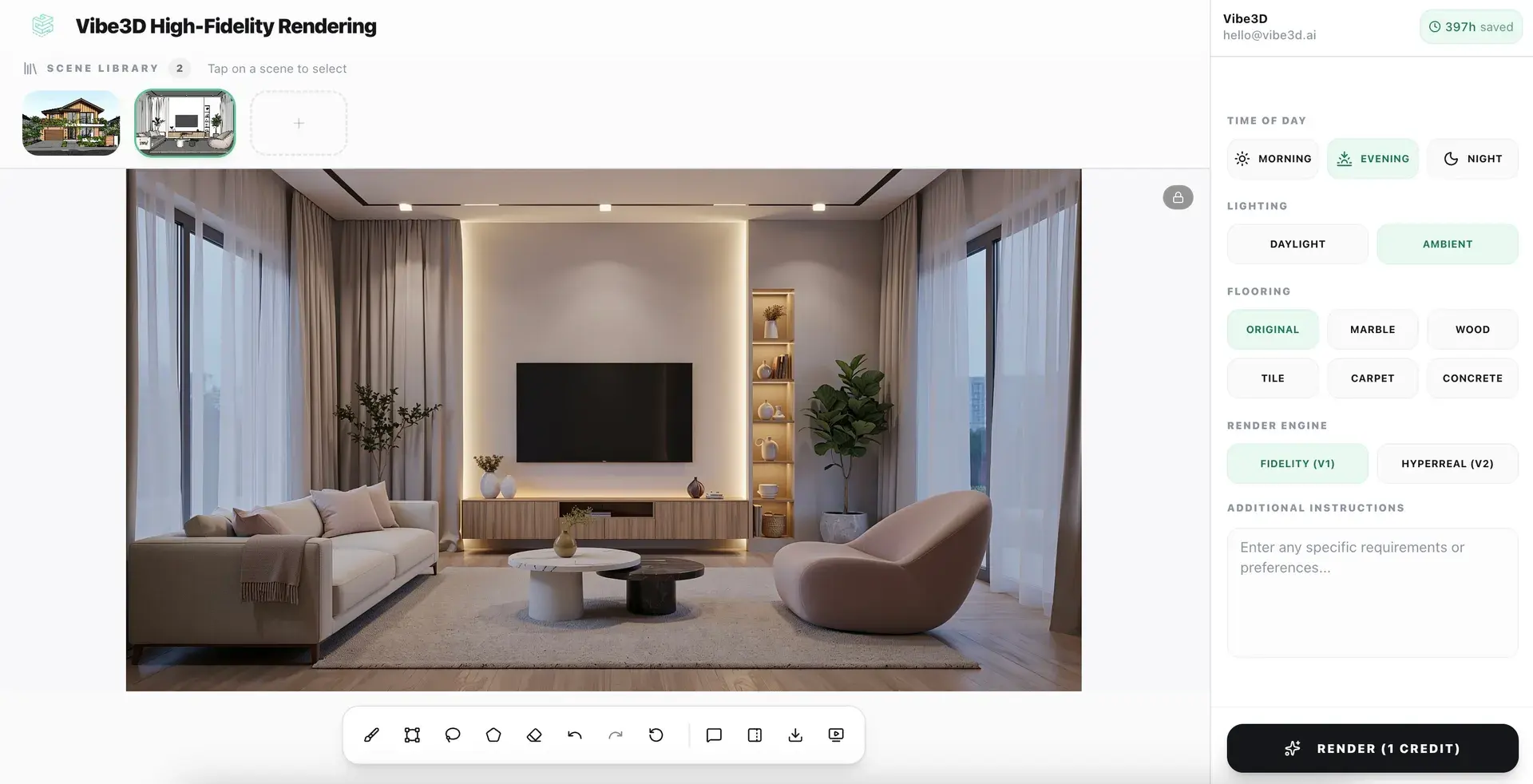
Photorealistic renders from your Rhino models in under 60 seconds
No lighting rigs. No shader setup. No post-processing. Just upload your model and let Vibe3D's AI engine do the rest.
Explore AI Rendering
Upscale and enhance your Rhino renders with AI
Boost resolution, fix lighting, sharpen details, and elevate render quality in seconds. No re-rendering or manual post-processing required.
Explore AI Render Enhancing
Create Cinematic videos from your Rhino renders
Transform static Rhino models into fluid, cinematic architectural flythroughs — no animation software or video production skills needed.
Explore Cinematic VideosEverything you need to render Rhino models
Rhino AI Rendering — Frequent Questions
How do I render a Rhino model with AI?
Export your Rhino file and upload it to Vibe3D. Choose a lighting style or visual direction and the AI generates a photorealistic architectural render without a traditional rendering workflow.
What is the best AI renderer for Rhino?
Vibe3D is built for architects and designers who want a faster Rhino rendering workflow with photorealistic output. It handles complex geometry, produces client-ready visuals, and runs entirely in the cloud.
Does Vibe3D support Rhino and Grasshopper workflows?
Vibe3D supports Rhino-based workflows including projects with baked Grasshopper geometry, making it practical for parametric and experimental design visualization.
Can I render Rhino models without V-Ray or another traditional renderer?
Vibe3D is a cloud-based alternative to desktop rendering tools for Rhino. You upload an exported view and get a photorealistic image back in under 60 seconds, no V-Ray license or GPU required.
Which Rhino versions does Vibe3D support?
Vibe3D supports Rhino 7 and Rhino 8.
Can Vibe3D render complex Rhino geometry?
Vibe3D handles Rhino models that include NURBS surfaces, SubD forms, and complex architectural geometry used in advanced design workflows.
More Ways to Use Vibe3D with Rhino
Visualize sculptural, freeform and parametric architecture in a complete exterior scene.
AI Interior RenderingTurn Rhino interior views into realistic presentation images.
Architectural Sketch RenderingMove quickly from concept linework or early design views to realistic architectural visuals.
3D Furniture RenderingPresent furniture and design objects with different materials, studio setups or lifestyle contexts.