
Simplest Vectorworks Rendering Software
Turn Vectorworks Architect and Landmark models into photorealistic renders — no hardware limits.

Render your Vectorworks model in 3 steps
Export your Vectorworks model
Start with your Vectorworks file and export the model or view you want to visualize.
Choose style and atmosphere
Select the mood, lighting, and visual direction that fits your project, whether it is architectural, landscape, or presentation-focused.
Generate a photorealistic render
Create polished Vectorworks renders in the cloud without relying on a traditional desktop rendering setup.
Traditional Vectorworks Rendering vs Vibe3D
| Feature Evaluation | Traditional Rendering | Vibe3D AI EngineRecommended |
|---|---|---|
| Render Workflow | Traditional desktop rendering | AI-assisted cloud rendering |
| Time to Presentation Image | Longer manual workflow | Faster presentation workflow |
| Hardware Dependency | Desktop hardware dependent | Runs in a browser |
| Lighting and Atmosphere Setup | More manual adjustment | Simplified style-based workflow |
AI for Vectorworks that renders models with zero setup
No plugins. No conversion steps. No geometry loss. Vibe3D reads your Vectorworks models directly — preserving materials, scene views, and model accuracy so your renders reflect your design intent precisely.
Render a Vectorworks model freeBuilt for Vectorworks-based workflows
Vibe3D fits naturally into Vectorworks workflows used across architecture, landscape design, and presentation-focused visualization.
Useful for architectural and site visualization
From buildings and interiors to site models and landscape-driven projects, Vibe3D helps teams create polished visuals more efficiently.
AI-assisted material and scene interpretation
Vectorworks geometry, textures, and scene information are interpreted to generate more realistic lighting, finishes, and presentation quality.
Faster presentation output
Create high-resolution visuals for client reviews, concept presentations, and marketing deliverables without a traditional rendering bottleneck.
Elevate your Vectorworks rendering workflow with AI
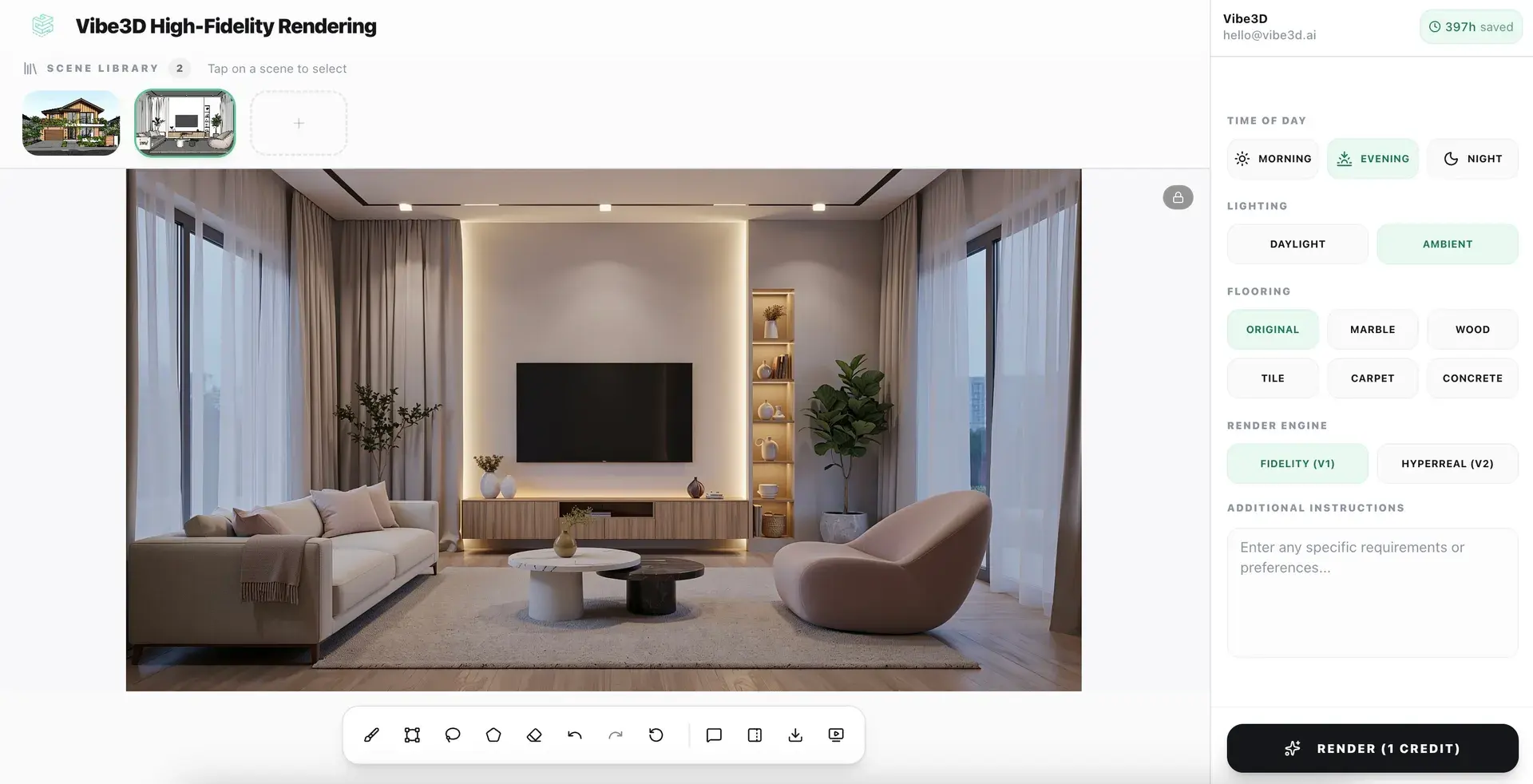
Photorealistic renders from your Vectorworks models in under 60 seconds
No lighting rigs. No shader setup. No post-processing. Just upload your model and let Vibe3D's AI engine do the rest.
Explore AI Rendering
Upscale and enhance your Vectorworks renders with AI
Boost resolution, fix lighting, sharpen details, and elevate render quality in seconds. No re-rendering or manual post-processing required.
Explore AI Render Enhancing
Create Cinematic videos from your Vectorworks renders
Transform static Vectorworks models into fluid, cinematic architectural flythroughs — no animation software or video production skills needed.
Explore Cinematic VideosEverything you need to render Vectorworks models
Vectorworks AI Rendering — Frequent Questions
How do I render a Vectorworks model with AI?
Export your Vectorworks model or project view and upload it to Vibe3D. Choose a style or lighting direction and the AI generates a photorealistic render without a traditional rendering workflow.
What is the best AI renderer for Vectorworks?
Vibe3D is designed for architects and designers who need a faster Vectorworks rendering workflow. It is cloud-based, produces photorealistic output, and works well for client presentations and design reviews.
Can I create photorealistic Vectorworks renders without a GPU-heavy desktop setup?
Vibe3D is cloud-based, so no dedicated rendering workstation is needed. Upload your Vectorworks export and get a photorealistic render in under 60 seconds.
Does Vibe3D support Vectorworks workflows for architecture and landscape design?
Vibe3D works well with Vectorworks Architect and Landmark workflows, covering architectural visualization, interiors, and site-focused presentation.
Which Vectorworks versions does Vibe3D support?
Vibe3D supports Vectorworks 2023 through 2026.
Is Vibe3D a good rendering alternative for Vectorworks users?
Vectorworks users who want photorealistic output and faster turnaround without the hardware overhead generally find it a practical workflow improvement.
More Ways to Use Vibe3D with Vectorworks
Explore planting, paving and outdoor spaces from Vectorworks Landmark or architectural views.
Site Plan RenderingTurn site plans and masterplans into clearer rendered visuals with landscaping and depth.
AI Exterior RenderingCreate photorealistic architectural exterior views with site context and lighting.
AI Interior RenderingCreate client-facing interior renders from exported Vectorworks room views.