Picking the right SketchUp rendering software is what turns a good 3D model into a jaw-dropping, photorealistic image. There are a ton of options out there, from industry giants like V-Ray and Enscape to new, clever tools like Vibe3D. This guide will help you sift through the noise and find the perfect renderer for your specific projects.
Finding Your Ideal SketchUp Rendering Workflow
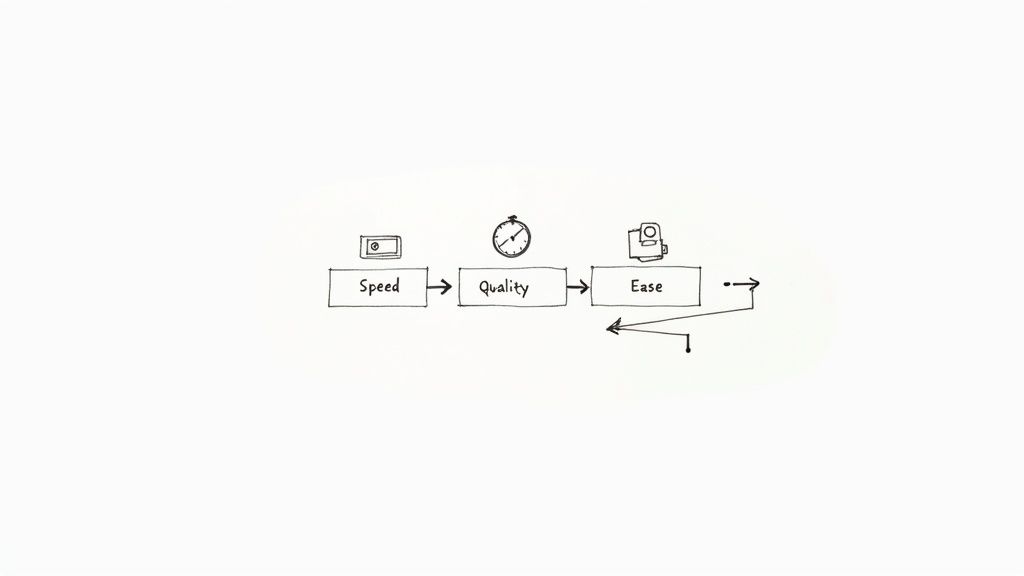
The journey from a basic SketchUp model to a stunning, client-ready image hinges on the rendering tool you choose. This single decision affects your creative speed, the quality of your final visuals, and even your sanity.
Are you an architect who needs to crank out visualisations on a tight deadline? An interior designer obsessed with getting the lighting just right? Or maybe you're a hobbyist who wants amazing results without spending weeks learning complex software. The good news is, there's a tool out there built just for you.
The demand for these tools is exploding. In India, the Visualisation and 3D Rendering Software market is set to grow at a compound annual growth rate (CAGR) of over 23% between 2024 and 2030. That's huge, and it's mostly driven by the architecture and media industries. You can dig deeper into these trends in this detailed market analysis.
A Quick Look at Top SketchUp Rendering Software
To make sense of it all, let's start with a bird's-eye view. Every rendering engine has its own personality—a core strength that makes it a great fit for certain people and projects. Figuring out these key differences is the first step in learning how to render in SketchUp efficiently.
This table gives you a high-level comparison of the leading solutions, highlighting their primary strengths and the kind of user they’re built for.
| Software | Best For | Learning Curve | Primary Rendering Type |
|---|---|---|---|
| V-Ray | Ultimate photorealism and granular control | Steep | Offline / CPU & GPU |
| Enscape | Real-time walkthroughs and instant feedback | Low | Real-Time / GPU |
| Lumion | Large exterior scenes and rich asset libraries | Moderate | Real-Time / GPU |
| Vibe3D | Balancing speed, ease of use, and quality | Very Low | AI / Cloud |
Think of this table as your starting point. The right choice really boils down to what you value most. Are you after raw rendering power and willing to climb a steep learning curve to get it? Or do you need a tool that delivers beautiful results fast, without a lot of fuss? Your answer will point you straight to the perfect software for your workflow.
Right, let's get down to the nitty-gritty. When you're picking a rendering tool for SketchUp, it's not just about a list of features. It's about how it feels to use it every day and how it fits into the way you already work. The real question is what you're willing to trade: raw speed for granular control, or a simple learning curve for ultimate realism.
Thinking about which renderer to choose feels a lot like comparing different AI art generators; you have to weigh up the quality of the final image against how easy the tool is to use to find what really works for you. For any architect or designer, making the right call here has a direct impact on how fast you can turn projects around and wow your clients.
Enscape vs. Lumion: The Real-Time Workflow Battle
Enscape and Lumion are the two heavyweights in real-time rendering, but they approach the task from completely different angles. Enscape is a true plugin. You fire it up, and a live-synced render window pops up right next to your SketchUp model. It’s seamless—nudge a wall or swap a material in SketchUp, and you see the change instantly in the rendered view.
Lumion, however, is a standalone beast. You export your SketchUp model and bring it into Lumion's dedicated environment to build out your scene. This extra step pays off, though, as Lumion is built to handle absolutely massive scenes packed with trees, people, and other assets without breaking a sweat, something that would bog down SketchUp’s own viewport.
The Bottom Line: Enscape is all about that live, direct integration. It's fantastic for iterating on a design and getting immediate feedback. Lumion, on the other hand, gives you a powerful, dedicated space to create huge, asset-heavy exterior scenes.
So, what's it going to be? If you’re an interior designer sweating the small stuff or an architect who needs to validate design choices on the fly, Enscape’s speed is a lifesaver. But if you’re a landscape architect building a sprawling, detailed world, Lumion’s standalone power is the obvious choice. This is a core decision when selecting the best architectural rendering software for your practice.
Here’s a look at that clean, intuitive interface that makes SketchUp so popular in the first place.
The last thing you want is a clunky rendering tool that ruins this beautifully simple workflow.
V-Ray vs. Twinmotion: Deep Control or Drag-and-Drop Speed?
On the other side of the ring, you have V-Ray and Twinmotion, which couldn't be more different in their philosophies. V-Ray is the industry gold standard for a reason. It gives you god-like control over every single aspect of your scene, from microscopic scratches on a surface to the way light bends through glass. This power is incredible, but be warned: it comes with a seriously steep learning curve.
Twinmotion takes the opposite approach, focusing on pure speed and simplicity. Much like Lumion, its material system is all about dragging and dropping from a massive, high-quality library. You can get gorgeous results in just a few minutes, but you give up that deep, nit-picky customisation that V-Ray offers. It’s built for designers who need to get visuals out the door fast.
The demand for these kinds of powerful visualisation tools is exploding. In India alone, the 3D animation market—which includes a huge chunk of 3D rendering work—was on track to hit around USD 1185.7 million by 2030, growing at a healthy clip of about 17.2% from 2023. You can dig into more of that data in this market outlook from Grand View Research.
Vibe3D: Striking a New Balance
So, where does a new player like Vibe3D fit into this picture? It carves out a really interesting sweet spot right in the middle. Vibe3D aims to give you the simple, drag-and-drop feel of tools like Twinmotion but with the high-end results you’d expect from a more complex engine.
It uses AI to smartly interpret your SketchUp model, automating a ton of the tedious setup for materials and lighting. The result? You get photorealistic renders without having to become a V-Ray expert or export your model to a separate program like Lumion. This makes it a really compelling option for designers who need to produce top-tier work but don’t have the time to become full-time rendering specialists.
Feature-by-Feature Software Comparison
To make sense of it all, it helps to see how these tools stack up head-to-head on the features that matter most. Each one has its own strengths, and the best choice often comes down to the specifics of your projects.
| Feature | V-Ray | Lumion | Enscape | Twinmotion | Vibe3D |
|---|---|---|---|---|---|
| Real-Time Rendering | Yes (V-Ray Vision) | Yes (Core feature) | Yes (Core feature) | Yes (Core feature) | No (AI-based) |
| Workflow Integration | Deep plugin | Standalone app | Live-sync plugin | Standalone app | Web-based AI |
| Asset Library | Moderate (Cosmos) | Massive (Built-in) | Moderate (Built-in) | Massive (Quixel) | Growing |
| Material Editor | Extremely advanced | Simple (Node-based) | Simple (Live editor) | Simple (Drag/Drop) | Automated (AI) |
| Learning Curve | Very Steep | Moderate | Very Easy | Easy | Very Easy |
| Best For | Max realism/control | Large exterior scenes | Iterative design | Rapid visualisation | Fast, quality renders |
Ultimately, this table highlights the trade-offs. If you live for tweaking every single setting, V-Ray is your universe. If you need to build a virtual forest by lunchtime, Lumion is your go-to. Vibe3D, meanwhile, is for the designer who just wants a beautiful image without all the fuss.
Matching Software to Your Real-World Projects
Picking the right SketchUp rendering software is less about ticking off features on a list and more about finding the right tool for the job. Let's be real—the best renderer for a sprawling landscape design is rarely the one you'd pick for a hyper-detailed interior shot. The real differences only show up when you start putting them to work on actual projects.
For architects who need to crank out quick visualisations for client meetings, a real-time workflow is a lifesaver. This is exactly where tools like Enscape come into their own. Its live-sync feature means you can tweak your SketchUp model and see the rendered updates on the fly. It’s brilliant for those collaborative design sessions where you need instant feedback.
Project-Specific Recommendations
Interior designers, on the other hand, often live and die by the perfection of materials and lighting. Speed takes a backseat. For that kind of work, V-Ray’s advanced material editor gives you an almost obsessive level of control. If your project involves custom fabrics, tricky reflections, or subtle lighting that sets a mood, V-Ray's deeper, more technical approach lets you get in there and dial everything in for true photorealism.
This infographic can help you figure out which direction to go based on what you’re trying to achieve.
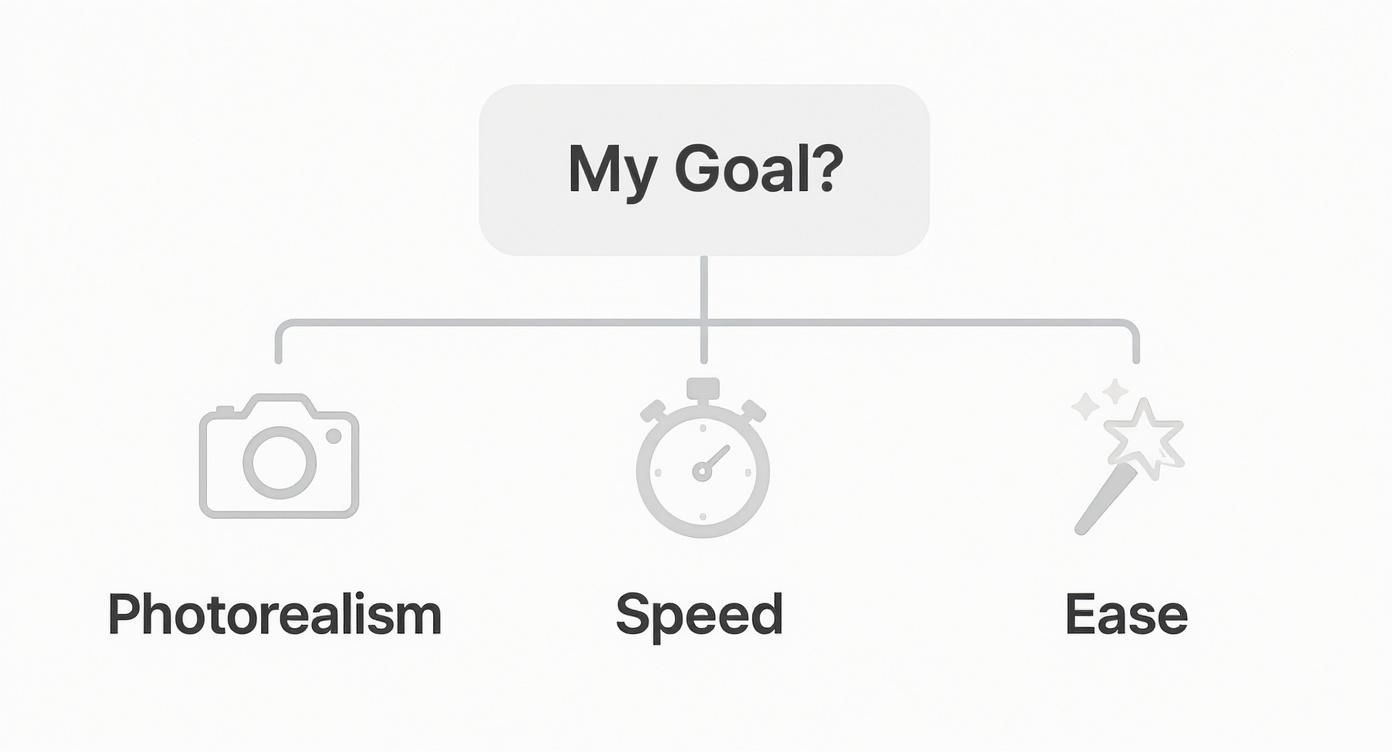
As you can see, the path you take really boils down to whether you’re chasing photorealism, raw speed, or just something easy to get the hang of for your specific project.
But what if your work involves massive exterior scenes? For landscape architects and urban planners, the huge, high-quality asset libraries in Lumion and Twinmotion are absolute game-changers. Trying to build a convincing natural environment with realistic trees, plants, and atmospheric effects is so much easier when you have a massive library of ready-made stuff to pull from. For complex jobs like these, getting a handle on the finer points of site plan rendering can seriously level up your final output.
Choosing the right tool for the job saves more than just time; it aligns your workflow with your creative intent, allowing you to focus on design rather than fighting with software. The goal is to make the technology disappear, leaving only your vision.
Final Touches and Post-Processing
At the end of the day, your work doesn’t have to stop once the render is finished. A lot of pros take their images into post-processing to add those final touches, tweak colours, and really nail the mood. Once you’ve got your render, a little bit of post-work can make all the difference, which makes picking the best photo editing software a surprisingly important part of the whole creative process.
Thinking about it this way ensures you pick a SketchUp rendering software that doesn't just have the right features, but one that actually fits how you work. It’s all about getting the best possible results for every unique project you take on.
So, Why Is Vibe3D Causing Such a Stir in the SketchUp Community?
Anyone who uses SketchUp knows the drill: you’re constantly up against the clock, trying to produce visuals that look like they came from a high-end studio. Vibe3D jumps right into this reality, aiming to solve the classic tug-of-war between speed and quality with some clever AI automation and a genuinely easy-to-use interface. The whole idea is to get you out of the rendering weeds and back to focusing on your design.
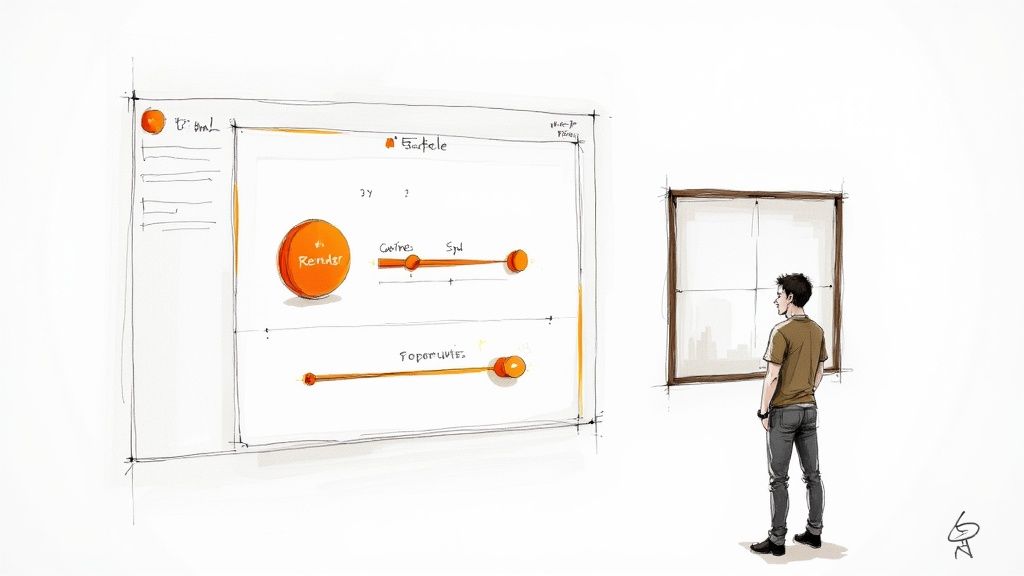
To start, Vibe3D uses cloud processing, which is a massive relief. It means the heavy lifting is done on their servers, not your machine. So, you can churn out crisp 4K renders even if you're not running a beast of a computer. It plays nicely with your existing SketchUp models, too—geometry, materials, and even tricky textures come through without a lot of fuss.
Whether you're an architect needing to nail a client presentation or a freelancer who needs to iterate fast, this tool feels like it was built for you. It’s this combination of raw power and simple execution that makes Vibe3D stand out from the crowd.
An Interface That Actually Helps You
Vibe3D’s interface feels more like a conversation. You use natural language prompts, and it gives you smart suggestions right back. The system is smart enough to look at your model and help you apply materials and lighting with just a few clicks.
This AI-first approach is claimed to slash manual tweaking time by up to 70%. Think about that—it’s more time to think about design and less time fiddling with technical settings.
-
Drag-and-drop materials: Swap out textures in a snap.
-
Selective area rendering: Need to see a quick update? Just re-render the bit you changed.
-
Smart prompt suggestions: Get helpful hints like “make walls matte” based on what you’re working on.
-
One-click variations: Instantly generate different lighting and colour schemes to show a client.
It Just Fits Into Your Workflow
Getting your SketchUp scenes into Vibe3D is ridiculously simple. You just pick the file and a preset, and you’re off. The cloud renderer even syncs updates back to your SketchUp viewport, so you can see changes live. No more exporting to another program or battling with complicated plugin settings. Everything just… works.
Here’s a quick look at how it stacks up against the old way of doing things:
| Metric | A More Traditional Renderer | Vibe3D |
|---|---|---|
| Setup Time | Often 30+ minutes | Under 5 minutes |
| Hardware Needs | Usually a high-end GPU | A standard PC works fine |
| Learning Curve | Can be steep | Very low, almost intuitive |
Built for Speed Without Skimping on Quality
By tapping into cloud servers, Vibe3D can deliver stunning 4K renders in less than two minutes, even for models with complex lighting. It uses adaptive sampling algorithms to make sure the final image is sharp without wasting processing time, which they say cuts average compute costs by 35%.
For small studios and freelancers, Vibe3D is a game-changer. It slashes render times and budget overhead, making top-tier results achievable for everyone.
The demand for this kind of tech is exploding. The global 3D rendering market was valued at over USD 4.2 billion in 2023 and is on track to hit USD 15 billion by 2030, growing at an 18% CAGR. This shows just how much need there is for better rendering solutions worldwide.
We've heard from a boutique design studio that cut its presentation turnaround from days down to a few hours after making the switch. Teams are reporting up to 60% faster client approvals simply because they can show different options so quickly. And this speed doesn’t come at the cost of quality. With high dynamic range and accurate light bounces, every render has that believable, realistic feel. It’s a perfect fit for interiors, exteriors, and product designs alike.
-
Get rapid iterations done for those tight deadlines.
-
Produce high-resolution images with minimal hardware.
-
Enjoy AI-driven simplicity that works for both beginners and seasoned pros.
Ultimately, adopting Vibe3D means you spend less time fighting with settings and more time crafting the design details that will actually win over your clients. You can check out the full feature list and get started right away at https://vibe3d.ai/.
Let's Talk Money: Pricing and Licensing Models
Choosing the right SketchUp renderer isn't just a creative decision—it's a financial one. It's easy to get wowed by flashy features, but you need a tool that actually fits your budget without tying you down to a system that costs a fortune in the long run.
The sticker price is just the tip of the iceberg. How you pay—the licensing model—can completely change what a piece of software really costs you over time.
The Old Way vs. The New Way
Not too long ago, you'd buy software with a perpetual license. You paid a hefty sum once and owned that version forever. It was predictable, but that model is quickly becoming a relic. Even industry giants like V-Ray have shifted gears, moving towards subscriptions that keep you on the latest version with ongoing support. Frankly, it's just how things are done now.
Cracking the Code on Subscriptions
Today, it's all about subscriptions, usually billed monthly or annually. This model is great because it lowers that initial barrier to entry, putting seriously powerful rendering tools within reach for more people.
Here's the usual breakdown:
-
Annual Plans: This is almost always the cheapest way to go if you do the math. It's a solid choice for full-time professionals and studios who know they’ll be rendering year-round.
-
Monthly Plans: The go-to for flexibility. If you're a freelancer taking on a one-off project or a student with a big final submission, paying month-to-month lets you jump in and out as needed.
-
Pay-as-you-go: This is a newer, and frankly, very smart model. Vibe3D’s credit system is a perfect example—you only pay for the rendering power you actually use. It’s a lifesaver for people who only render occasionally and can't justify a recurring fee.
Beyond the subscription, you have to think about the total cost of ownership. A cheap license doesn't mean much if you have to spend a couple of thousand on a new graphics card or shell out for asset libraries just to get started.
The Hidden Costs You Can't Ignore
That low-cost subscription can quickly become a money pit if it demands a beast of a GPU to perform well. Real-time engines like Enscape and Lumion are notorious for being resource-hungry, and you might find yourself needing a hardware upgrade sooner than you think.
This is where cloud-based tools flip the script. By handling the heavy lifting on their servers, they save you a bundle on hardware costs. If you want to dive deeper, check out the massive benefits of 3-D rendering online; it’s a game-changer for keeping those hardware expenses down.
Also, don't forget about the assets! Tools like Lumion and Twinmotion pack in enormous libraries of models, materials, and skies. This built-in content can save you a surprising amount of cash you’d otherwise spend buying assets from third-party sites. Looking at these "hidden" factors gives you the full picture, helping you make a sharp decision that works for both your creative vision and your bank account.
So, Which One Is It? Making the Call and Kicking Things Off
Alright, we’ve pulled apart the features, workflows, and price tags of the top SketchUp renderers. By now, you should have a much clearer picture of which tool slots into your world. Let’s boil it all down to help you lock in your choice.
If you're new to the rendering game, or if your main goal is to get great-looking images out the door fast, you can't go wrong with something like Enscape or the AI-driven Vibe3D. These tools are built to give you impressive results almost immediately, sidestepping a lot of the technical headaches.
On the other hand, if you’re chasing that last 5% of photorealism for high-stakes architectural visualisation, V-Ray is still the king of the hill. The level of control it gives you over materials and lighting is incredible, but be prepared—it demands a real commitment to learn its intricacies.
But what if you're stuck in the middle? For most designers, the daily grind is about balancing speed, quality, and client communication. If that sounds like you, Vibe3D is the clear winner. It's the sweet spot, delivering stunning visuals without bogging you down in complexity.
So, what's next? The best way to know for sure is to get your hands dirty. Nearly all of these plugins offer a free trial. My advice is to pick your top two, download them, and run one of your own SketchUp models through each. See which one feels right and meshes with how you actually work.
Go ahead, start experimenting today and see how much better your designs can look.
Alright, let's tackle some of the most common questions that pop up when you're diving into the world of SketchUp rendering. It's easy to get bogged down in technical jargon, so let's cut through the noise.
What’s the Easiest Rendering Software to Learn?
If you're just starting, your best bet is a real-time renderer that plugs directly into SketchUp. Think of it as a live preview—what you see is what you get, instantly. Both Enscape and Vibe3D are brilliant for this, as they sync right up with your model.
You can tweak materials or move a light source and see the result immediately, without hitting a 'render' button and waiting. This kind of instant feedback is a game-changer for learning what works. You’re not getting lost in confusing settings; you’re designing.
Do I Really Need a Beast of a Computer?
Rendering can definitely be demanding, especially on your graphics card (GPU). For most traditional rendering tools that run on your machine, you'll want a modern graphics card from NVIDIA or AMD with at least 4GB of dedicated memory (VRAM) to keep things running smoothly.
This is where cloud-based tools like Vibe3D really shine. They do all the heavy lifting on their powerful servers, so your own computer doesn't have to break a sweat. It’s a great way to get high-end results without constantly needing to upgrade your hardware.
Can I Get Photorealistic Renders With Any Software?
Honestly, yes. Just about any of the top renderers can produce stunning, photorealistic images. The real difference is how you get there.
A tool like V-Ray gives you an incredible amount of control over every tiny detail, but it comes with a steep learning curve. On the other hand, renderers like Lumion and Vibe3D are designed to get you amazing results much faster by simplifying the complex stuff behind the scenes.
“Photorealism isn't just about the software; it's about mastering light and making your materials look and feel authentic. That’s where the magic really happens.”
A few tips to get you there:
-
Always start with a good HDRI image for your environment. This gives you realistic lighting and reflections from the get-go.
-
Use high-quality textures and make sure your materials have the right properties—think about how shiny, rough, or transparent they should be.
-
Don't be afraid to do a little post-production. A quick tweak to the exposure or colour balance can make a huge difference.
Ultimately, the best way to find what works for you is to download a few free trials and just play around.
Ready to speed up your SketchUp workflow? Give Vibe3D a try for incredibly fast, AI-powered renders at https://vibe3d.ai.
You can start a free trial and see how it helps cut down your manual tweaking time by up to 70%. Imagine getting visuals ready for a client in just a few minutes. Its Smart Prompt Suggestions are a huge help, letting you use plain English to swap materials, adjust the lighting, or create different versions with a single click.