
AI Tools for Blender. Photorealistic Renders Without Cycles
Use Vibe3D's AI tools for architectural rendering to skip Cycles render times. Just export your scenes, upload them, and get photoreal architectural renders in under 60 seconds.
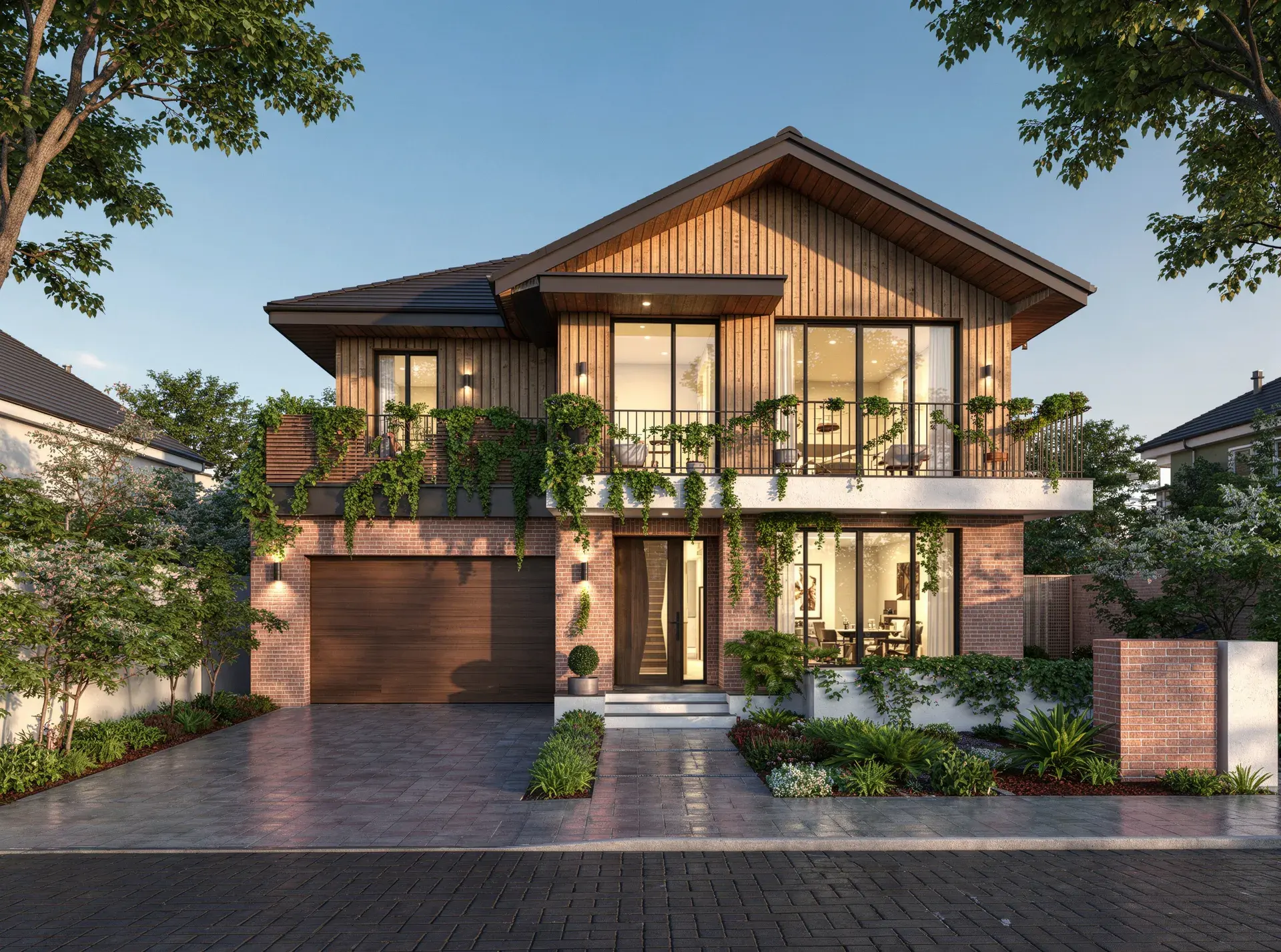
Render your Blender model in 3 steps
Export your Blender scene as a rendered image
Set your camera angle in Blender, run a quick preview render or viewport capture, and save it as a PNG or JPG. This becomes the input for Vibe3D's AI.
Upload to Vibe3D and choose your render style
Upload the exported image to Vibe3D. Select the lighting mood, time of day, and visual style — from natural daylight exteriors to warm ambient interior lighting.
Get a photorealistic AI render in seconds
Vibe3D's AI processes your Blender scene and delivers a photorealistic architectural render in under 60 seconds. Download at 2K+, iterate on styles, or share with your client.
Traditional Blender Rendering vs Vibe3D
| Feature Evaluation | Traditional Rendering | Vibe3D AI EngineRecommended |
|---|---|---|
| Render Engine | Cycles or Eevee (manual setup required) | Vibe3D AI (zero configuration) |
| Render Time (architectural scene) | Minutes to hours depending on samples & GPU | Under 60 seconds |
| Hardware Required | Dedicated GPU recommended for Cycles | Any browser on any device |
| Setup for Photoreal Output | HDR lighting, shader nodes, denoiser config | Upload scene → select style → render |
AI for Blender that renders models with zero setup
No plugins. No conversion steps. No geometry loss. Vibe3D reads your Blender models directly — preserving materials, scene views, and model accuracy so your renders reflect your design intent precisely.
Render a Blender model freeAI rendering from Blender scenes — no Blender plugin
Export a render view from Blender and upload it to Vibe3D. The AI reads your geometry, materials, and lighting setup to produce a photorealistic architectural render in the cloud — no Blender AI add-on or plugin to install.
Skip Cycles render times entirely
Cycles renders can take minutes to hours on complex architectural scenes. Vibe3D's AI replaces that pipeline step — producing comparable photoreal output in under 60 seconds, on any device, without a GPU.
AI material and lighting interpretation
Vibe3D's AI interprets the materials, geometry, and spatial relationships from your Blender export to apply realistic lighting, surface finishes, and depth — reducing the manual Blender shader and lighting setup needed.
Architectural and interior visualization output
Built for Blender artists producing architectural exteriors, residential interiors, and design presentation imagery. Generate client-ready renders at 2K+ resolution directly from your Blender models.
Elevate your Blender rendering workflow with AI
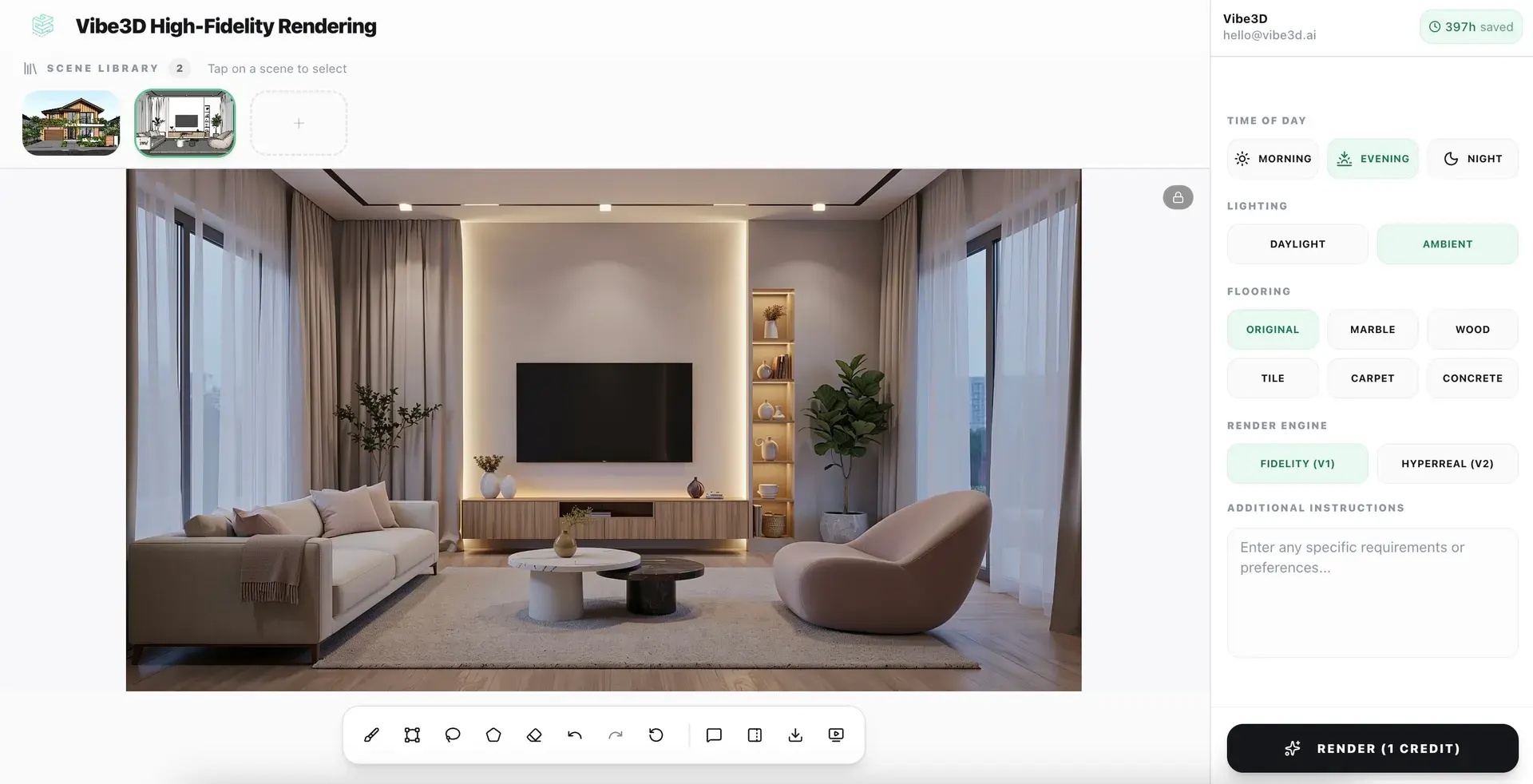
Photorealistic renders from your Blender models in under 60 seconds
No lighting rigs. No shader setup. No post-processing. Just upload your model and let Vibe3D's AI engine do the rest.
Explore AI Rendering
Upscale and enhance your Blender renders with AI
Boost resolution, fix lighting, sharpen details, and elevate render quality in seconds. No re-rendering or manual post-processing required.
Explore AI Render Enhancing
Create Cinematic videos from your Blender renders
Transform static Blender models into fluid, cinematic architectural flythroughs — no animation software or video production skills needed.
Explore Cinematic VideosEverything you need to render Blender models
Blender AI Rendering — Frequent Questions
What is AI in Blender for architectural rendering?
AI in Blender for architectural rendering means using artificial intelligence to replace the Cycles or Eevee render pipeline. Vibe3D lets you export a Blender scene view and receive a photorealistic render in seconds, without configuring render engines, light paths, or denoisers inside Blender.
What Blender AI tools are available for architects?
Vibe3D works as a cloud-based AI rendering layer for Blender architects and interior designers. You export your Blender scene and the AI produces a photorealistic architectural render in under 60 seconds, with no Blender plugin required.
Is there a Blender AI plugin for rendering?
Vibe3D is not a Blender plugin. It is a standalone cloud tool. You export a render view from Blender, upload it to Vibe3D in the browser, and receive a photorealistic AI render. No Blender add-on, extension, or plugin installation required.
Can AI help with Blender AI modeling for architecture?
Vibe3D focuses on the rendering stage, not the modeling stage. Once you have a Blender model, Vibe3D renders it into a photorealistic presentation image in seconds, replacing the slow Cycles or Eevee rendering step.
How does Blender artificial intelligence rendering compare to Cycles?
Cycles produces physically accurate renders but requires significant render time and GPU resources on complex architectural scenes. Vibe3D produces photorealistic output in under 60 seconds with no GPU required. The trade-off is less granular control over the render pipeline, which is generally acceptable for client presentation work.
Which Blender versions work with Vibe3D?
Vibe3D works with Blender 3.x and 4.x. Any version that can export a viewport or rendered image as PNG or JPG is compatible.
More Ways to Use Vibe3D with Blender
Turn Blender interior previews into photorealistic client-facing renders.
AI Exterior RenderingCreate exterior presentation images without waiting for a full Cycles render.
3D Furniture RenderingCreate product-focused furniture variants and lifestyle visuals from Blender views.
AI Render EnhancingEnhance a Blender render when the composition is right but the final image needs more realism or resolution.