
Real Estate Video Maker
Create real estate listing videos with AI
Turn the property photos you already have into real estate listing videos. Upload your images, arrange the scenes, and add camera movement with Vibe3D. No 3D model required.
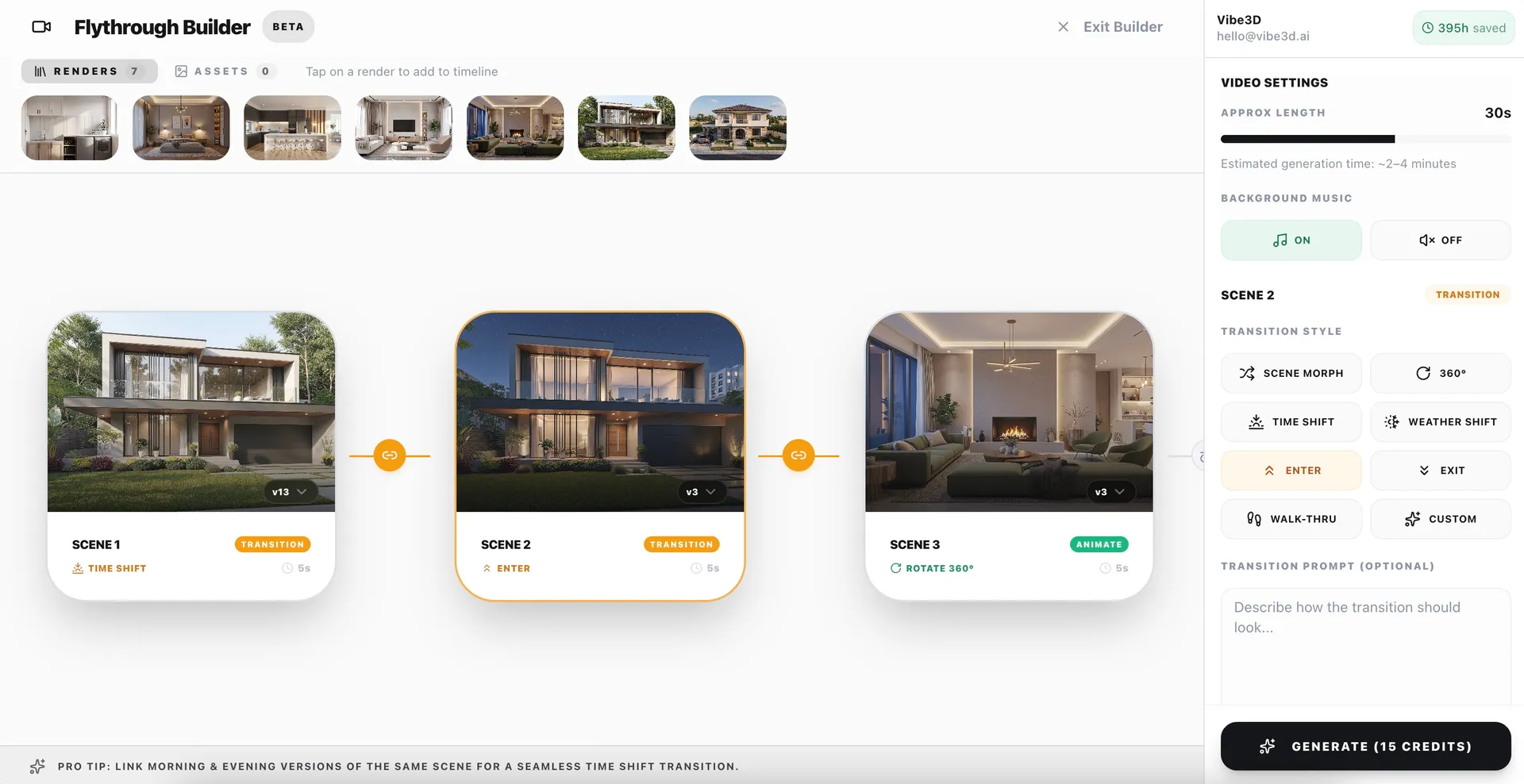
Your real estate listing video maker, step by step
Upload your property images
Choose clear listing photos or existing 3D real estate renderings. Start with an exterior, living room, kitchen, bedrooms, and outdoor space. Use images you own or have permission to animate.
Arrange scenes and choose motion
Put the images in the order you want buyers to see. Choose a gentle pan or zoom for each scene. Keep the motion within each image rather than implying unverified connections between rooms.
Generate, review, and download
Generate the video, compare it with your source images, and export an MP4. Check property details before sharing. Add listing text or other finishing touches in your preferred editor if needed.
AI video for real estate listings
Real estate listing videos from photos
Give your listing photography another use. Build a short sequence that introduces the property and highlights the rooms you want buyers to notice. Use the exported video in your marketing after checking the destination’s requirements.
Turn 3D real estate renderings into video
Bring the 3D renderings real estate teams use for off-plan marketing into a video sequence. Upload your existing rendered images and animate each view. Clearly label proposed spaces and finishes so buyers can distinguish a visualization from the property’s current condition.
AI video ads for real estate listings
Create animated property footage to use in your ad creative. After exporting, add your address, branding, contact details, and call to action in your preferred editor. Review the final ad against platform and brokerage rules; Vibe3D does not publish or manage your campaigns.
Flexible plans for real estate video listing
Choose a one-time credit pack for an individual listing or a monthly subscription for ongoing property marketing.
One-time credit packs
Buy a fixed number of credits with a one-time payment. A flexible option for occasional listing videos.
Monthly subscriptions
Choose a monthly plan for regular video creation across your property listings.
Review before publishing
AI animation can change or invent details. Check windows, doors, finishes, and room proportions against your original images. A photo sequence is not a filmed or measured property tour and does not verify how rooms connect. Follow your brokerage and destination platform’s disclosure rules.
Real estate video maker questions
Do I need a 3D model to create real estate listing videos?
No. You can start with property photos you already have. Upload them in Vibe3D’s video editor, add them to the timeline, and choose camera movements. You do not need to create a new render before animating a photo.
Can I use 3D renderings for real estate video?
Yes. Upload your existing rendered images and arrange them into a sequence. This is useful for proposed homes or off-plan developments. Label the result as a visualization and distinguish proposed rooms, finishes, or landscaping from what currently exists.
Can I make AI video ads for real estate listings?
You can generate animated property footage and export it as an MP4 for use in your ad creative. Add any listing text, branding, or other finishing touches in an external editor. Check format and advertising requirements before publishing; Vibe3D does not manage ad campaigns.
Can I use Vibe3D videos for Zillow listings?
Vibe3D exports animated property footage as MP4. Whether you can publish it on Zillow depends on the listing product and its current requirements. Check Zillow’s publishing guidance and your brokerage’s rules before uploading. These videos are not Zillow 3D Home tours.
Zillow’s video guidance for Showcase listingsWill the video reproduce the property exactly?
AI may alter or invent details, especially with large camera movements or transitions between rooms. Compare every scene with the original images before publishing. Describe the output as AI-animated imagery, not a filmed walkthrough or a spatially verified 3D tour.
Is the real estate video maker free?
The free signup offer is for renders, not a free video. Check the pricing page for current video-eligible plans. Video output uses 1 credit per second: a 25-second video uses 25 credits. Further generations use additional credits.
Make a real estate video from your next listing
Start with your property photos or rendered images. Choose the scenes, add motion, and review the result before sharing.
Create a listing videoSee video plans and credit usage