Think of AI in interior design not as a replacement for human creativity, but as a seriously powerful co-pilot. It’s a smart assistant that takes over the grunt work—the tedious rendering, the endless layout tweaks—so designers can get back to what they do best: creating incredible spaces.
At its core, AI uses clever algorithms to whip up design variations and stunningly realistic visuals in a fraction of the time it used to take. We're talking minutes, not hours or days. This completely changes the game for project timelines and, crucially, how we communicate with clients.
How AI is Reshaping Interior Design
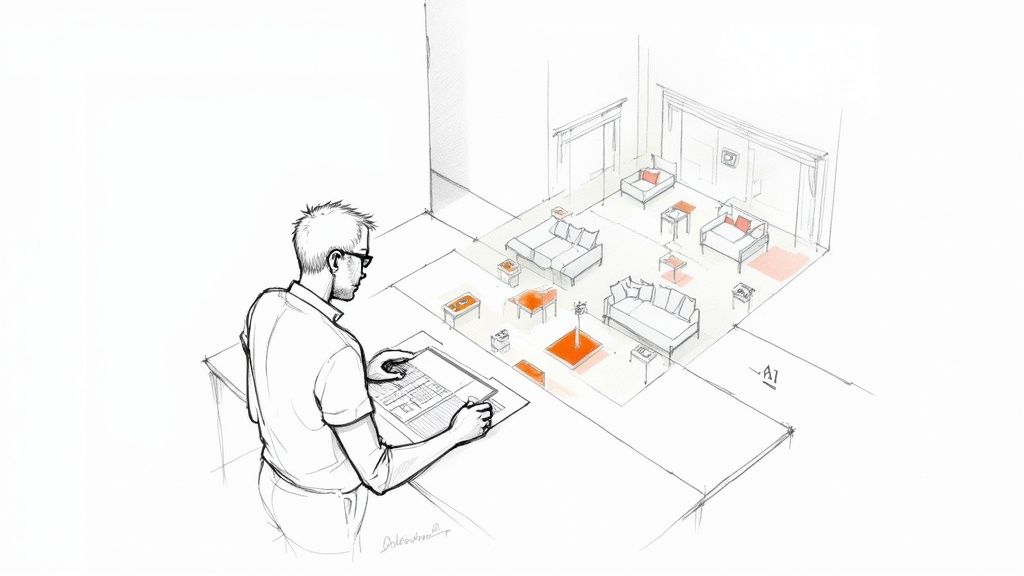
Picture this: no more all-nighters spent waiting for a render to finish, no more painstakingly adjusting every single object in a scene just to show a client a minor change. AI isn't here to steal the designer's vision; it's here to supercharge it. It handles the repetitive, soul-crushing tasks that can stall a project, acting as an efficiency engine for your creative process.
This technology is quickly becoming a non-negotiable part of the modern design toolkit, opening up new avenues for both seasoned professionals and DIY enthusiasts. It breaks down complex processes, making top-tier design more efficient and accessible than ever before.
A New Era of Design Efficiency
The most immediate benefit you'll notice when bringing AI into your workflow is speed. A massive, game-changing acceleration of the entire design process. Instead of labouring for days over a single photorealistic image, you can generate a whole suite of options in the time it takes to drink a cup of coffee.
This newfound speed has a ripple effect on everything you do:
-
Faster Iterations: You can effortlessly explore dozens of layouts, colour palettes, and material combinations without having to rebuild the scene from the ground up each time.
-
Enhanced Client Collaboration: Imagine showing up to your first client meeting with multiple high-quality visuals. It makes getting on the same page and gathering meaningful feedback so much easier.
-
Increased Creative Focus: By offloading the technical heavy lifting, you reclaim precious hours to focus on what truly matters—the core concept, the unique details, and the story you're trying to tell with the space.
This isn't just a nice-to-have improvement; it has a real-world financial impact. In India, for instance, the AI interior design market is absolutely booming, driven by a surge in urban development. The market is projected to skyrocket to over USD 1.2 billion by 2032. Why? Because these tools are slashing design costs by up to 40% and project timelines by a staggering 60%.
AI gives designers the power to jump from a rough concept to a polished, client-ready visual at a speed we've never seen before. It’s about augmenting human creativity, not replacing it, allowing for more experimentation and refinement in less time.
Of course, while we're talking about all this exciting new tech, the fundamentals of great design haven't changed. A solid understanding of space, light, and form is still what separates a good design from a truly exceptional one. For anyone looking to brush up on those core principles, these high-end interior design tips are a fantastic resource that complements any toolkit, digital or traditional.
Understanding How Interior Design AI Works

At its core, interior design AI isn't some black box of magic. Think of it as an incredibly well-trained assistant—one that has analysed millions of professional designs, architectural plans, and material palettes. It’s a powerful blend of smart algorithms and a massive library of visual data, giving it the ability to understand our requests and generate new ideas at lightning speed.
Imagine you're briefing a new team member. You provide the essential ingredients: the room's dimensions, a specific style like "Japandi minimalism," and a functional requirement, say, "a cosy reading nook." The AI takes these inputs, compares them against its deep knowledge of design principles and colour theory, and then whips up a visual recipe that brings your concept to life.
This is made possible by a couple of key technologies working together. Machine learning is what allows the platform to get smarter over time, learning your personal aesthetic from the designs you create and favour. At the same time, generative algorithms act as the creative engine, churning out hundreds of unique variations from a single starting point.
The Core Process Simplified
An AI tool doesn't just throw furniture into a room haphazardly. There's a logical, structured process happening behind the scenes that turns your ideas—whether from a text prompt or a reference image—into a cohesive design.
Here’s a look at the typical journey from a blank slate to a finished visual:
-
Input Analysis: First, the AI breaks down your request. It pulls out keywords related to style ("organic modern"), specific objects ("walnut-toned dining table"), and the desired atmosphere ("natural lighting").
-
Spatial Interpretation: Next, it gets a handle on the physical space. Whether you've uploaded a floor plan, a 3D model from a tool like SketchUp, or just a photo, the AI calculates dimensions, identifies light sources, and maps out the room's layout.
-
Concept Generation: With a clear understanding of your goals and the space, the generative engine starts its work. It cycles through countless combinations of furniture layouts, material pairings, and lighting setups that fit your brief.
-
Refinement and Rendering: Finally, it pulls the best elements together into a high-quality image. This rendering phase is where the magic really happens, as the AI adds realistic textures, shadows, and light to produce a stunning, photorealistic result.
To give you a clearer picture, here’s a breakdown of the primary tasks that these AI platforms can handle for you.
Core Functions of Interior Design AI Tools
| AI Function | What It Does | Key Benefit |
|---|---|---|
| Concept Ideation | Generates multiple design variations based on text prompts, sketches, or reference images. | Overcomes creative blocks and explores a wide range of possibilities quickly. |
| Photorealistic Rendering | Transforms basic 3D models or 2D plans into high-fidelity, lifelike images with realistic lighting and textures. | Creates compelling client presentations without manual rendering expertise. |
| Style Transfer | Applies the aesthetic of one design (e.g., a photo) to another layout or 3D model. | Instantly tests different styles on a single project with one click. |
| Automated Staging | Populates empty room photos or models with appropriate furniture and decor based on a chosen style. | Saves hours of manual work in virtual staging for real estate or presentations. |
These functions work together to dramatically speed up the design process from start to finish.
The real power of AI is its ability to bridge the gap between abstract ideas and concrete visuals. It translates a client's "vibe" into a fully realised space, making design communication clearer and more effective from the very beginning.
This whole sequence can unfold in just a few minutes, which is a massive leap forward from the hours—or even days—it takes for traditional 3D modelling and rendering. For a more detailed look at the tech behind these incredible visuals, our guide explains everything you need to know about how AI rendering works. Of course, not all AI platforms are created equal, which makes choosing the right tool for your workflow absolutely crucial.
Key Applications That Accelerate Your Workflow
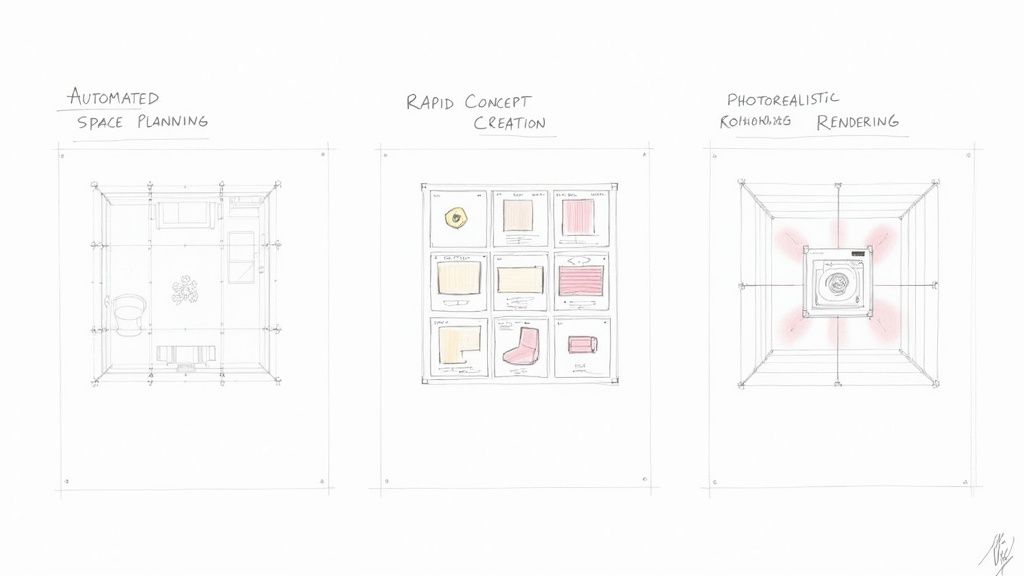
Let's get past the theory and talk about what AI actually does for your design process. In a nutshell, it takes the most repetitive, time-sucking tasks off your plate. Instead of a slow, step-by-step march from sketch to render, your workflow becomes fluid. You can jump between generating ideas, visualising them, and tweaking details almost at the same time.
Think about it. Instead of dedicating a full day just to nail down one layout, you can now cycle through a dozen solid options in the time it takes to drink your coffee. This isn't just about speed for speed's sake; it's about winning back the time you need for the parts of the job that matter most—creativity, client collaboration, and making those crucial design decisions.
Here are the three biggest ways it’s changing the game.
Automated Space Planning and Layout Optimisation
Figuring out the best layout is one of the biggest initial hurdles in any project. It’s a puzzle of dimensions, constraints, and client needs. AI is brilliant at this. It can take a room's basic measurements and produce multiple functional and beautiful floor plans in a flash.
The AI considers everything—traffic flow, ergonomic standards, and specific requests like making a living room safe for toddlers. It takes the trial-and-error out of space planning. You can walk into your first client meeting with several strong, viable layouts, which makes for a much smoother and more impressive kick-off.
Rapid Concept and Style Creation
Even the best of us run out of creative steam sometimes. This is where AI becomes your on-demand brainstorming partner. You can feed it a simple text prompt or an inspiration image, and it will generate an endless stream of style variations, colour schemes, and mood boards.
Ever tried to explain a "Japandi minimalist" vibe with a touch of warmth? An interior design AI can show you exactly what that looks like—in dozens of different ways—in just a few seconds. It closes the gap between an abstract idea and a concrete visual, saving you hours of hunting for reference images.
The real advantage here is the ability to move from an abstract "vibe" to a concrete visual concept almost instantly. AI translates client desires into tangible designs, improving communication and accelerating the critical initial approval stages.
Photorealistic Rendering in Minutes, Not Days
This is the big one. Anyone who has worked with traditional 3D rendering knows the pain of waiting. You set a render to run, and hours—sometimes days—later, you finally have a single image, all while your computer sounds like it’s preparing for takeoff.
AI tools like Vibe3D have turned this entire process on its head. Now, you can take a simple model from a program like SketchUp or 3ds Max and get a stunningly realistic render back in minutes. The AI handles the complex lighting, textures, and shadows automatically, producing client-ready visuals almost on demand. The influence of this tech is even felt in manufacturing, allowing designers to create custom pieces like 3D printed home decor.
If you want to explore these tools in more detail, our guide on AI for interior design is a great place to start.
How AI Is Reshaping the Design Industry
The integration of AI into interior design isn't some niche trend happening in a corner of the world; it’s a fundamental shift in how creative professionals are getting work done, everywhere. This isn't just about tech startups, either. We're seeing established design firms and major global brands enthusiastically adopting these new tools.
By watching how mature markets are weaving AI into their daily workflows, we get a clear glimpse of where the entire industry is heading. This global momentum makes one thing certain: interior design AI is here to stay, and understanding its trajectory is crucial for keeping your design business competitive.
North America Is Leading the Charge
If you want to see the future of design happening right now, look to North America. The region is setting the pace for innovation and adoption, commanding over 45% of the market share with a valuation of USD 323.3 million. This isn't surprising when you see tech giants like Autodesk and even retailers like IKEA pouring resources into AI-driven design solutions. You can dig deeper into these trends in this comprehensive industry report.
The impact is real and measurable. A staggering 72% of interior design firms in the United States expect AI to be handling their complex space planning by 2025. This isn't just a far-off prediction—it's already happening. Tools like RoomGPT and Coohom are becoming commonplace, with 3D visualisation being the most popular application at 50% usage. The payoff? A direct improvement in client satisfaction, with immersive virtual tours cutting down project revisions by as much as 35%.
This isn't just about rendering faster. It's about creating a smarter, more collaborative design process. AI lets designers present fully realised concepts much earlier, giving clients the confidence to sign off because they can see the end result with absolute clarity.
While the residential sector currently makes up the largest slice of the pie at 60%, the commercial space is where the fastest growth is happening, signalling broad, industry-wide acceptance. The power to create these incredible walkthroughs is a huge part of that growth. If you're curious about this, you can learn more about how virtual reality is being used in interior design to create truly compelling client experiences. All this data just reinforces that AI is becoming a core part of the modern design toolkit.
Integrating AI into Your Professional Toolkit
Bringing AI into your design process doesn't mean throwing out the tools you’ve spent years mastering. It’s not about starting from scratch. Think of it more like adding a supercharged plugin to your favourite software—it’s there to enhance what you already do, not replace it.
You can stick with the programs you know and trust, like SketchUp or 3ds Max, to build your core models. Once the foundation is laid, AI steps in to do the heavy lifting, taking care of the rendering and rapid idea generation that used to eat up hours, if not days. Your expertise remains at the centre of the project; the technology just clears away the tedious parts.
The chart below shows just how quickly designers and firms across the globe are embracing this shift.
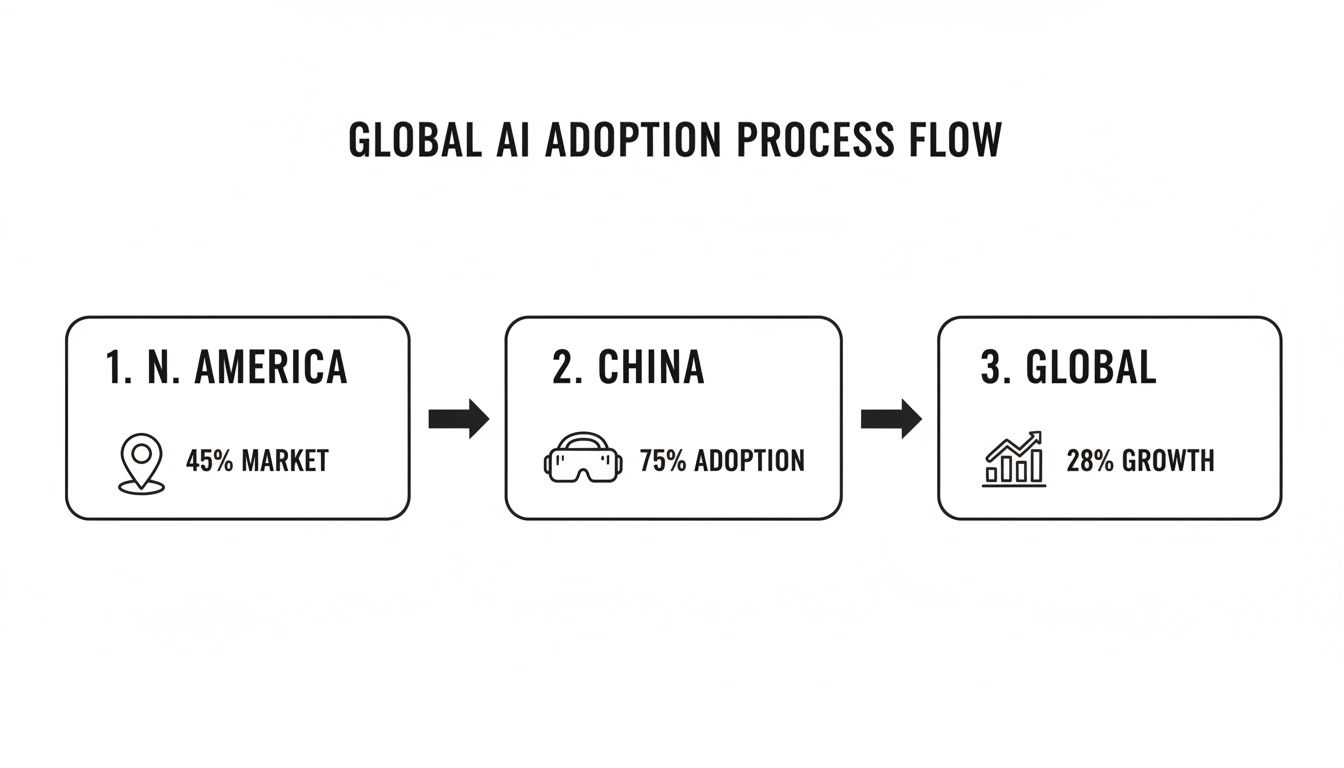
This isn't just a passing trend. With North America leading the market and China adopting these tools at an incredible pace, it’s clear the entire industry is moving toward smarter, faster ways of working.
Your New AI-Powered Workflow
So, what does this actually look like day-to-day? Getting started is surprisingly straightforward. It's really a new form of communication—learning how to give the AI clear, creative instructions to get the results you're imagining.
-
Prep Your Model: It all starts with a clean, well-organised 3D model from your software of choice. AI is powerful, but it's not magic; a solid foundation is still essential. For a deep dive, our guide on how to render in SketchUp has some great tips for getting your models ready.
-
Write Effective Prompts: This is where you become the director. Instead of just "modern living room," you need to be specific. Try something like, "A minimalist living room with organic modern furniture, warm oak flooring, and soft, diffused afternoon light." The more descriptive you are, the better the result.
-
Iterate and Refine: Your first render is just the beginning. From there, you can tweak and perfect it with simple text commands. Ask it to change the sofa colour, add a fiddle-leaf fig in the corner, or make the lighting moodier. The AI will generate a new version in moments, letting you experiment at a speed that was impossible before.
The real art of using interior design AI isn’t about clicking buttons. It’s about mastering the craft of prompt writing and creative iteration. The designer’s role shifts from a technical operator to a true creative director, guiding the AI to bring a precise vision to life.
Traditional vs AI-Accelerated Design Workflow
To truly grasp the difference AI makes, let's look at a side-by-side comparison of a typical project timeline. The time savings at each stage are staggering.
| Design Stage | Traditional Method (Time/Effort) | AI-Accelerated Method (Time/Effort) |
|---|---|---|
| Concept & Mood Board | 2–4 days of research and collage creation. | 30 minutes for multiple AI-generated concepts. |
| Initial 3D Modelling | 1–3 days to build a basic structural model. | 1–3 days (Core skill remains essential). |
| Material & FF&E Selection | 3–5 days of sourcing, testing textures. | 1–2 hours to test hundreds of options via prompts. |
| Photorealistic Rendering | 8–24 hours per image (plus revision time). | 2–5 minutes per image, with instant revisions. |
| Client Revisions | 1–2 days per round (re-rendering). | 15–30 minutes per round (text-based changes). |
| Final Presentation | 1–2 days to compile and finalise. | 2–4 hours to select the best renders and compile. |
As you can see, integrating AI doesn't just shave off a few hours; it fundamentally changes the pace of the entire design process, freeing you up to focus on creativity rather than repetitive tasks.
The global demand for this efficiency is exploding. In China, for instance, the AI interior design market is on a massive growth trajectory. A recent report showed that 75% of design firms there plan to adopt AI for creating AR/VR-ready renderings. This shift is predicted to cut project costs by a whopping 50% for high-rise apartment developments in major cities. Developers, who already make up 45% of the user base, are using AI for mass customisation—a tactic that has been proven to boost sales by 28%.
By bringing a tool like Vibe3D into your workflow, you’re not just saving time. You’re gaining a creative partner that lets you explore possibilities without limits, ultimately helping you deliver exceptional, client-winning designs, faster than ever before.
Choosing the Right AI Solution for Your Needs
So, you're ready to bring AI into your design process. That's the exciting part. But with all the new tools popping up, how do you pick the one that will actually help, not hinder, your work? The best choice really boils down to your specific needs, whether you're running a solo practice or are part of a bustling firm.
First things first: integration. Any tool you consider has to play nicely with the software you already use every day. If you live and breathe in SketchUp or 3ds Max, you need an AI solution that plugs right in. A smooth, uninterrupted workflow is non-negotiable. The whole point is to enhance your existing process, not force you to rebuild it from scratch.
Key Factors for Your Decision
Once you've confirmed a tool can integrate, it's time to look at the details that will affect your daily work and the final quality of your designs.
-
Ease of Use: You shouldn't need a PhD in computer science to use it. A steep learning curve defeats the purpose of saving time. The best tools have an intuitive interface that lets you get straight to creating and tweaking ideas without getting stuck on the technical side.
-
Rendering Speed and Quality: This is where the magic happens. The promise of AI is getting incredible speed without compromising on visual quality. Look for a solution that can produce photorealistic images in minutes, not hours. This is a game-changer when you're dealing with tight client deadlines and multiple revisions.
-
Pricing Model: Does a monthly subscription make sense, or is a pay-per-render model a better fit for your project flow? For freelancers and smaller studios with fluctuating workloads, this kind of flexibility can be a major advantage.
The goal isn't just to adopt AI, but to find a true creative partner. A platform like Vibe3D is a leading choice for professionals who prioritise rendering quality and workflow efficiency, transforming basic models into stunning visuals almost instantly.
Ultimately, getting comfortable with this technology is about staying relevant and competitive. The right AI becomes a powerful ally, freeing up your time, reducing costs, and opening up creative avenues you might not have explored otherwise.
To dive deeper into the various platforms out there, take a look at our guide on the best architectural rendering software for your projects. Choosing the right interior design AI is more than just a tech upgrade; it’s an investment in your ability to deliver exceptional work and solidify your reputation as a forward-thinking designer.
Your Questions Answered: Getting to Grips with AI in Interior Design
Jumping into any new technology brings up a lot of questions. And when that technology meets a creative field like design, it’s completely natural to wonder how it will fit into your process without stepping on your artistic toes. Let's clear the air on some of the most common queries we hear about AI in interior design.
The big one is always, "Will AI replace me as a designer?" The short answer is a firm no. A better way to think about AI is as a hyper-efficient assistant. It’s the tool that takes on the grunt work—the time-consuming rendering and technical adjustments—freeing you up to focus on what truly matters: client relationships, big-picture creative strategy, and the personal touches that make a space uniquely yours. An AI can’t understand a client’s unspoken needs or weave a compelling story into a room; that’s where your expertise will always shine.
Is This Going to Be Hard to Learn?
We get it—the thought of learning another complex piece of software is enough to make anyone groan. But modern AI tools like Vibe3D are built for designers, not programmers. The user experience is often built around simple text commands and seamless plugins for the software you’re already an expert in, like SketchUp or 3ds Max. You don’t need to become a tech guru; you just need to know how to describe what you envision.
The most important skill for using AI isn’t technical wizardry—it’s creative direction. Your ability to write clear, descriptive prompts is what will guide the tool to produce stunning, high-quality results.
Finally, let's talk about cost. Many designers assume this kind of power comes with a prohibitive price tag. The reality is that many solutions now offer flexible, pay-as-you-go models. This completely removes the need for a massive upfront investment, putting powerful rendering tools within reach for solo designers, small studios, and even students. It’s a smart, cost-effective way to produce top-tier visuals, scaling your use up or down depending on your project pipeline.
Ready to see how an AI-powered workflow can give your designs the edge they deserve? With Vibe3D, you can turn your models into breathtaking, photorealistic visuals in a matter of minutes, not days. Start creating smarter and faster by visiting the official Vibe3D website to explore our features and find a plan that works for you.