Imagine you had a design partner who could dream up a thousand different room layouts for you overnight, each one perfectly aligned with your client’s Pinterest board. That’s the real potential of AI interior design. It’s not here to take over the creative process, but rather to act as a powerful collaborator that handles the grunt work, freeing you up to focus on the big picture and your client relationships.
What Is AI Interior Design and How Does It Work
At its heart, AI interior design is all about using smart algorithms to generate, visualise, and refine interior spaces. Think of it as an assistant that has absorbed millions of design examples. It intuitively understands the principles that make a room feel balanced, minimalist, or welcoming and can apply that knowledge to a new project in a flash.
This isn't about letting a machine dictate your vision. Instead, it’s a tool that accelerates your workflow, taking an abstract idea and turning it into a concrete visual almost instantly. The best part is that the process is surprisingly simple, making sophisticated design exploration accessible to seasoned professionals and homeowners alike.
The Basic AI Workflow
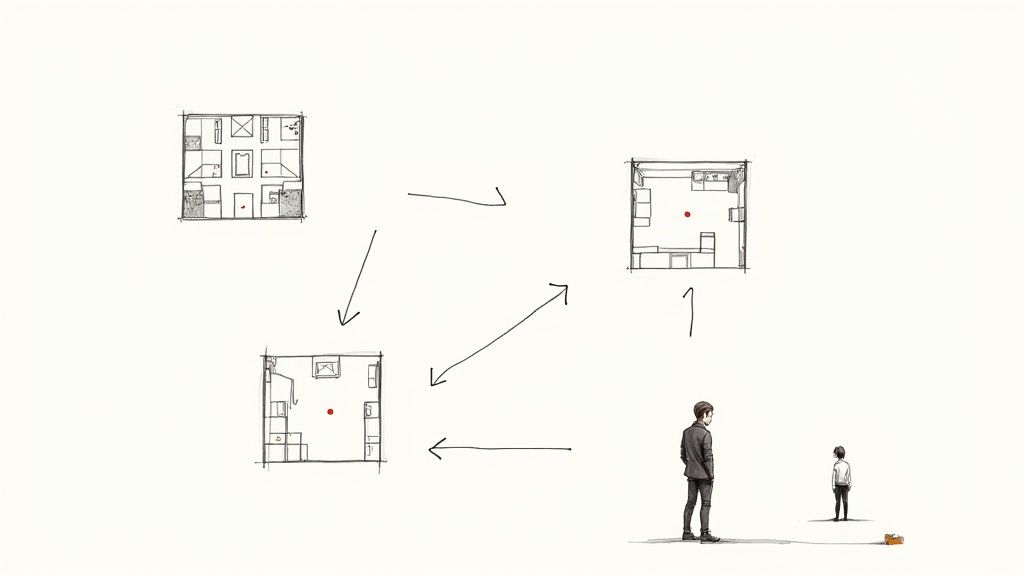
The whole process boils down to a simple input-and-output loop. You give the AI some basic information, and it gives you back polished visual concepts based on your instructions. While the exact steps can differ a bit from one platform to another, the core idea is usually the same:
-
Input Stage: Start by uploading a source image. This could be anything from a photo of the current room to a 2D floor plan or even a basic 3D model.
-
Prompting Stage: This is where you guide the AI with simple text. You might type something like, "create a Japandi-style living room with light oak furniture, neutral textiles, and ample natural light."
-
Generation Stage: The AI gets to work, analysing your input image and your text prompt. It cross-references your stylistic keywords with its vast database to produce a set of design options.
-
Output Stage: In just a few minutes, you get back multiple photorealistic renderings or design concepts, often complete with suggestions for furniture, lighting, and décor.
This incredibly fast cycle lets you explore a dozen different looks without spending hours on manual modelling and rendering. To dig a bit deeper into the technology, you can explore how AI interior design works behind the scenes.
Putting Professional Design in Everyone's Hands
This technology is a game-changer because it dramatically lowers the barrier to entry for high-quality design. In India, for instance, a traditional home renovation could take weeks of planning and cost anywhere from ₹30,000 to ₹300,000 for the design phase alone. AI tools allow designers and their clients to generate countless variations in minutes for a tiny fraction of that cost.
AI's true value isn't in replacing creativity; it's in handling the heavy lifting of visualisation. It frees designers from the slow, tedious rendering process, letting them focus on what they do best: solving client problems and crafting unique, human-centric spaces.
This change means you can spend more of your day on creative strategy and less on repetitive, technical tasks. For design firms, that translates directly into better efficiency and the capacity to take on more projects. To see how this fits into a professional toolkit, you can check out our guide on how an AI renderer integrates into a typical workflow. This blend of human insight and machine efficiency is truly where the industry is headed.
The Core Benefits of Using AI in Interior Design
While the stunning visuals generated by AI interior design tools are what grab the headlines, their real impact is felt in the day-to-day operations of a design business. It’s not just about making pretty pictures. These tools are fundamentally changing how firms work by supercharging three critical areas: speed, hyper-personalisation, and cost efficiency.
Ultimately, this isn't about working faster for the sake of it. It’s about working smarter, elevating the client experience, and freeing up designers to do what they do best.
AI takes on the most repetitive, time-draining parts of the creative workflow. Think about all the hours spent on manual space planning, hunting for the perfect product, or churning out photorealistic renderings. Tasks that used to take days can now be done in minutes.
This incredible acceleration gives designers back their most valuable asset: time. It allows them to shift their focus to high-level strategy, creative problem-solving, and building client relationships—the human touchpoints that AI can't replace.
Dramatic Gains in Speed and Efficiency
What if you could deliver initial concepts in a single afternoon instead of two weeks? That’s the reality with AI. Forget spending hours building a meticulous 3D model and then waiting even longer for it to render. Now, you can generate a dozen high-quality concepts right there in a client meeting.
This completely transforms the design process. It’s no longer a slow, step-by-step march but a dynamic, collaborative conversation. You get immediate feedback, make adjustments on the fly, and ensure the project aligns perfectly with the client's vision from day one.
The knock-on effects are huge:
-
Faster Project Turnaround: You can handle more projects in the same amount of time, boosting your firm’s capacity.
-
Fewer Revision Cycles: By showing multiple, fully-realised options upfront, you cut down on the endless back-and-forth.
-
Better Client Engagement: Nothing gets a client more excited than seeing their ideas come to life instantly.
By taking over the technical grunt work, AI doesn't make the designer's role smaller—it makes it bigger. You spend less time clicking and more time creating, advising, and strategising.
We're seeing this shift happen right now in the Indian interior design industry. Global forecasts suggest that by 2025, around 72% of design firms will be using AI for complex space planning. Already, nearly 47% have brought AI tools into their virtual reality modelling workflows. This trend is a clear reflection of the rapid digitisation sweeping India's design market. You can explore more on AI interior design market trends to see the data for yourself.
Deep Personalisation and Cost Savings
AI is brilliant at translating a client's vague ideas into tangible, customised designs. The algorithms can sift through a client's inspiration board or even their social media activity to pick up on stylistic patterns. The result? Concepts that feel incredibly personal, not like they came from a generic template.
This knack for problem-solving is especially useful for tricky spaces. For instance, our guide on AI bathroom design dives into how these tools can maximise both function and style in even the most compact rooms.
Finally, let's talk about the bottom line. AI brings serious cost savings. By getting the visuals perfect before a single wall is touched, you slash the risk of expensive rework and material waste. Changes are made with a mouse click, not a sledgehammer. This also makes professional design more accessible, letting more clients visualise their dream space without a huge financial commitment. For design firms, that means better profitability and a stronger competitive position.
Exploring the Best AI Interior Design Tools
Diving into the world of AI design tools can feel a bit like navigating a maze. New platforms pop up all the time, and it’s tough to know where to even begin, let alone which one is right for your project.
The secret is realising that not all AI interior design tools are built the same. They're specialists, each designed to tackle a specific part of the design process. If you can figure out your biggest bottleneck, you can find the perfect tool to fix it.
Let's break them down into three main groups to make sense of it all.
AI Renderers and Visualisers
This is probably the most eye-catching category of AI tools. AI renderers are all about turning a simple idea—a text description, a quick sketch, even a mood board—into a beautiful, highly realistic image. Think of them as your creative engine for brainstorming and exploring concepts at lightning speed.
A great example is Midjourney. It’s a bit quirky since it runs through the Discord app, but the quality of the images it can generate from just a few words is genuinely mind-blowing. Designers use it to whip up conceptual renderings that nail a specific mood or style long before a 3D model even exists.
-
Who it’s for: Designers who live in the conceptual phase, building mood boards or exploring abstract visual ideas.
-
What it does best: It has an almost uncanny ability to generate artistic, high-concept visuals from text alone. It's fantastic for creating material palettes and pure inspiration shots.
-
In the real world: Imagine you need a material board for a "Japandi minimalism" theme. Instead of spending hours hunting for images, you could type a prompt like, "Top-down view, material mood board with linen, oak, brushed brass, dark marble..." and Midjourney will deliver several polished, client-ready options in minutes.
AI Space Planners
While renderers are about the look and feel, AI space planners are all about function. These tools take on the often-gruelling task of creating floor plans and figuring out where the furniture should go. They analyse a room's dimensions to suggest layouts that just work, maximising flow and making the space practical.
Tools like Planner 5D and Foyr Neo are big players here. You can upload an existing floor plan or sketch one out, and the AI steps in to help furnish the space, placing items based on solid design principles. This can save you hours of manually nudging furniture around a screen.
-
Who it’s for: Architects, contractors, and designers who need to generate and compare multiple functional layouts quickly.
-
What it does best: It’s incredibly efficient at solving spatial puzzles, making sure everything fits and people can move around freely before you get lost in the aesthetic details.
-
In the real world: An architect is trying to show a client three different ways to arrange the living and dining area in a small flat. An AI space planner can produce these options automatically, complete with furniture models that are true to scale.
A word of caution, though. While these planners are brilliant starting points, they can sometimes miss the nuances of a real-world space, like an awkward corner or a slightly sloping floor. They’re a fantastic guide, but they don’t replace the need for on-site measurements and professional judgment.
AI Stylizers and Re-imaginers
This is where AI gets really fun, especially for renovations or for clients who just can't picture the final result. AI stylizers take a photo of a room as it is today and instantly show you what it could be. You can snap a picture of a dated living room and, with a click, see it transformed into a "Coastal" retreat or an "Industrial" loft.
Platforms like Interior AI and ReimagineHome AI lead the pack. They let you experiment with different looks without any risk or commitment. This is a game-changer for client communication, as you can show them a direct "before and after" and get everyone on the same page. If you're curious about the tech behind these visuals, our guide on architectural rendering software digs into the nuts and bolts.
-
Who it’s for: Interior designers working on renovations, home stagers, and even DIYers who want to see a change in their own home before picking up a paintbrush.
-
What it does best: It instantly reimagines existing rooms from a single photo, which is perfect for communicating a vision and getting that crucial client buy-in.
-
In the real world: A designer is struggling to convince a client to paint their dark, wood-panelled dining room. They can upload a photo to a stylizer, apply a "Modern Farmhouse" style, and show the client a photorealistic preview of how bright and airy the space could become. Suddenly, the idea isn't so scary anymore.
Integrating AI into Your Design Workflow

Bringing new technology into your studio doesn't have to be a massive, disruptive overhaul. When it comes to AI interior design, the smartest approach is a gradual one—a strategic evolution of your current methods, not a complete teardown. By taking it step-by-step, you can introduce these powerful new assistants into your workflow in a way that feels natural and starts adding value right away.
The trick is to start by identifying a real problem you need to solve. Don't jump on the AI bandwagon just for the sake of it. Instead, target a specific pain point in your process. This focus ensures you see genuine benefits from day one, which makes getting your team on board much easier and demonstrates a clear return on your investment.
Pinpoint Your Biggest Bottleneck
Before you even start browsing for tools, take a hard look at your current workflow. Where are you and your team consistently losing time? Which part of the process always seems to cause delays or frustration for your clients?
Nailing down this one critical bottleneck is the most important first step. For many design firms, the biggest time-sinks tend to be:
-
Initial Ideation: Spending days, or even weeks, pulling together mood boards and initial concepts that might completely miss the mark with the client.
-
Photorealistic Rendering: The agonizingly long hours spent tweaking settings and then waiting for high-quality 3D visuals to finally finish rendering.
-
Client Revisions: Getting stuck in that endless back-and-forth cycle of "just one more little change" that can throw a project timeline completely off course.
Once you know exactly what your main challenge is, you can start looking for an AI tool specifically built to fix that problem. This targeted approach stops you from getting bogged down by the huge number of options out there.
Start Small and Run a Pilot Project
There’s no need to force a firm-wide AI rollout overnight. The best way to get started is to pick one promising tool and test it on a small, low-risk project. For instance, if rendering is your biggest headache, choose an AI renderer and use it for a single room design.
This pilot project is incredibly valuable. It gives you and a few team members a chance to learn the software without the intense pressure of a major client deadline. You can play around with its features, figure out its quirks and limitations, and see how it actually fits into your existing process.
Think of this trial period as your own private learning lab. The goal isn't just to see if the tool works—it's to figure out how it can work for you. Make sure to document what you learn, both the wins and the frustrations, to create a solid set of best practices for the rest of your team.
The infographic below gives a great visual of how different AI tools can plug into specific phases of the design process, from initial rendering to the final styling touches.
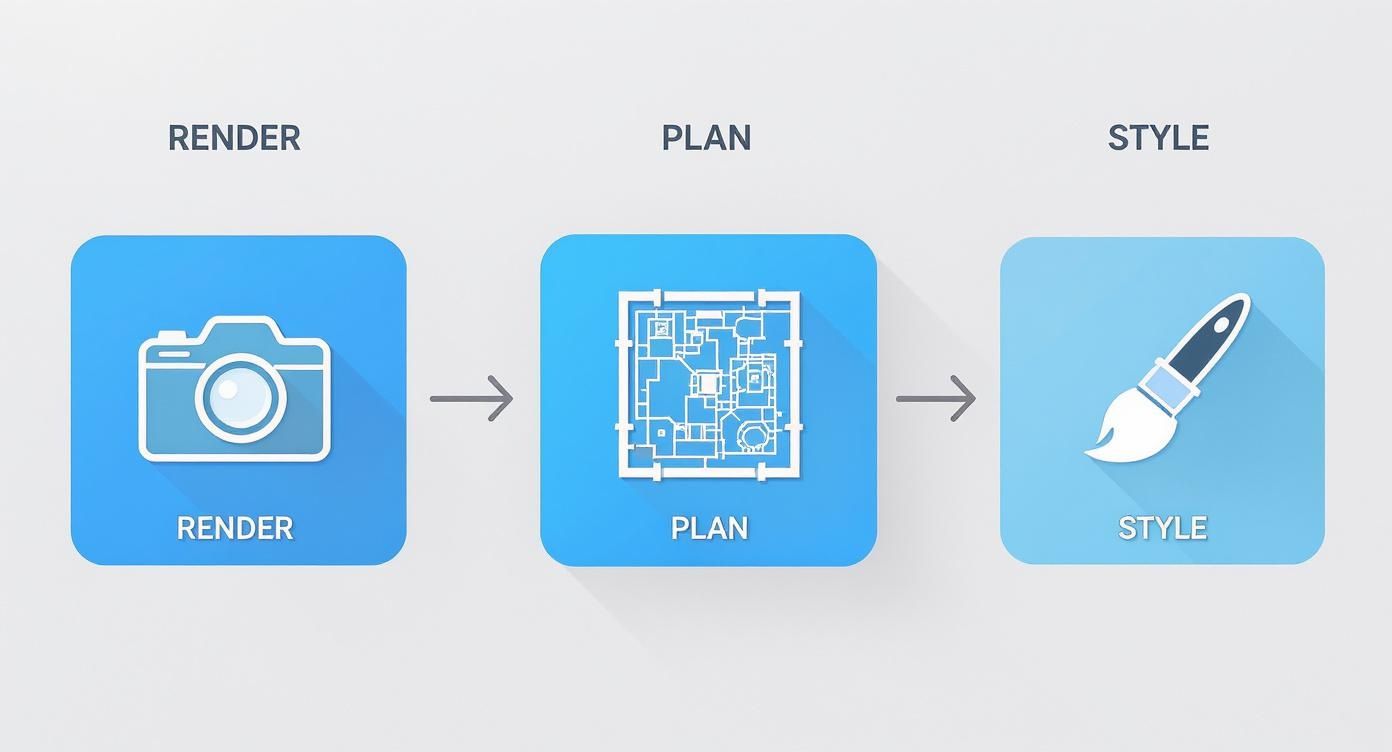
As you can see, successfully integrating AI is all about picking the right tool for the right stage of your project.
Develop New Processes and Measure ROI
Once you’ve run a successful pilot, it’s time to make things official. This means documenting a new workflow that shows your team exactly when and how to use the new tool. You’ll want to provide some training and create a space where people can share tips and ask questions.
Just as important is measuring your return on investment (ROI). You need to track a few key metrics to prove the tool’s impact.
-
Time Saved: How many hours did the tool actually save on tasks like rendering, ideation, or revisions compared to how you used to do it?
-
Client Satisfaction: Did you notice better client feedback? Were there fewer revision requests?
-
Project Capacity: Are you finishing projects faster? Does it free you up to take on more work?
Tracking this data gives you hard evidence of the tool's value. For technologies that blend 2D and 3D worlds, like those we explore in our guide to virtual reality interior design, client engagement can also be a powerful metric. With solid data showing a positive impact, you can confidently scale up, expanding the tool’s use to more projects and even start looking for other AI solutions to improve different parts of your workflow.
Real-World Examples and the Future of Design
It's one thing to talk about the theory, but the real test for AI interior design is how it actually performs on the ground. The good news is that this technology is already moving well beyond the conceptual stage, delivering real results that are changing how design firms operate and what clients have come to expect.
One of the most obvious places we're seeing this shift is in real estate. Developers and agents are leaning heavily on AI-powered virtual staging to instantly furnish photos of empty properties. This isn't just about making a space look nice; it helps potential buyers forge an emotional connection, which can lead to faster sales and better offers. For a fantastic breakdown of how this works in practice, check out this comprehensive guide to virtual staging.
Current Industry Applications
And it’s not just about selling homes. The hospitality industry, for example, is using AI to fine-tune guest experiences. By analysing data on visitor preferences and local culture, hotel brands can design rooms and common areas that feel both comfortable and authentic to their location.
Furniture retailers have also found a brilliant use for AI to tackle that age-old customer question: "Will this look good in my home?" Many now offer tools that let you point your phone camera at your living room and see exactly how that new sofa would fit. This simple "try before you buy" feature gives people the confidence to click "purchase," and it's been a game-changer for conversion rates.
The growth has been staggering, especially in markets like India where rapid urbanisation is fuelling a design boom. The global AI interior design market was valued at around USD 1.47 billion in 2024 and is on track to hit USD 6.96 billion by 2032. Real estate developers are leading the charge, with adoption growing at a compound annual rate of 22.32%.
The Next Wave of Innovation
As impressive as all this is, we're really just scratching the surface. The next generation of AI interior design is moving towards systems that are smarter, more intuitive, and even more integrated into the creative process.
We’re on the verge of some exciting breakthroughs:
-
Generative AI Tours: Picture this: a client takes a virtual walkthrough and, using just their voice, asks to see the kitchen with marble countertops or the living room with different lighting. This level of real-time, interactive customisation is just around the corner.
-
Predictive Trend Analysis: AI will soon be able to comb through global data—from social media to fashion runways—to forecast design trends before they even happen, giving firms a serious competitive edge.
-
Sustainable Design Optimisation: Imagine an AI that automatically suggests sustainable materials, calculates a project's carbon footprint, and optimises for energy efficiency right from the initial concept.
The future of design isn't about replacing the human touch with an algorithm. It's about a partnership where AI takes on the heavy lifting—the data analysis, the rendering, the endless variations—freeing designers to focus on what they do best: creativity, empathy, and crafting spaces that feel right.
This evolution is creating a new era of design that is smarter and more personalised. As the technology becomes more accessible, the role of a 3-d architectural visualizer will shift from being a specialist task to an everyday tool in every designer's kit, allowing them to bring their boldest ideas to life faster than ever before.
Common Questions About AI in Interior Design
Whenever a new technology shakes things up, a wave of questions, excitement, and a bit of healthy scepticism follows. The rise of AI interior design is no different. Whether you're a design professional trying to figure out where this fits into your business or a homeowner curious about what's possible, you’ve probably got questions. Let's clear the air and talk through some of the biggest ones.
By getting these concerns out in the open, we can look past the buzz and see AI for what it really is: an incredibly powerful assistant that can make the creative process better for everyone.
Will AI Replace Interior Designers?
This is easily the biggest question on everyone's mind, and the answer is a firm no. AI is a fantastic tool, but it’s just that—a tool. It’s brilliant at data-heavy tasks, like churning out dozens of layout options or visualising a style from a text prompt. What it can't do is replicate the human touch that defines a great designer.
An AI has no empathy; it can't sit with a client and truly understand their lifestyle or the unstated needs that shape a space. It doesn’t have the creative spark to come up with a truly unique solution to a tricky architectural problem. And it certainly can't manage the real-world messiness of a project, from coordinating with electricians to ensuring a contractor’s work is up to scratch.
Think of AI as the ultimate co-pilot. It crunches the numbers and sifts through endless visual possibilities at lightning speed. This frees up the designer—the pilot—to focus on actually flying the plane and creating an incredible experience for their client.
The designer's role is simply evolving. Instead of spending hours on manual drafting and rendering, they can now act as creative directors and strategists. AI handles the grunt work, letting professionals concentrate on the high-value, human-centred parts of the job.
How Much Do AI Interior Design Tools Cost?
The good news is that the cost of AI interior design tools varies quite a bit, so there's an option for almost everyone. The pricing generally falls into two buckets:
-
For Homeowners and DIYers: Many of the popular tools use a "freemium" model. You can generate a few designs for free to see if you like it. If you want to do more, paid plans are usually very reasonable, often somewhere between ₹800 and ₹4,200 per month. It's a tiny investment compared to traditional design fees.
-
For Professionals and Design Firms: Tools built for commercial use are more powerful and often part of a larger software package or a more robust subscription. The price is higher, but the return on investment is almost always there, especially when you consider the huge reduction in billable hours once spent on rendering and revisions.
What Are the Main Limitations of Current AI Tools?
AI is moving fast, but it's not magic. It's important to be realistic about what these tools can't do, as that's the key to using them well and avoiding frustration.
First off, AI can sometimes spit out generic or bland designs. Since the algorithms learn from a massive database of existing images, they can lean towards popular trends, which might kill originality. It still takes a designer's eye to guide the AI toward something genuinely fresh and creative.
Second, AI has zero real-world context. An algorithm doesn't know about the wonky floor in your heritage flat, the awkward plumbing outlet behind the sofa, or how the afternoon sun hits that one wall. These are the kinds of details only a person on-site can spot and solve for.
Finally, remember that these are visualisation tools, not project managers. They can't source your furniture, manage a budget, coordinate with tradespeople, or check the quality of an installation. That’s where the practical, hands-on expertise of a designer remains absolutely essential.
How Can I Get Started with AI for My Home?
Jumping into AI interior design is surprisingly easy and low-risk, which makes it perfect for playing around. The best way to start is to just try one of the user-friendly online platforms.
Look for a tool that offers a free trial, like Interior AI or ReRoom AI. The whole process is incredibly simple:
-
Take a clear photo of the room you want to redesign. Make sure it's well-lit for the best results.
-
Upload your picture to the platform.
-
Write a simple prompt describing what you're imagining. Be specific! Something like, "a cosy Scandinavian living room with a fireplace and warm textiles" or "an industrial-style kitchen with dark cabinets and brass fixtures" works great.
-
Hit generate. In just a few seconds, the AI will give you several visual concepts based on your photo and prompt.
This is a fantastic way to explore different styles, test out colour schemes, and get inspired before you even think about buying paint or moving furniture. It’s a fun, no-strings-attached way to see your home’s potential in a whole new light.
Ready to cut your rendering time from hours to seconds? With Vibe3D, you can transform your 3D models into stunning, photorealistic visuals with just a few clicks. Our AI-powered platform is built for professional workflows, preserving your geometry and materials while delivering client-ready images faster than ever. Start rendering smarter with Vibe3D.